GBC AdvancedPunch Pro 08/20/2015 Repairs/Adjustments
4-133
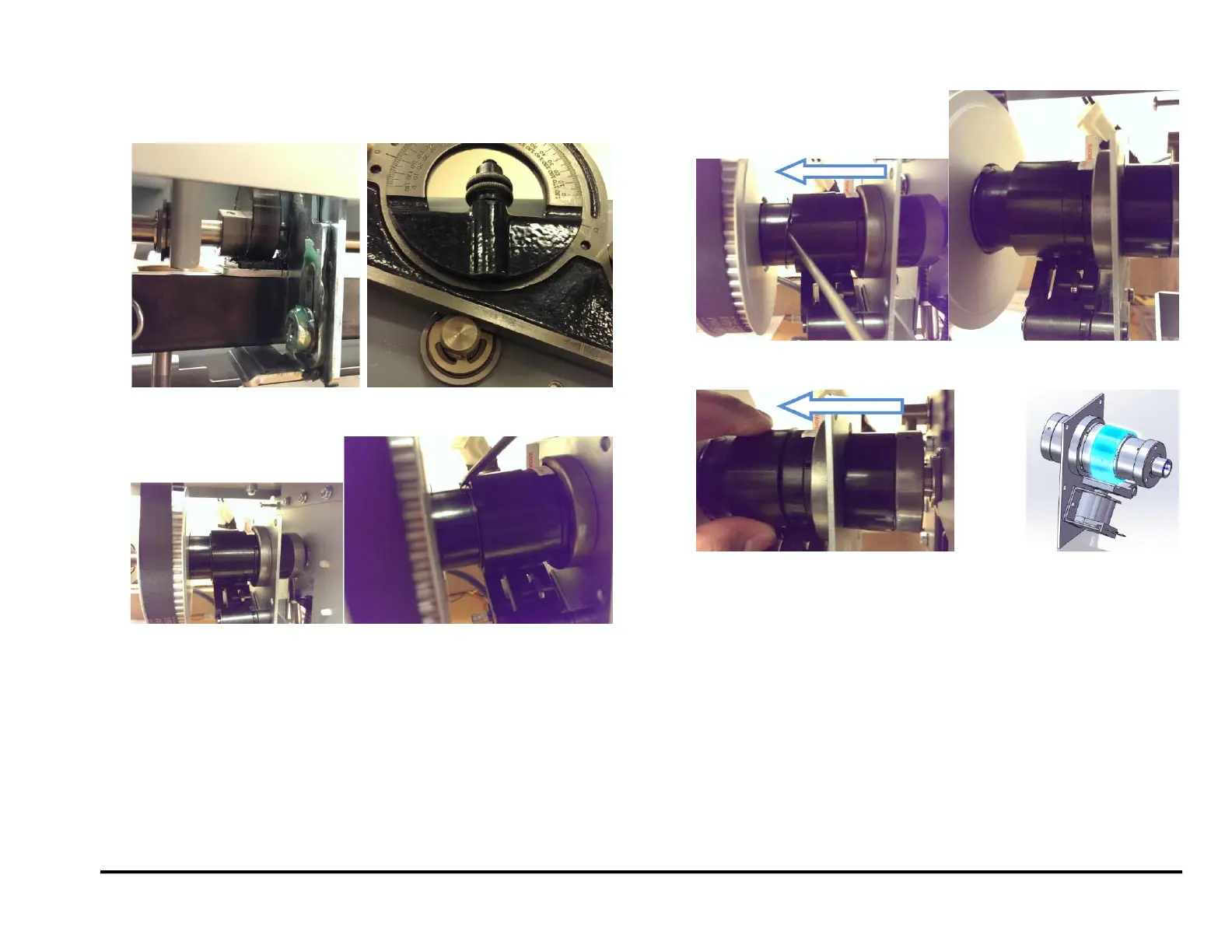
5. Inspect the punch cam position; the flat on the punch cam (or punch
shaft) will indicate how far it has deviated from the horizontal position.
In the example below the cam has rotated past the home position by
20°.
6. To index the shaft to the correct position, remove the spring clip from
the its groove in the Punch clutch.
7. Continue to move the spring clip towards the pulley.
8. Move the control collar towards the pulley. By doing this the toothed
hub will be exposed.



 To Next Page