General Procedures and Information 09/11/2018 GBC AdvancedPunch Pro
6-76
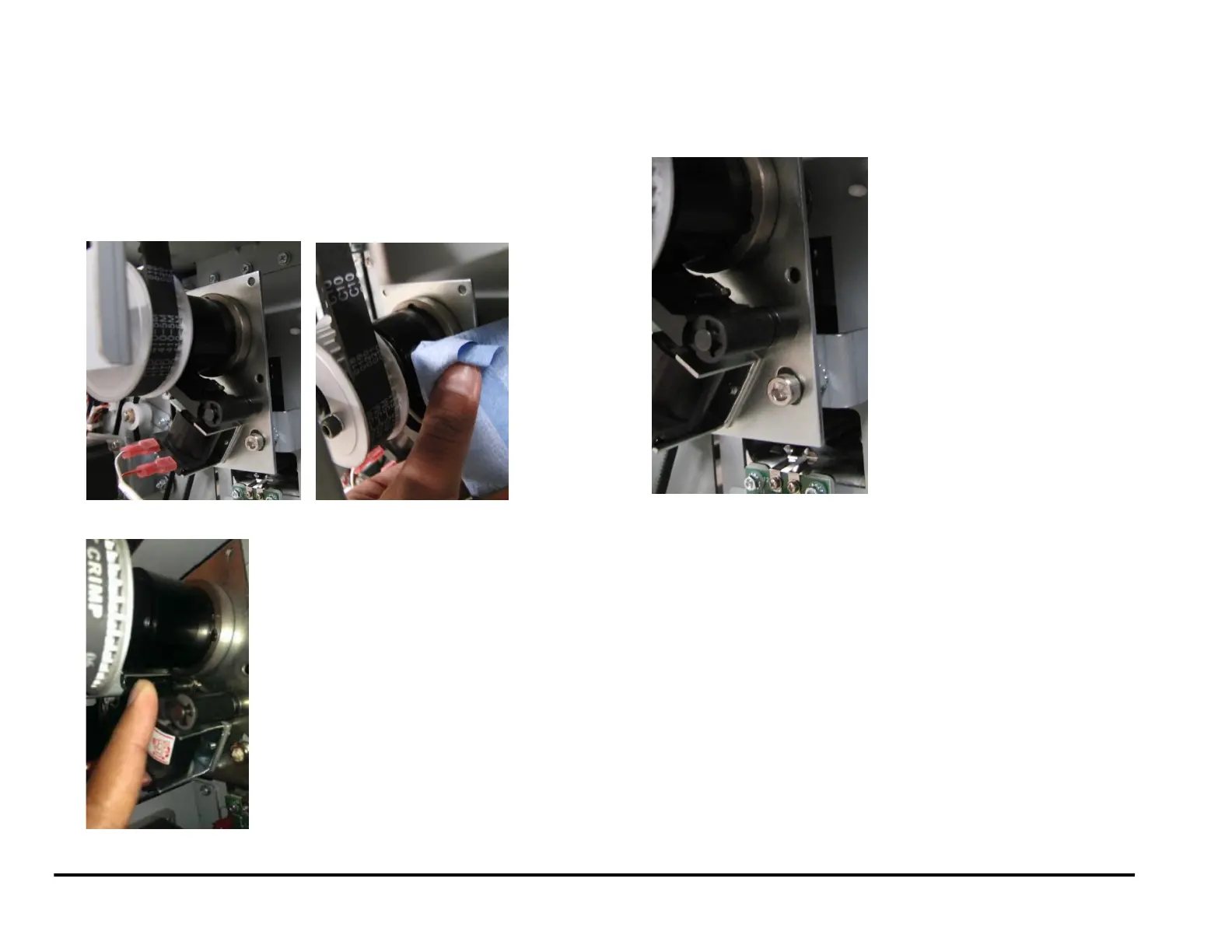
GP 6.24 Punch Clutch Inspection and Cleaning
Use this procedure to inspect and clean the punch clutch every 1000K
cycles.
1. Press the Power Switch to the off position.
2. Disconnect the Power Cord.
3. Do REP 1.6 to remove the Rear Cover.
4. With a cloth wipe the collar of the clutch and remove any oil from the
surface.
5. Inspect the collar stop and the metal insert pawl for any wear.
6. Check the tightness of (2) cone point set screws in the clutch.
7. Inspect the tightness of the M6 lock nut and M6 socket head cap
screw.
8. Check the indexing of the Punch cam, ADJ 1.5 Punch Cam Indexing.
9. If necessary, do REP 3.1.2 Punch Module Installation.
10. Do REP 1.6 to install the Rear Cover,
11. Connect the Power Cord.
12. Press the Power Switch to the ON position.
13. Do GP 6.2.12 FUNCTION TESTS Procedure (Cycle Punch, Aligner
Test, Fan Test).



 To Next Page