GBC AdvancedPunch Pro 11/07/2018 RAPS
2-41
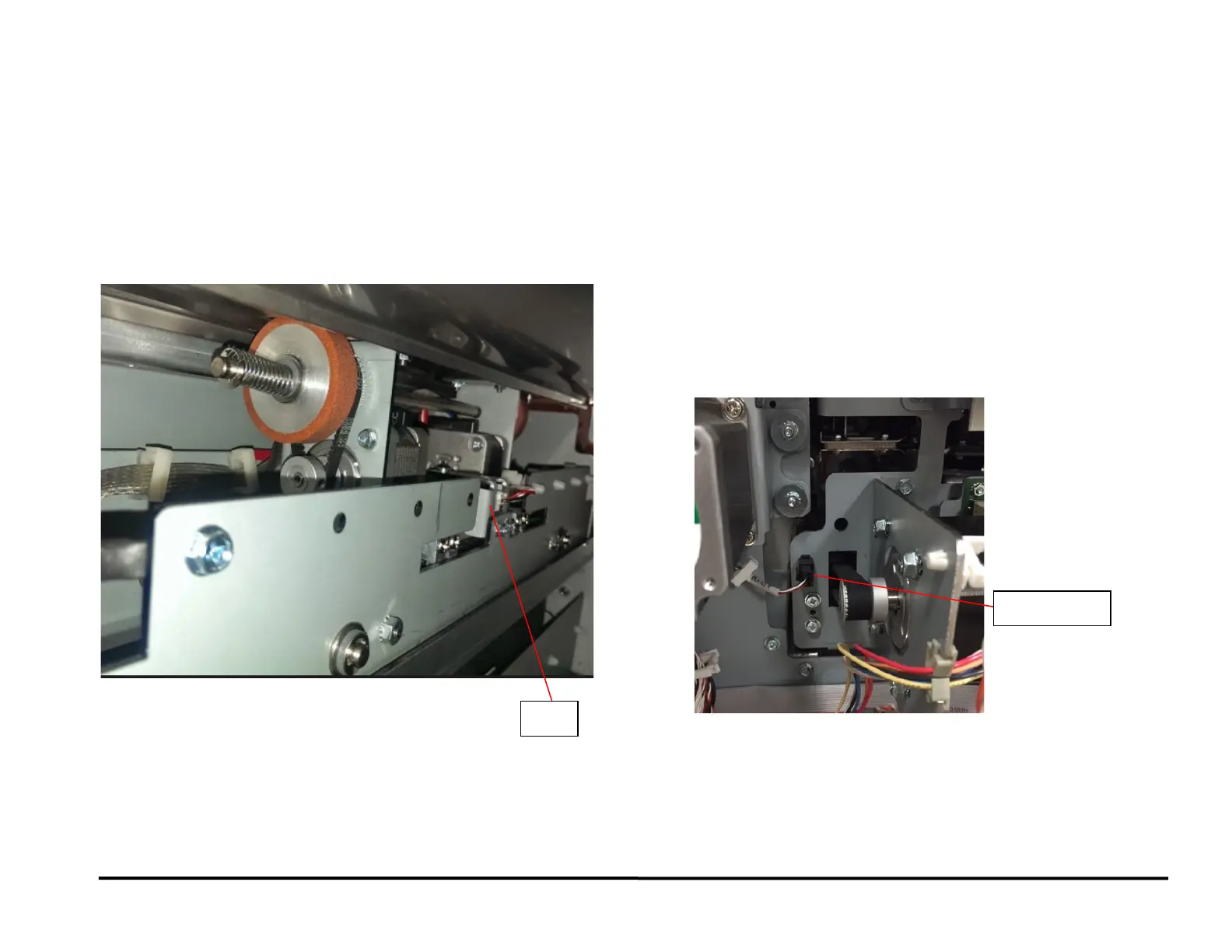
RAP 3.3 Checking Sensor S28 Align Home Sensor
Location
To Access Sensor S28:
• Open the Front Door.
• To uncover this sensor, slide the Alignment carriage (PL 5.3)
towards the front of the machine. The Alignment carriage can be
located in the Jam access window near Zone 5.
• To cover this sensor, slide the Alignment carriage (PL 5.3)
towards the rear of the machine. The Alignment carriage can be
located in the Jam access window near Zone 5.
Procedure
1. Do GP 6.2.7 SENSORS Procedure to make sure the sensor shows
“1” on the LCD when the Alignment carriage flag blocks the sensor
and “0” when the Alignment carriage flag unblocks the sensor.
LCD shows “0” when unblocked and “1” when blocked
Yes- Return to the RAP that directed you here.
No- Go to Step 2
2. Make sure the sensor wire is connected securely at the header in the
punch module frame and the main control board
See the Sensor Cables table in Section 7 Wiring
See REP 3.1 for the location of the Connector.
Connection is secure at the punch frame and Control board.
Yes- Go to Step 3;
No- Make the connection and resume normal operation
3. With the front door open, check if the sensor wire is connected
securely at the sensor and the punch module frame on the inside.
Connection is secure at both ends
Yes- Go to Step 4;
No- Make the connection and resume normal operation
4. Replace the Align Home Sensor REP 2.25.4



 To Next Page