Phaser 6300/6350/6360 Color Laser Printer Service Manual 7-9
Cleaning and Maintenance
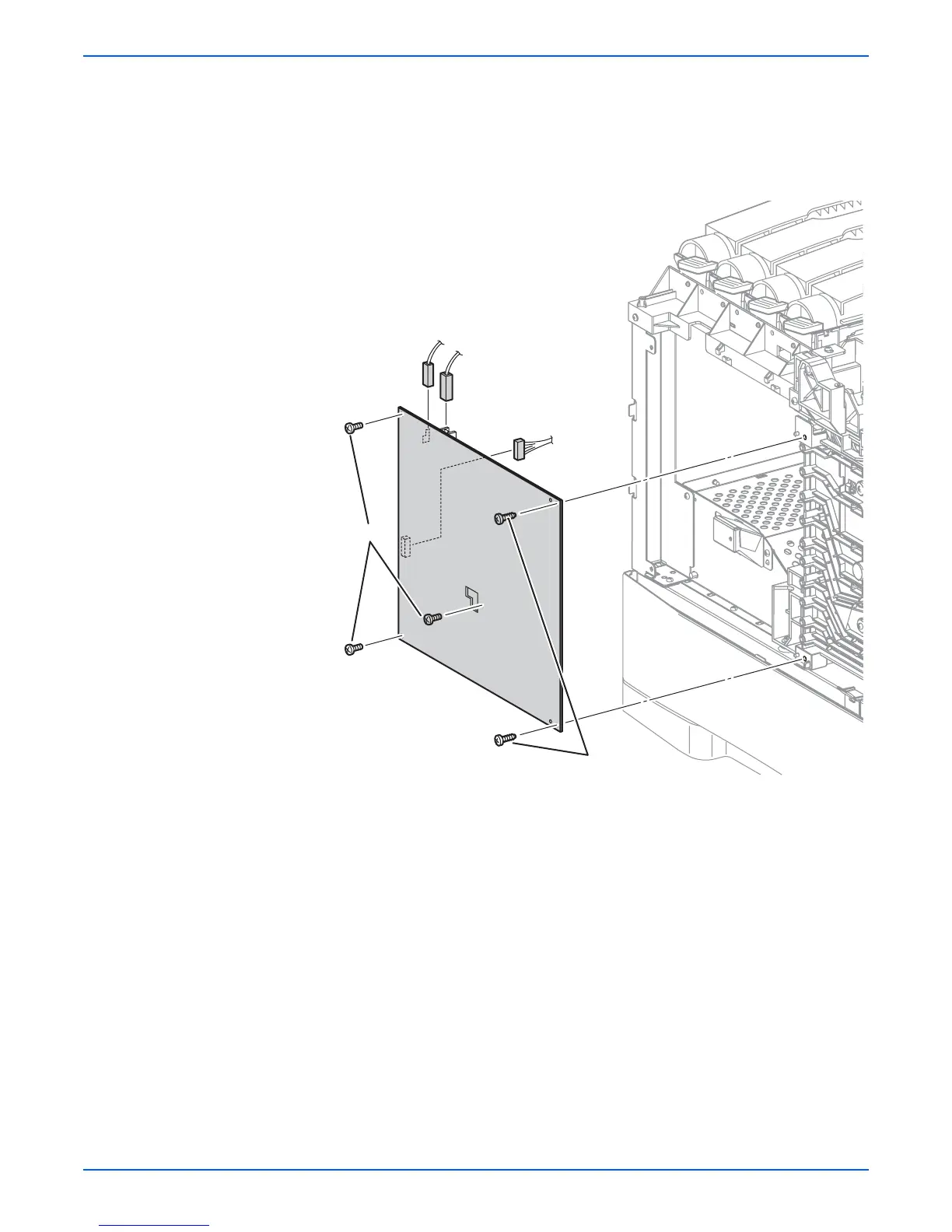
18. Remove the 2 screws (self-tapping, plastic 10 mm) and 3 screws (metal, 6
mm) that secure the HVPS to the frame.
19. Move the HVPS left to release the retaining hooks on the front edge of the
board.
20. Unplug connectors (P/J139, 140, 141) and remove the HVPS.
o
e
To avoid spilling toner, do not tilt the Developer Frame Assembly
backwards (away from the rollers) once it is removed from the printer. Be
sure to store the removed Developer Frame Assembly upright on a flat
surface with it's handle upward.
s6360-223
P/J140
P/J139
P/J141
6 mm
10 mm

















 To Next Page