7-10 Phaser 6300/6350/6360 Color Laser Printer Service Manual
Cleaning and Maintenance
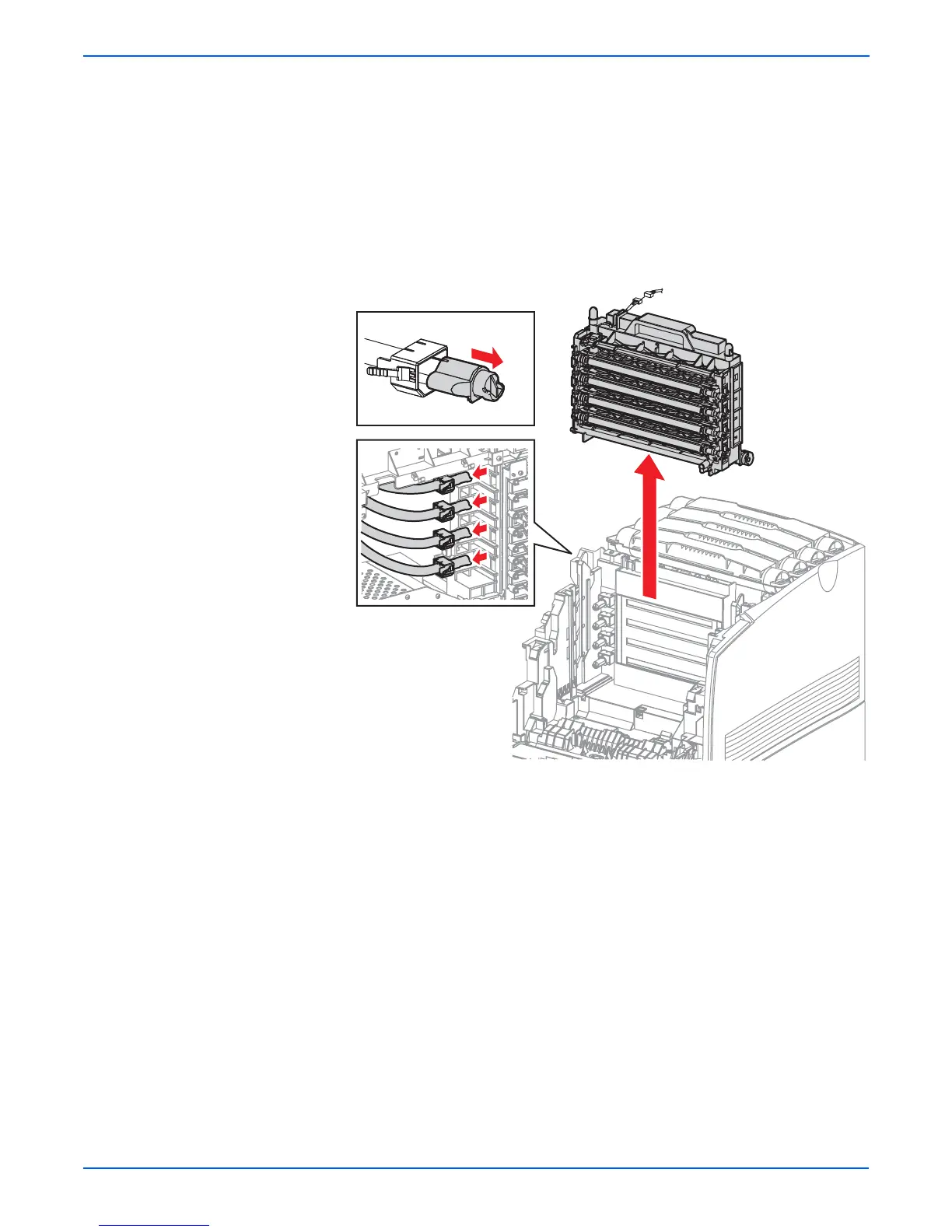
21. Unplug the Imaging Unit CRUM connector (P/J484) at the top of the
Developer Frame Assembly.
22. Release the hooks to disconnect the 4 toner nozzles attached to the
Developer Frame Assembly.
o
e
Check that the toner nozzle shutter is closed. If the shutter is open; close
it immediately.
23. Holding the handle of the Developer Frame Assembly, remove it upward.
o
e
Toner will spill from openings in the Developer Assemblies. Prepare a
location to replace the Developer Assemblies by covering a flat surface
with paper or other material to capture Toner spilled during the
replacement procedure.
s6360-196
P/J484

















 To Next Page