Phaser 6300/6350/6360 Color Laser Printer Service Manual 7-11
Cleaning and Maintenance
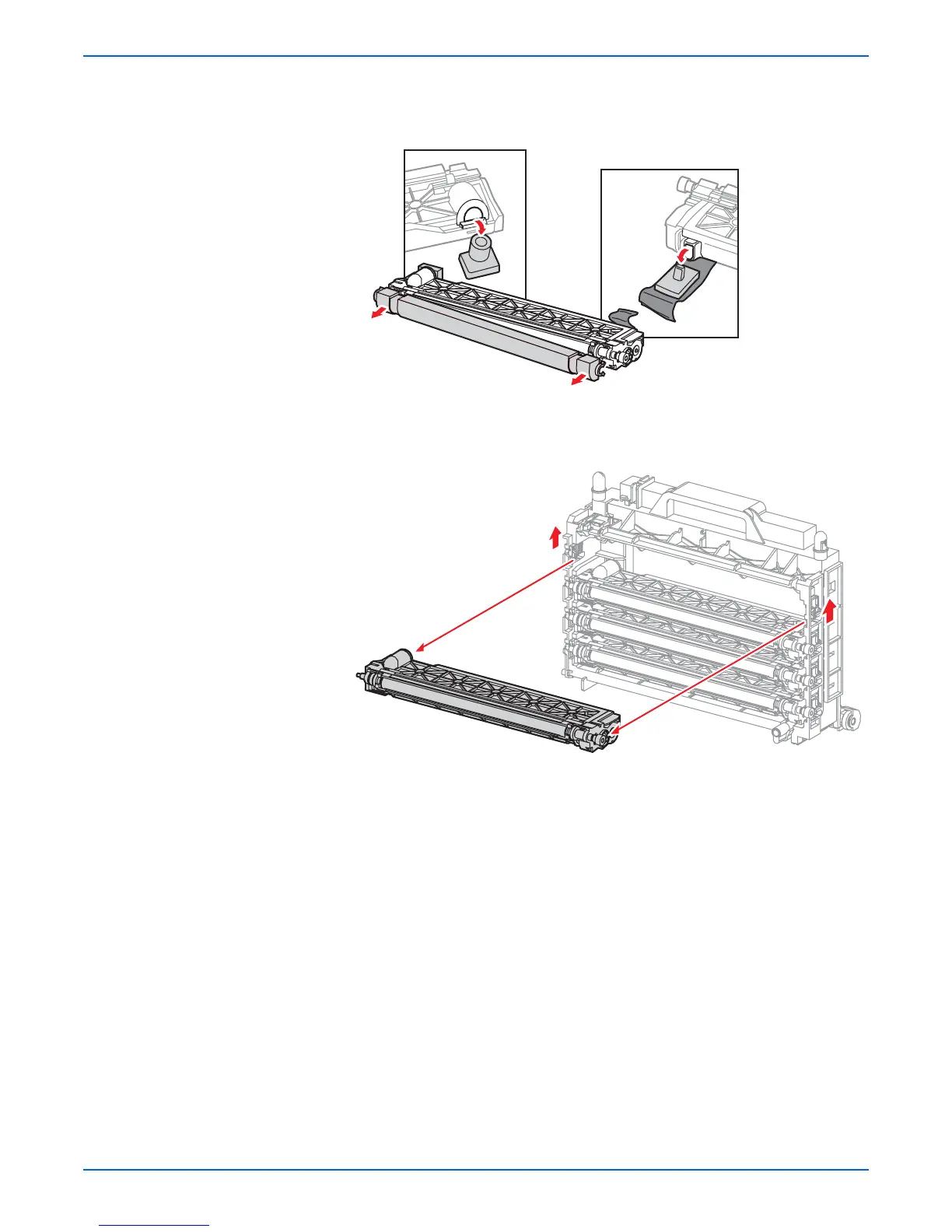
24. Open the replacement Developer Assembly packaging and remove the
shipping plugs and roller cover from each assembly. Use the plugs, cover
and packaging to repack the expended part for return.
25. Release the left and right white stoppers for each Developer Assembly by
sliding each stopper upwards to the unlock position and replace all four
Developer Assemblies.
Note
Inspect each Developer Assembly slot prior to installing the
replacement to ensure the left and right tracking spring (PL7.1.13) is
securely attached to the Developer Frame Assembly. There should be
2 tracking springs per Developer Assembly.
s6360-379
s6360-198

















 To Next Page