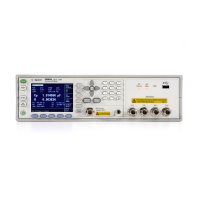
E5071C
2912
Difference between E5092A and E5091A
Difference E5092A E5091A
Options 13 port, 16 port, 22 port, 28 port
and X10 port
9 port, 13 port and
16 port
Number of control
lines
2 1
• The channel number for E5092A has increased because the
number of supported test sets has increased.
Controlling E5092A
• The following commands are available only in E5092A.
Setting output data/voltage and switch
To set the value of output data/voltage and switch, use the following
command:
:CONT:MULT[1-2]:OUTP:[A-D][:DATA]
:CONT:MULT[1-2]:OUTP:[A-D]:VOLT[:DATA]
:CONT:MULT[1-2]:PORT[1-20][:SEL]
:SENS[1-160]:MULT[1-2]:OUTP[:DATA]
:SENS[1-160]:MULT[1-2]:OUTP:[A-D][:DATA]
:SENS[1-160]:MULT[1-2]:OUTP:[A-D]:VOLT[:DATA]
:SENS[1-160]:MULT[1-2]:PORT[1-20][:SEL]
Selecting test set
To select the test set, use the following command:
:SENS[1-160]:MULT[1-2]:NAME
For E5091A test set, only the following two commands are available:
:CONT:MULT[1-2]:PORT[1-20][:SEL]
:CONT:MULT[1-2]:OUTPut:A[:DATA]
Sample program
See Control E5091A.



 To Previous Page


