CCW-R-2**B INSTRUCTION MANUAL 6 FUNCTIONS OF THE OPERATION SCREENS
6-123
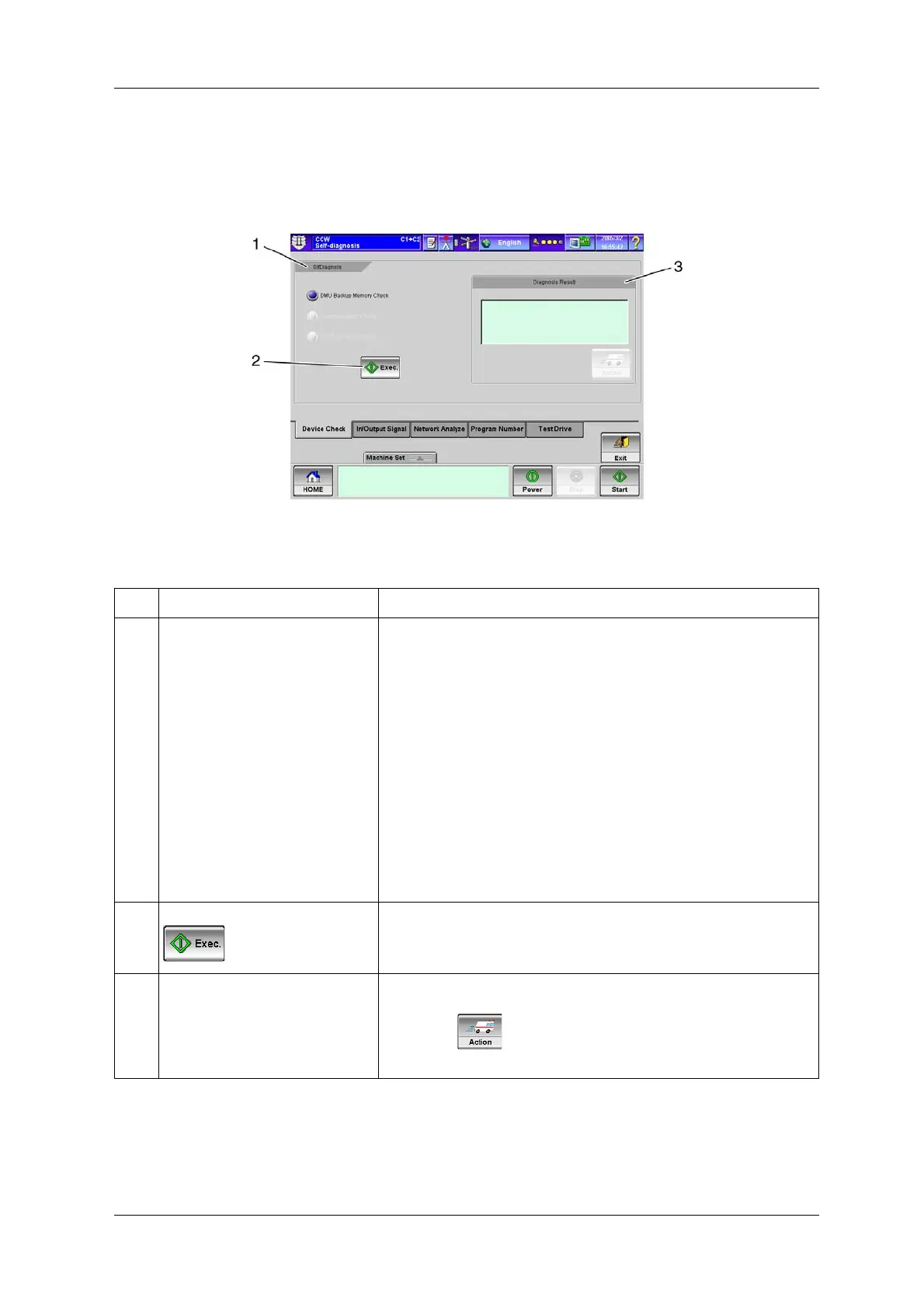
6.15.2.1 [Device Check] Tab Screen
Performs device check.
Fig.6-125 [Device Check] Tab Screen ([Self-diagnosis] Screen)
Table 6-58 Items and Functions of the [Device Check] Tab Screen
No. Name Function
1 [SlfDiagnsis] radio button Selects the item to be diagnosed.
• [DMU Backup Memory Check]:
Performs DMU checksum.
If no problem is found as a result of the check, the message “No Problem” is
displayed.
If there is a problem, the message “DMU Memory Failure. Please initialize
memory.” and the problem details are displayed.
• [Communication Check]:
This is the system in which a network map request is made to WCU and
WCU returns network map to DMU.
If normal, the message “No Problem” is displayed.
If not normal, the message “Some part of Network is disconnected” is
displayed.
• [LCD Dot Failure Check]:
All light up in white for 3 seconds, then all turn off for 2 seconds. Repeats
this process 3 times.
2 [Exec.] key Starts diagnosis for the selected item.
3 [Diagnosis Result] display Displays the diagnosis result.
If a problem is found, the problem details are displayed in this area and the
[Action] key becomes active. If the [Action] key is pressed, the
display jumps to the related screen.


 To Next Page
 Loading...

