6 FUNCTIONS OF THE OPERATION SCREENS CCW-R-2**B INSTRUCTION MANUAL
6-68
6.11.2.3 [Item] Tab Screen
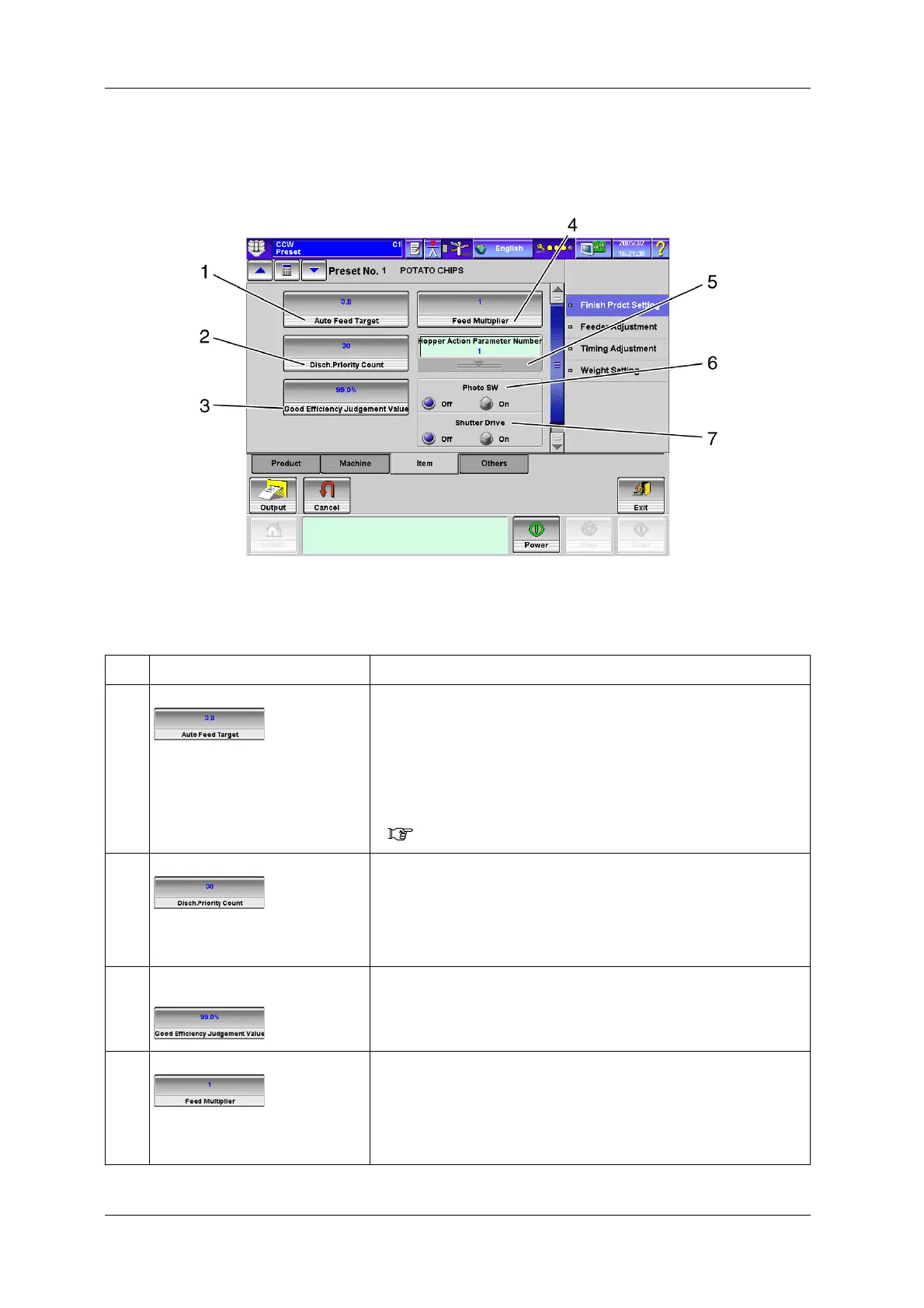
To display the [Item] tab screen, press the [Item] tab on the [Finish Prdct Setting] index screen.
Fig.6-76 [Item] Tab Screen ([Preset] Screen)
Table 6-26 Items and Functions in the [Item] Tab Screen
No. Name Function
1 [Auto Feed Target] key Sets the auto feed target from the [Numeric Keypad] screen.
• This sets the number of weigh hopper heads to be selected for discharge
operation in order to obtain the target weight.
• When feeder control is not manual, product infeed quantity (feeder value) is
automatically controlled so that the target weight is met with the auto feed
target.
• To enable automatic control of product infeed, set the auto feed target, and
then set the feeder control to a mode other than manual.
( 6.13 [Feeder Adjustment] Screen)
2 [Disch.Priority Count] key Sets the discharge priority count from the [Numeric Keypad] screen.
• This is the function to give priority in participating in combination to the
heads having no discharge.
• The priority is given to the heads that have not discharged products even
after weighing the number of times (5-30) set for the discharge priority
count.
3 [Good Efficiency Judgement Value]
key
Sets the efficiency rate judged as good condition from the [Numeric Keypad]
screen.
4 [Feed Multiplier] key Sets the multiplying factor for the feeder operation time.
This sets the multiplying factor for the feeder operation time set in the [Feeder
Adjustment] screen within the range of 1-8.
• When the feed multiplier is “2”:
One pitch of feeder operation time will be 40.0msec at 50Hz and 33.2msec
at 60Hz.


 To Next Page
 Loading...

