CCW-R-2**B INSTRUCTION MANUAL 6 FUNCTIONS OF THE OPERATION SCREENS
6-153
6.15.5 [Weigher Setting] Screen
To display the [Weigher Setting] screen, press [Weigher Setting] in the [Machine Set] pop-up menu.
• The [Weigher Setting] screen is available to [Installation] or higher level personnel.
6.15.5.1 [Active head] Tab Screen
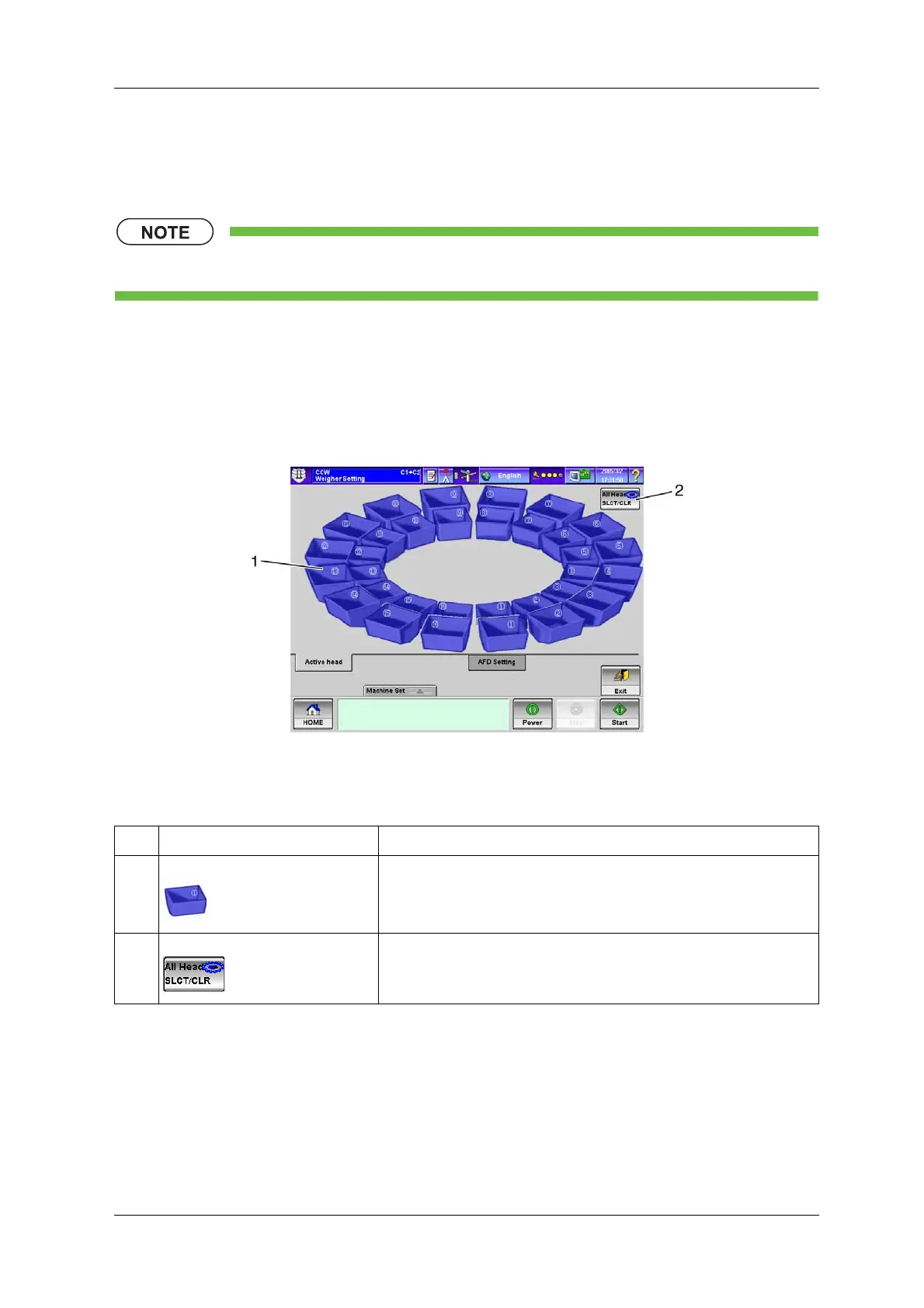
This screen is used to select the hoppers to participate in weighing. This function is used to exclude
specific hoppers from participation due to failures or other reasons.
Fig.6-169 [Active head] Tab Screen ([Weigher Setting] Screen)
Table 6-72 Items and Functions of the [Active head] Tab Screen
No. Name Function
1 [Head] key The head of the number pressed participates in weighing.
The participating head is displayed in blue.
2 [All Head SLCT/CLR] key Selects or deselects all heads.


 To Next Page
 Loading...

