6 FUNCTIONS OF THE OPERATION SCREENS CCW-R-2**B INSTRUCTION MANUAL
6-148
6.15.4 [Various Parameter Setting] Screen
This screen is used for weigher setting to perform combination weighing inside the weigher.
• The [Various Parameter Setting] screen is available to [Installation] or higher level
personnel.
The items that can be set are as follows:
• Weigh Spec Set ( 6.15.4.1 [Weigh Spec Set] Tab Screen)
• Combination Set ( 6.15.4.2 [Combination Set] Tab Screen)
• Sectioning Set ( 6.15.4.3 [Sectioning Set] Tab Screen)
6.15.4.1 [Weigh Spec Set] Tab Screen
To display the [Weigh Spec Set] screen, press the [Weigh Spec Set] tab in the [Various Parameter Setting]
menu.
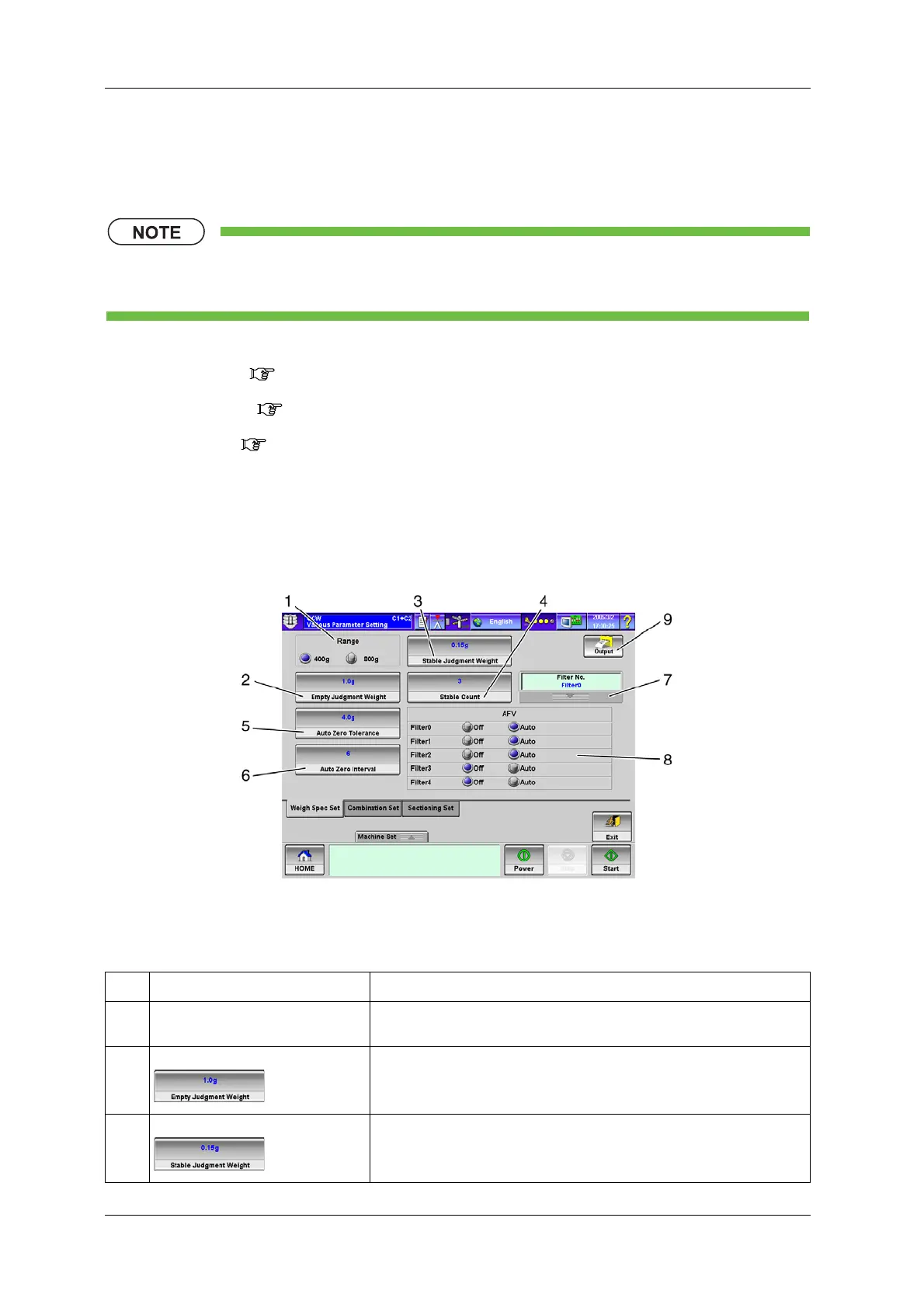
Fig.6-166 [Weigh Spec Set] Tab Screen ([Various Parameter Setting] Screen)
Table 6-67 Items and Functions of [Weigh Spec Set] Tab Screen
No. Name Function
1 [Range] radio button Selects the weighing capacity.
Selects 400g or 800g.
2 [Empty Judgment Weight] key Sets the weight from which the weigh hopper is judged as empty from the
[Numeric Keypad] screen.
3 [Stable Judgment Weight] key Sets the weight from which weighing is judged as stable from the [Numeric
Keypad] screen.



 To Next Page
 Loading...
