6 FUNCTIONS OF THE OPERATION SCREENS CCW-R-2**B INSTRUCTION MANUAL
6-28
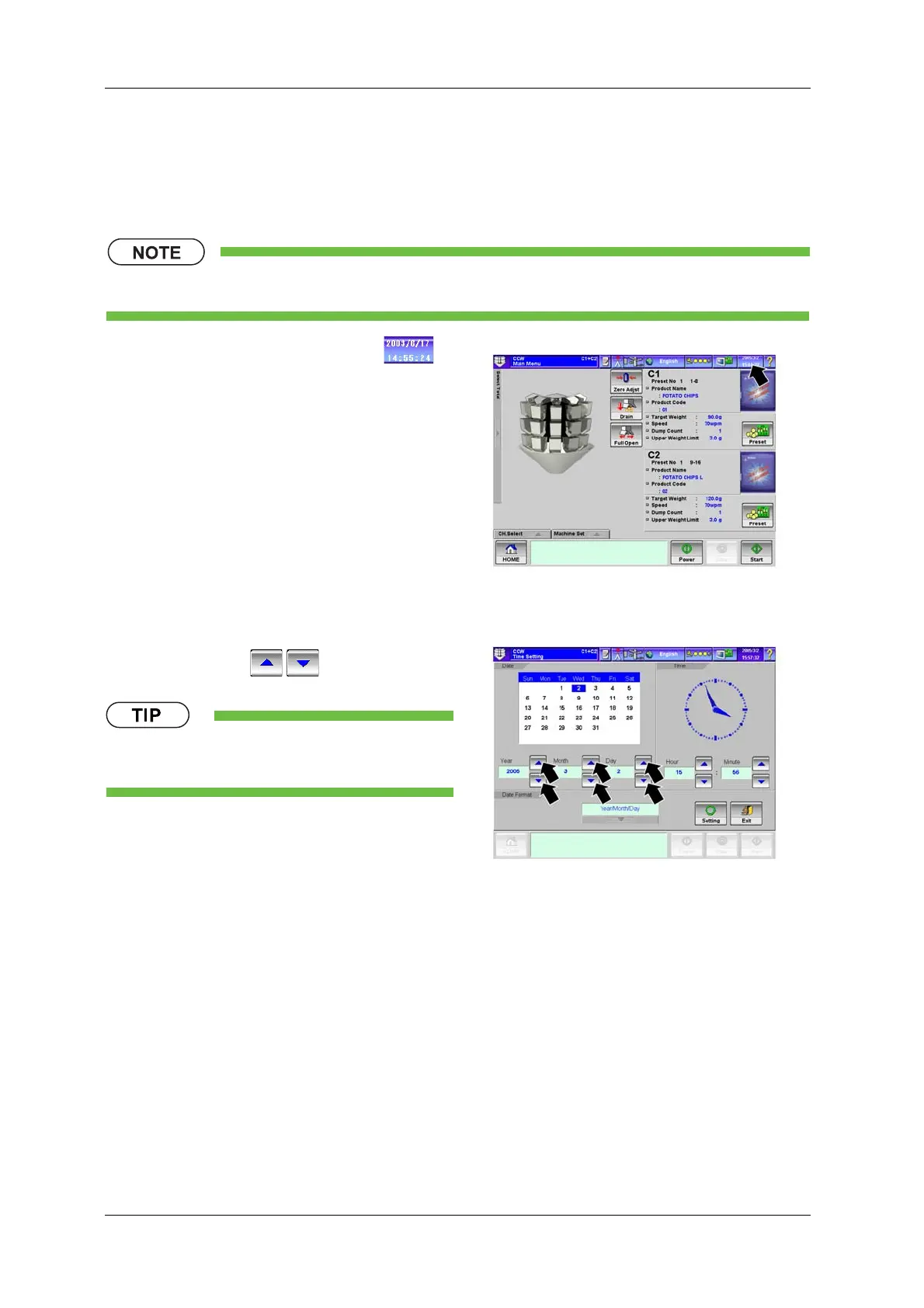
6.3.6 [Date & Time Setting] Screen
The [Date & Time Setting] screen is used to set and change the date and time settings for the operation
panel.
• The date and time setting is performed by [Installation] or higher level personnel.
1. Press the [Date & Time Setting] key .
X The [Date & Time Setting] screen appears.
Fig.6-32 [Main Menu] Screen
2. Enter the year, month and day using the
[Up/Down] keys / .
• It is also possible to select the date directly from
the calendar.
Fig.6-33 [Date & Time Setting] Screen


 To Next Page
 Loading...

