CCW-R-2**B INSTRUCTION MANUAL 7 USEFUL FUNCTIONS
7-11
7.4 Stopping Production of C1 Alone During C1 and
C2 Production (One-side Production Stop)
When using this device in the double mode and both C1 and C2 are in operation, it is possible to stop
operation of only one side in order to weigh another product.
This section describes the procedure to stop production on the C1 side alone when both C1 and C2 are
in production and to continue production on the C2 side.
• The C2 side alone can be stopped by executing the similar procedure.
7.4.1 Stopping Production of C1 Alone
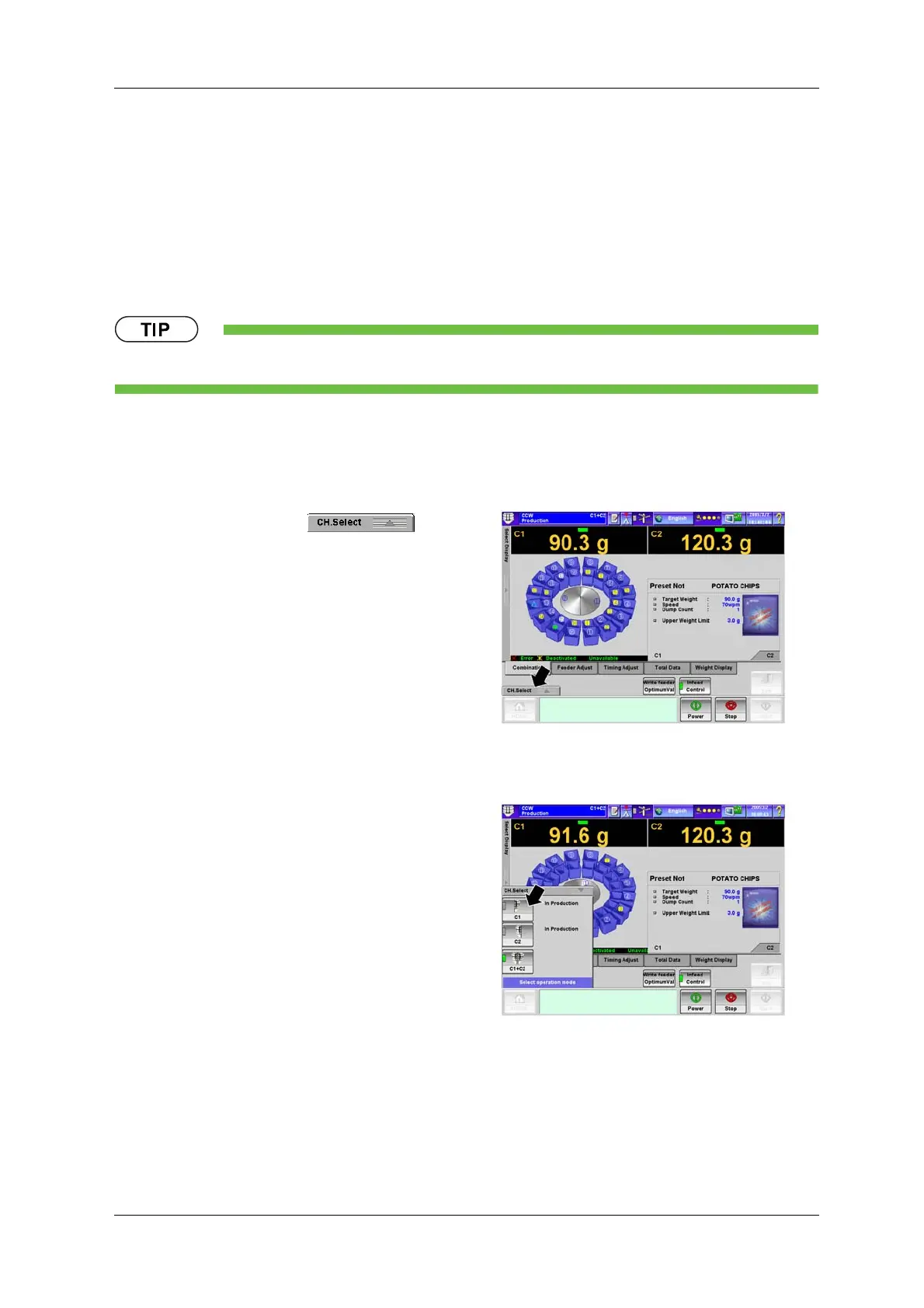
1. On the [Production] screen, press the
[CH.Select] pop-up key .
X The [CH.Select] pop-up menu appears.
Fig.7-22 [Production] Screen
2. Select the channel to be stopped. (C1)
X The [Production] screen with only C1
displayed appears.
Fig.7-23 [CH.Select] Pop-up Menu



 To Next Page
 Loading...
