6 FUNCTIONS OF THE OPERATION SCREENS CCW-R-2**B INSTRUCTION MANUAL
6-66
• When the camera is not connected, no image is displayed.
• Take a photo of a product with sufficient light. Photos taken in insufficient light may be
inferior in image quality.
• Only 1 photo data can be registered per preset.
If a photo is taken for a preset number which already has a photo registered for it, the new
photo will replace the previously registered photo.
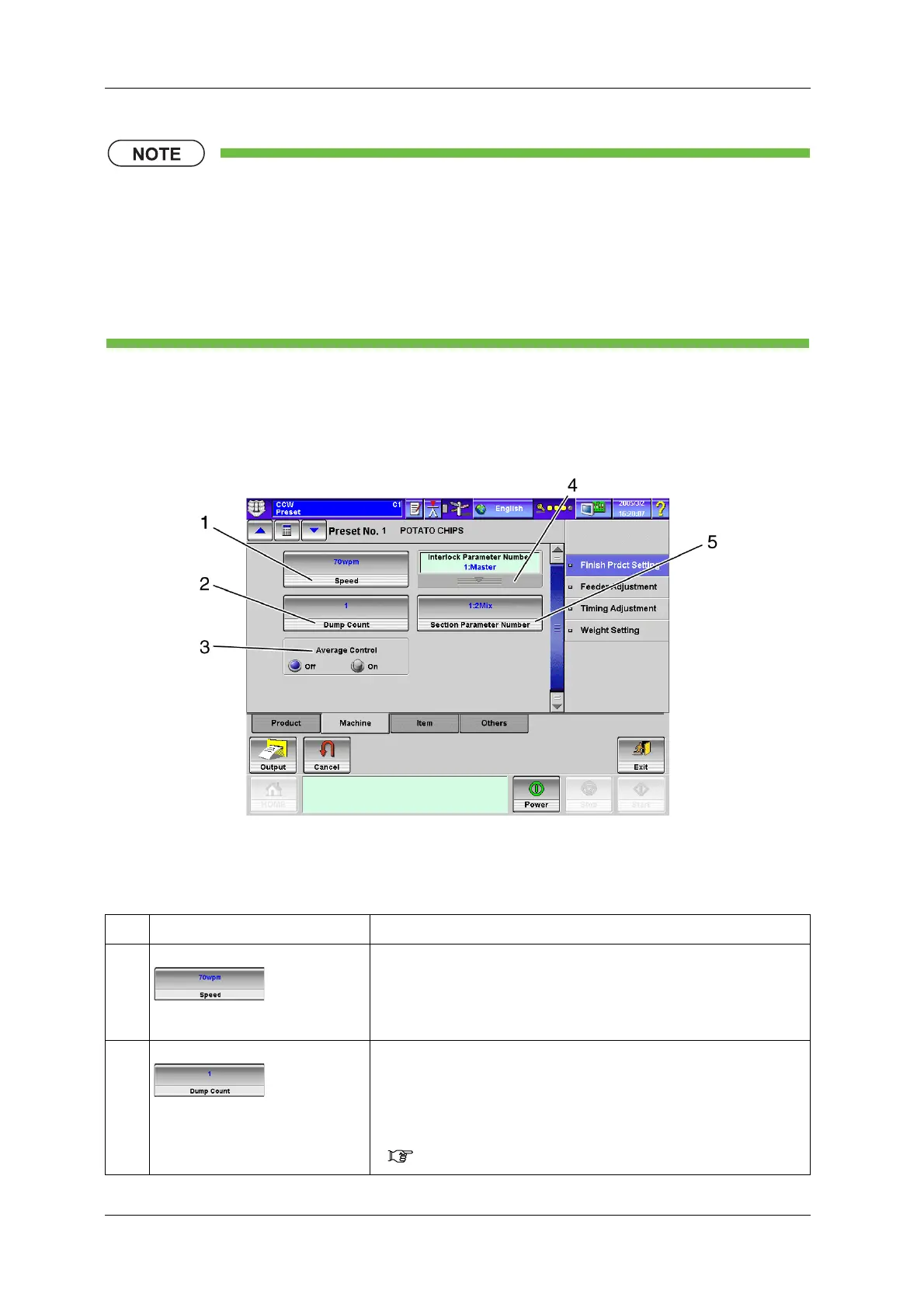
6.11.2.2 [Machine] Tab Screen
To display the [Machine] tab screen, press the [Machine] tab on the [Finish Prdct Setting] index screen.
Fig.6-75 [Machine] Tab Screen ([Preset] Screen)
Table 6-23 Items and Functions of [Machine] Tab Screen
No. Name Function
1 [Speed] key Sets the speed from the [Numeric Keypad] screen.
• The set value is displayed on the key.
• This sets the number of packs to be discharged from the device per minute.
• The setting value for speed is determined by factors such as product
characteristics, target weight and capacity of the packer.
2 [Dump Count] key Sets the dump count from the [Numeric Keypad] screen.
• The set value is displayed on the key.
• This divides and discharges the product separately to prevent the product
from jamming in the packer when the target weight is large or when a
product will overflow if weighed all at once.
The number of times for division is set here.
( Table 6-24 Optimum Dump Count)


 To Next Page
 Loading...

