6 FUNCTIONS OF THE OPERATION SCREENS CCW-R-2**B INSTRUCTION MANUAL
6-154
6.15.5.2 [AFD Setting] Tab Screen
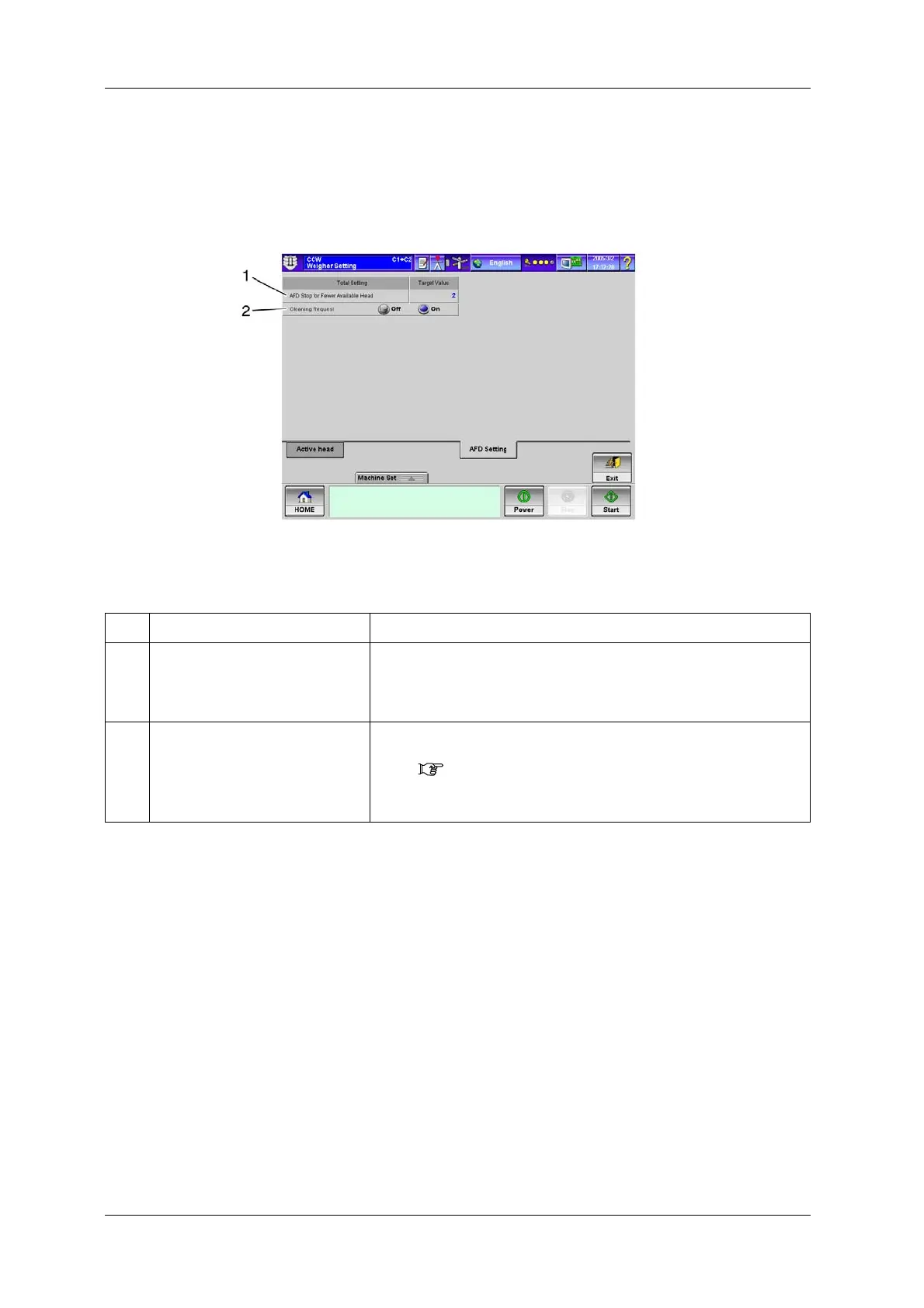
To display the [AFD Setting] tab screen, press the [AFD Setting] tab in [Weigher Setting].
The [AFD Setting] tab screen is used to configure the AFD setting for the whole weigher.
Fig.6-170 [AFD Setting] Tab Screen ([Weigher Setting] Screen)
Table 6-73 Items and Functions of the [AFD Setting] Tab Screen
No. Name Function
1 [AFD Stop for Fewer Available Head]
key
Sets the number of heads to stop the feeder auto control.
The feeder auto control is stopped if the number of heads participating in
weighing lowers to the set value or less as a result of non-participation due to
a failure, etc. or because weigh hoppers are removed.
2 [Cleaning Request] radio button If empty head frequently occurs at a certain head, it is judged as defective
infeed and a warning is displayed in the [Production Status Information]
screen.( 6.13.1 Switching Display in [Feeder Adjust] Screen)
[On]: Issues the warning.
[Off]: Does not issue the warning.


 To Next Page
 Loading...

