CCW-R-2**B INSTRUCTION MANUAL 6 FUNCTIONS OF THE OPERATION SCREENS
6-97
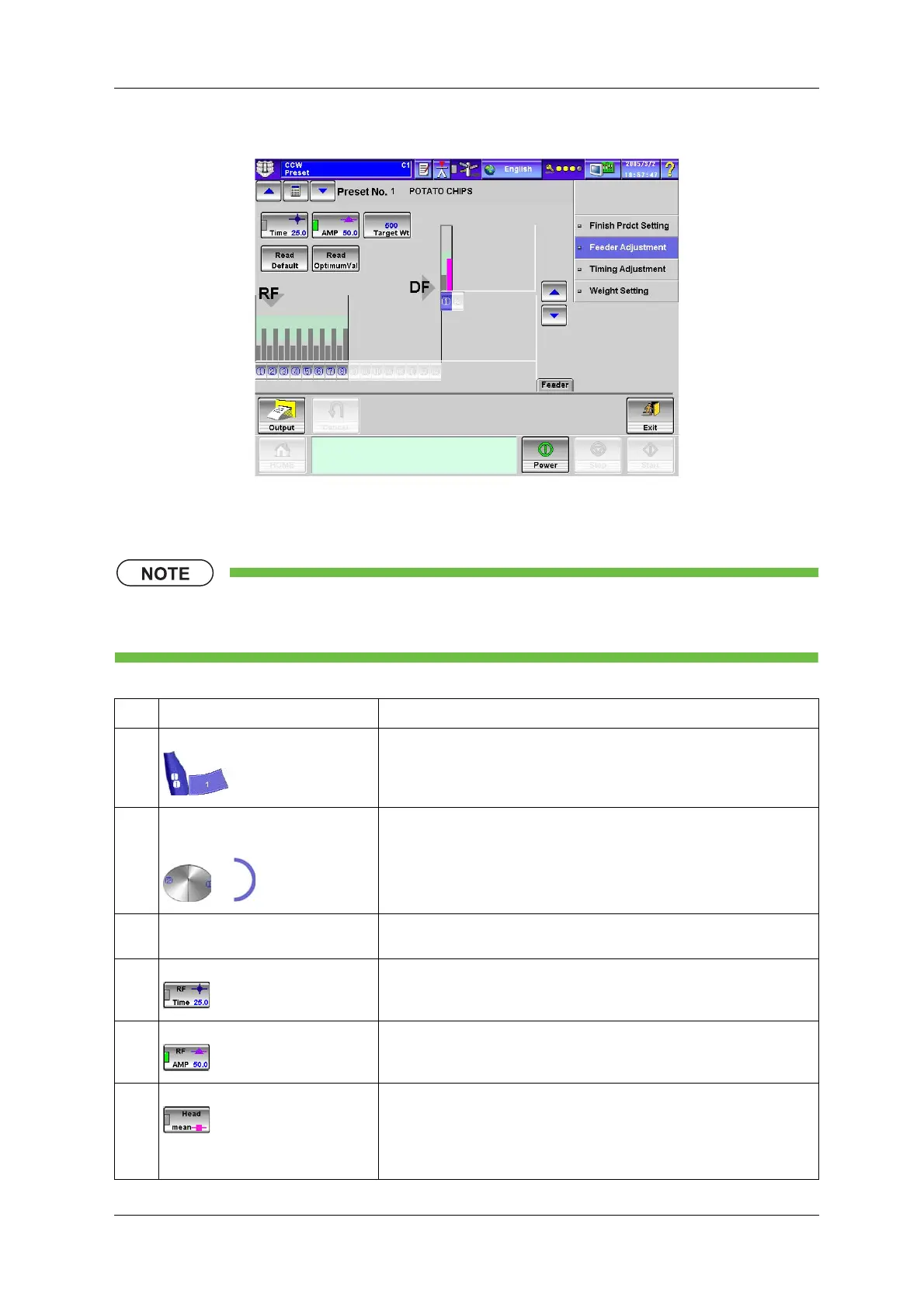
Fig.6-95 [Feeder Adjustment] Index Screen ([Preset] Screen)
• For keys and functions of the [Feeder Adjustment] index screen during preset, refer to
“6.11.4 [Feeder Adjustment] Index Screen” of the [Preset] Screen.
Table 6-45 Items and Functions of [Feeder Adjustment] Screen
No. Name Function
1 Each [RF] key Selects the number for the head to be adjusted.
Head selection in the bird’s-eye view and the radar chart operates in
conjunction with each other.
2 Each [DF] key Selects the number for the dispersion table to be adjusted.
Dispersion table selection in the bird’s-eye view and the radar chart operates
in conjunction with each other.
The feeder adjustment radar chart appears.
3 [Live]/[C.G.] switching tab Switches the display between the head illustration and the photo taken by the
camera.
4 [RF Time] key ON: Enables adjustment of radial feeder operation time.
After turning the key ON, press the [Increase] or [Decrease] key to change the
operation time.
5 [RF AMP] key ON: Enables adjustment of radial feeder amplitude.
After turning the key ON, press the [Increase] or [Decrease] key to change the
feeder amplitude.
6 [Head mean] key ON: Displays the graph of the average infeed product amount for each WH.
The values are displayed in pink on the graph while the [Average Infeed
Product Amount] key for each WH is selected.
If the key is not selected, the values are displayed in grey.
The values are indicated by a line connecting each point.


 To Next Page
 Loading...

