8-68 Xerox Internal Use Only Phaser 6500/WorkCentre 6505 Service Manual
Service Parts Disassembly
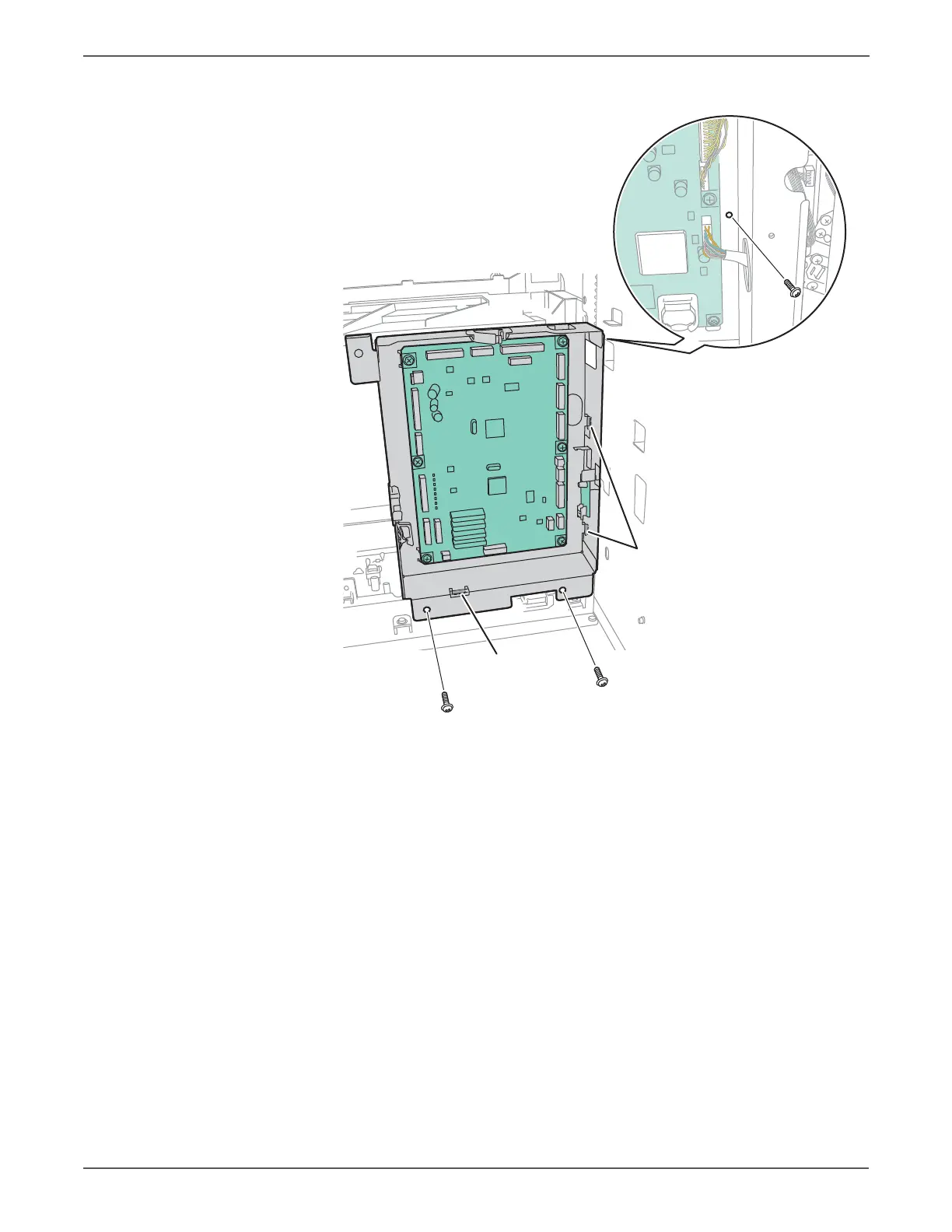
18. Remove the 3 screws that attach the MCU chassis to the frame.
19. Lift the MCU chassis to release the 3 hooks, and remove the MCU chassis
containing the MCU and EEPROM Boards.
http://www.manuals4you.com



 To Next Page
 Loading...