Engine
SHOP MANUAL
Ch 1 page 121
524615
Renewing the seal in the front cover
1. Remove the fan ring and the fan.
Thermostatic fan: Store it upright (vertical).
2. Remove the belt(s), crankshaft damper and
belt pulley.
3. Remove the driver bolts and withdraw the
driver. Mind the sealing surface.
4. Pull or prise off the seal in the cover.
Take care to avoid damaging the sealing surface in the cover.
5. Wipe the sealing surface in the cover clean.
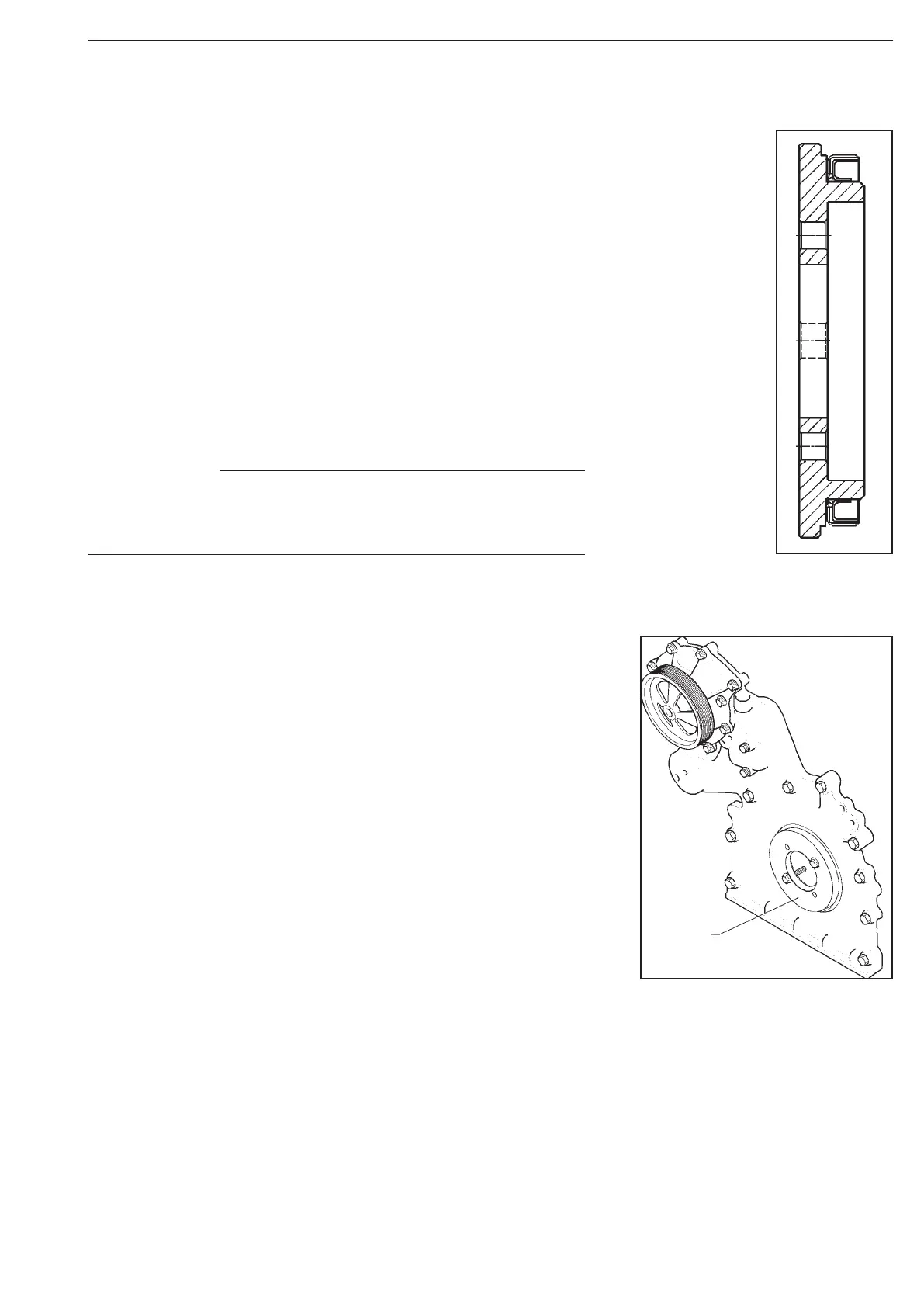
6. Place the new seal on tool 8421 and press it in place by tighten-
ing the diametrically opposite bolts alternately.
The seal is correctly fitted when the tool comes up
against the cover.
7. Remove the tool by screwing the bolts into
the threaded holes.
8. Wipe the driver sealing surface clean. Fit a
new seal on the end surface of the driver
and push the driver onto the spacing sleeve
on the end of the crankshaft.
9. Bolt the driver to the crankshaft flange and
tighten the flange bolts to 135 Nm.
10. Bolt the crankshaft damper and possibly the
belt pulley to the hub and tighten to
110 Nm.
11. Fit the belt(s), fan ring and fan.
Tool 524615 with crankshaft seal
The crankshaft seal must be tted dry and must not be lubri-
cated. The sleeve in the seal should be left in place until the
seal is tted.
NOTE
Figure 234
Figure 233



 To Next Page