Engine
SHOP MANUAL
Ch 1 page 51
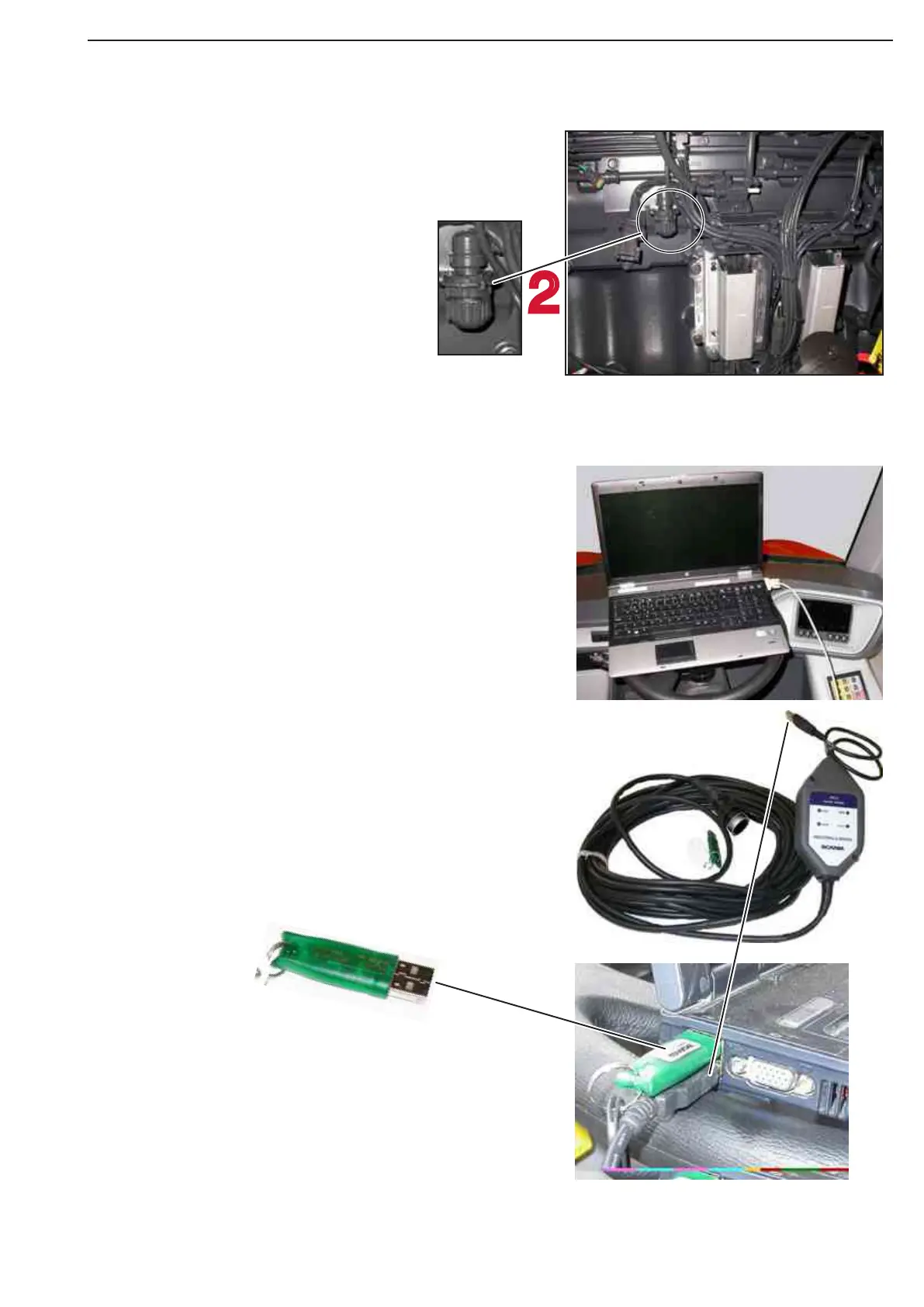
Install the VCI
1. Switch on the laptop.
2. Connect the cabelend (2) to the engine
testport
3. Connect the USB plug (3) to the Laptop
4. Put in the USB key
5. Switch on the ignition key (If read the
setting parameters)
6. Start on laptop the engine SDP3
7. Start the engine. (If controlling of the
parameters)
VCI
2
4
3
1
Connection point SDP3 Scania dagnostic
On left side of the engine there is the con-
nection point for Scania SDP3
2
Figure 80
Figure 81



 To Next Page