SHOP MANUALSHOP MANUAL
FRONT WAGON
Ch 7 Page 52 Ch 7 Page 53
FRONT WAGON
Steering Column
Steering
Column
Clamp
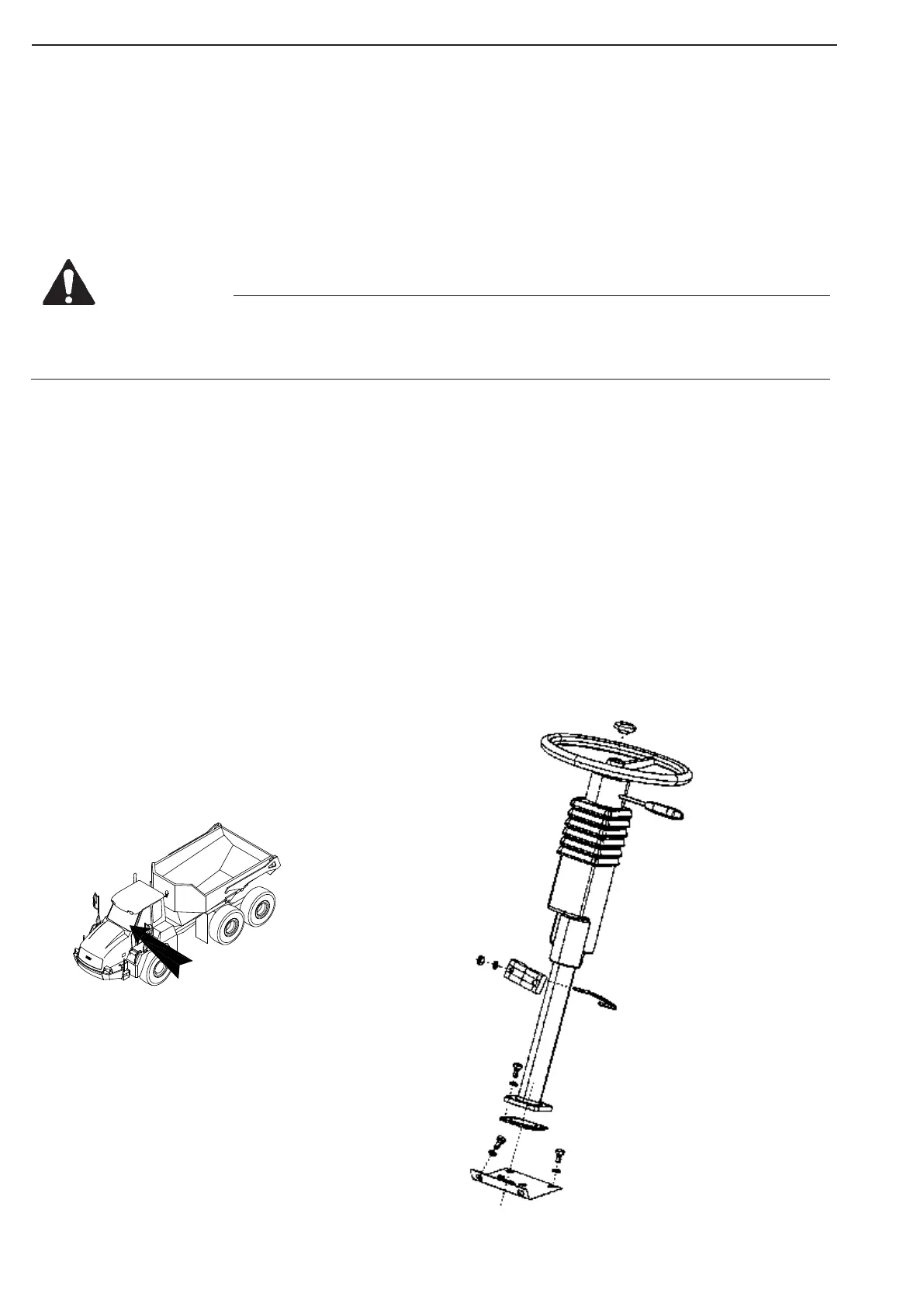
7.5.6 Steering Column
The adjustable steering column comprises the steering wheel and the control handle for lights, turn signals,
horn and windscreen wiper/washer.
Removal
Check that the steering is in neutral position, and ensure that the articulation lock is engaged.
Make sure the battery main switch is turned off.
Disconnect the electrical connection for the steering column behind the instrument panel.
Remove the four bolts securing the steering column to the cab floor.
Remove the clamp securing the steering column to the instrument panel, and lift out of cab.
Installation
Position the steering column in the floor bracket engaging the splines into the orbitrol steering servo valve and
enter the mounting bolts.
Make sure the steering wheel has the orientation wanted for neutral position.
Replace the clamp securing the column to the instrument panel, and tighten the nuts loosely.
Tighten the four bolt in the floor bracket.
Tighten the two nuts on the clamp.
Replace the electrical connections.
Control
Check that all parts are located as before removal, and that all functions controlled by steering column controls
are functioning according to the Operation & Maintenance Manual.
Figure 110
Never turn off battery main switch when engine is running
Never turn off battery mainSwitch when ignition is on
Leave battery main switch on for atleast 5 minutes after engine has completely stopped.
WARNING



 To Next Page