SHOP MANUAL
DRIVE LINE
Ch 3 page 68 Ch 3 page 69
DRIVE LINE
1.
When you inspect the brakes, inspect both sides and the outer
diameter of the disc for the following conditions:
• Cracks
• Heat checking
• Grooves or scoring
• Blue marks or bands
2.
When you reline the brakes, you must measure the thickness
of the disc.
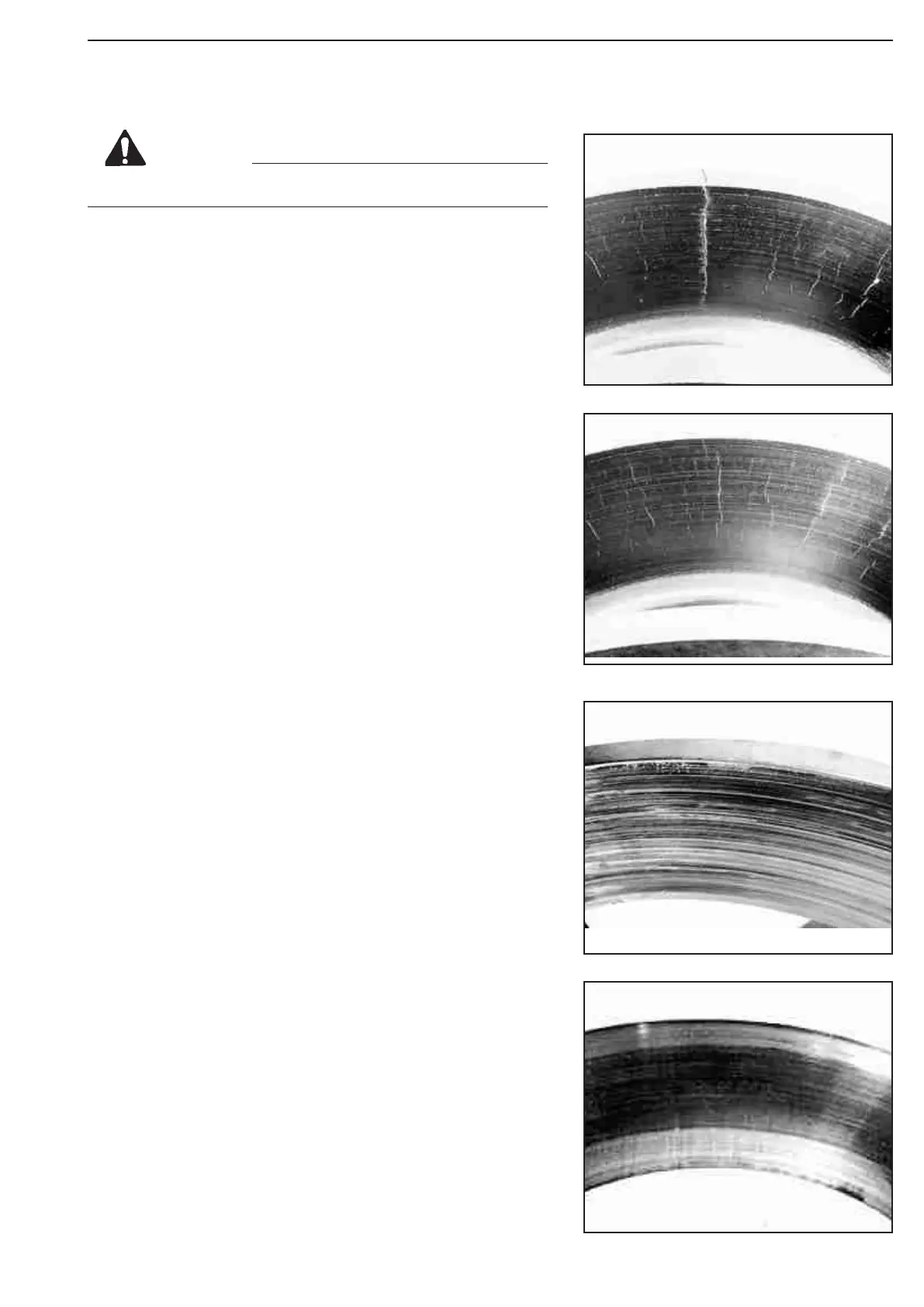
Cracks
When a crack extends deep into a section of the
disc, replace the disc.
Figure 182.
Heat Checking
Heat checks are cracks in the surface of the disc caused by heat.
Heat checking can be light or heavy.
Light Heat Checking
Light heat checking is very fine, tight, small cracks. Light heat
checking is normal.
You can continue to use a disc with light heat checking.
Heavy Heat Checking
Heavy heat checking is surface cracks with width and depth.
Figure 183.
If you find heavy heat checking,
always replace the disc.
Deep Grooves or Scores
Check both sides of the disc for deep grooves or scores. If the
grooves or scores are not too
deep, you can continue to use the disc.
Figure 184.
Blue Marks or Bands
Blue marks or bands indicate that the disc was very hot.
If blue marks or bands are present, refer to Section 6 to find and
correct the cause of the problem.
Figure 185.
Disc
You must always replace a damaged disc.
CAUTION
Figure 182
Figure 183
Figure 184
Figure 185


 To Next Page