CHAPTER50 System Status
Mediant 1000 Gateway & E-SBC | User's Manual
Item #1 Description
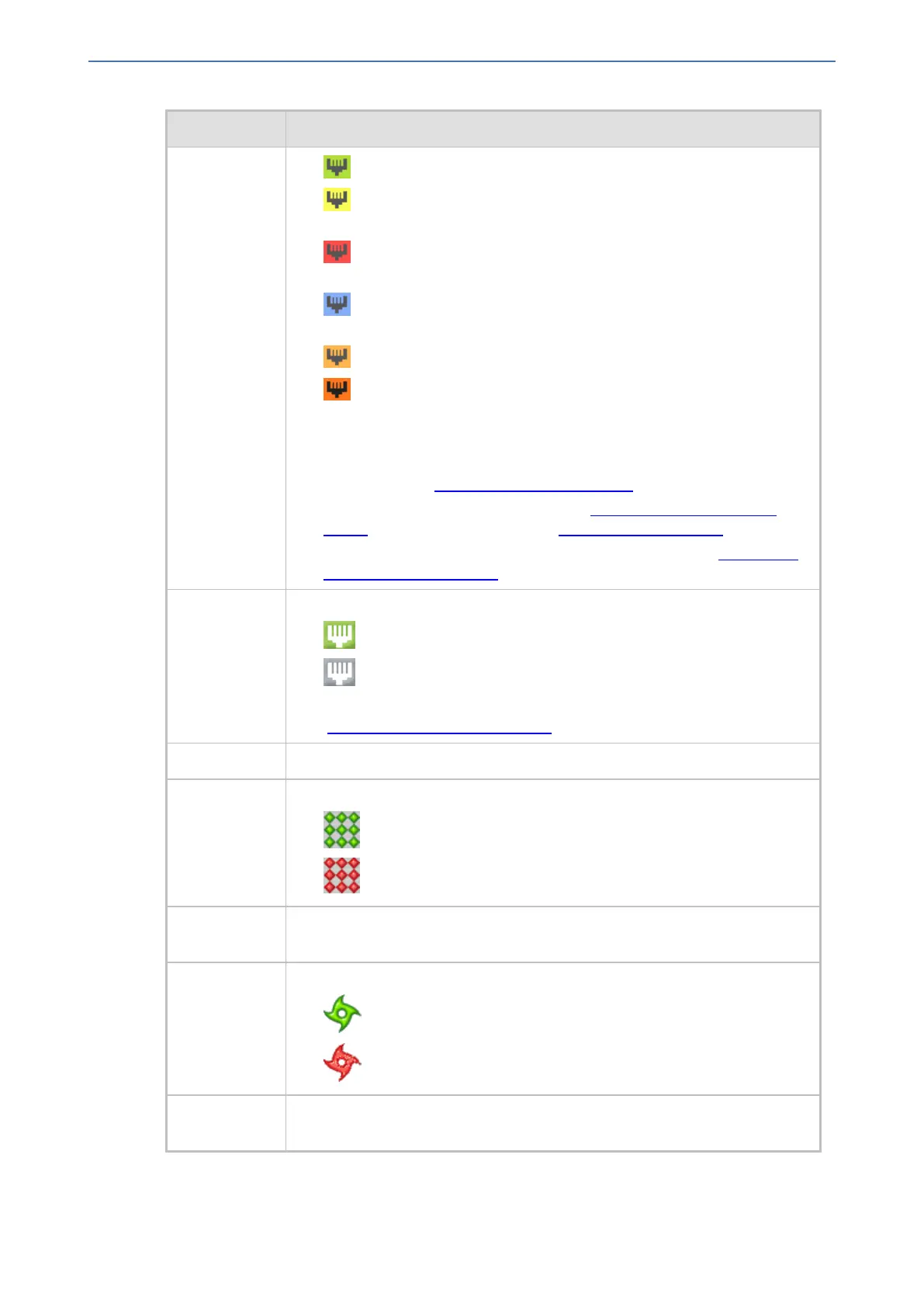
■ (green): The trunk is synchronized.
■ (yellow): The trunk has a Remote Alarm Indication (RAI), also known
as the Yellow Alarm.
■ (red): The trunk has a loss due to LOS (Loss of Signal) or LOF (Loss
of Frame).
■ (blue): The trunk has an Alarm Indication Signal (AIS), also known as
the Blue Alarm.
■ (orange): The trunk has a D-channel alarm.
■ (dark orange): The trunk has an NFAS alarm.
If you click a port, a shortcut menu appears with commands allowing you to
do the following:
■ Reset Channel: (Analog ports only) Resets the analog port. For more
information, see Resetting an Analog Channel.
■ Port Status: Displays trunk status (see Viewing Trunk and Channel
Status) and analog port status (see Viewing Port Information).
■ Port Description: Let's you define a name for the port (see Configuring
Name for Telephony Ports).
6 Gigabit Ethernet port status icons:
■ (green): Ethernet link is working.
■ (gray): Ethernet link is not configured.
To view detailed port information, click the port icon. For more information,
see Viewing Ethernet Port Information.
7 CRMX module.
8 Power Supply Unit 1 status icon:
■ (green): Power supply is operating
■ (red): Power supply failure or no power supply unit installed
9 Power Supply Unit 2 status icon. For more information, see the description
above.
10 Fan tray unit status icon:
■ (green): Normal operation of Fan tray.
■ (red): Fan tray failure.
11 SWX LAN expansion module, providing 4 Ethernet ports operating in port-pair
group redundancy.
- 927 -






 To Next Page