CHAPTER50 System Status
Mediant 1000 Gateway & E-SBC | User's Manual
Viewing Voice Port Information
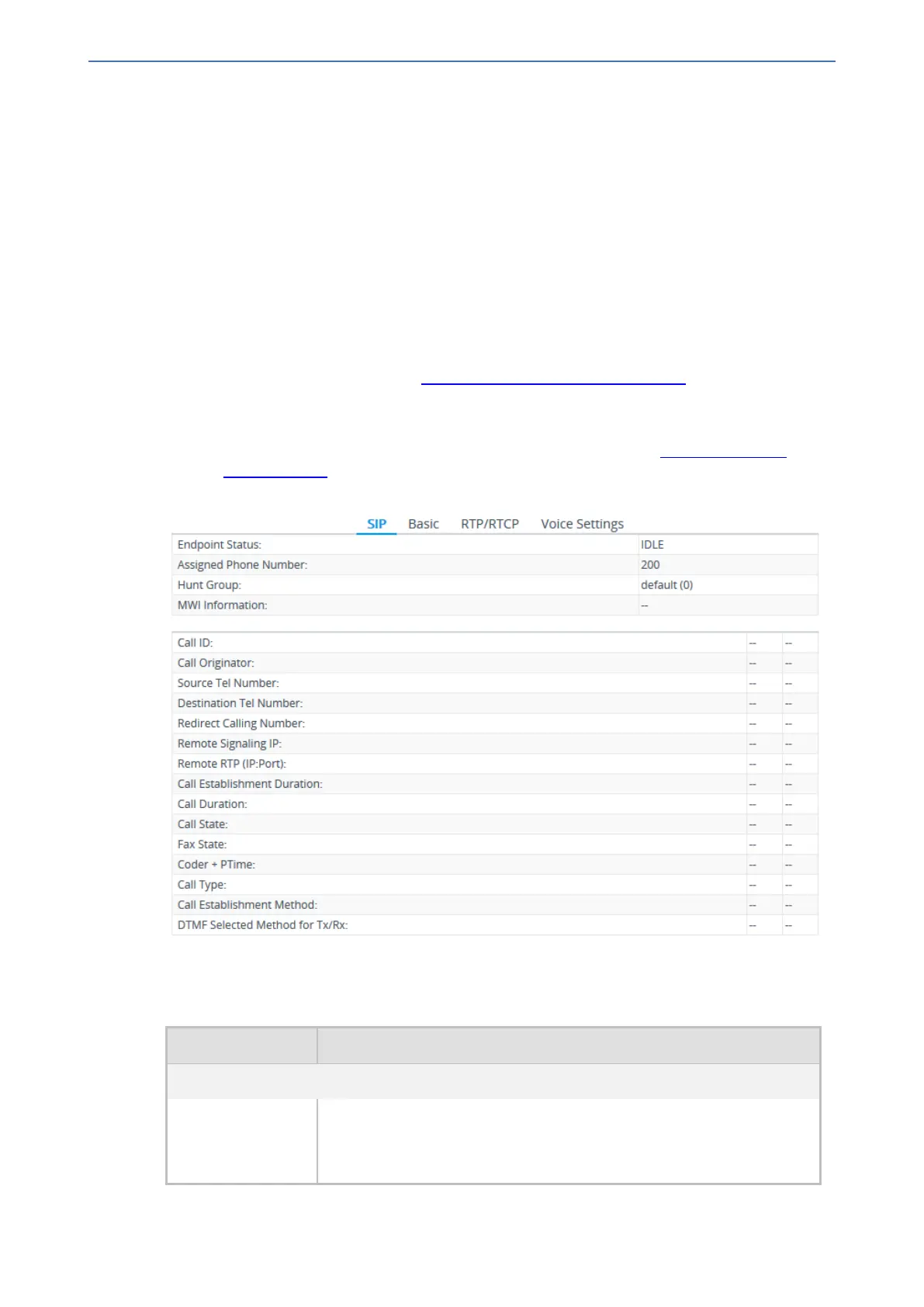
You can view detailed information per voice port. The information is grouped under the following
tabs:
■ SIP: Displays SIP-related information such as endpoint status (e.g., idle) and phone number
■ Basic: Displays information such as call duration and analog information such as line voltage,
hook status (off or on), and polarity reversal.
■ RTP/RTCP: Displays RTP/RTCP-related information such as packet loss and network jitter.
■ Voice Settings: Displays voice-related configuration such as silence suppression.
➢ To view information on an analog port:
1. Open the Monitor home page (see Viewing Device Status on Monitor Page).
2. On the graphical display of the device, click a port; a shortcut menu appears.
3. From the shortcut menu, choose Port Status.
● For digital ports: The Trunks & Channel Status page appears (see Viewing Trunk and
Channel Status). Click a channel; the following page appears with the Basic tab selected:
● For analog ports: The following page appears with the Basic tab selected:
4. To view additional channel information, click the required tab - SIP, RTP/RTCP, and Voice
Settings.
Table 50-3: Port Status Description
Field Description
SIP
Endpoint Status Status of endpoint:
■ "IDLE": No call
■ "ACTIVE": Active call
- 928 -






 To Next Page