CHAPTER54 Viewing VoIP Status
Mediant 1000 Gateway & E-SBC | User's Manual
➢ To view registration status:
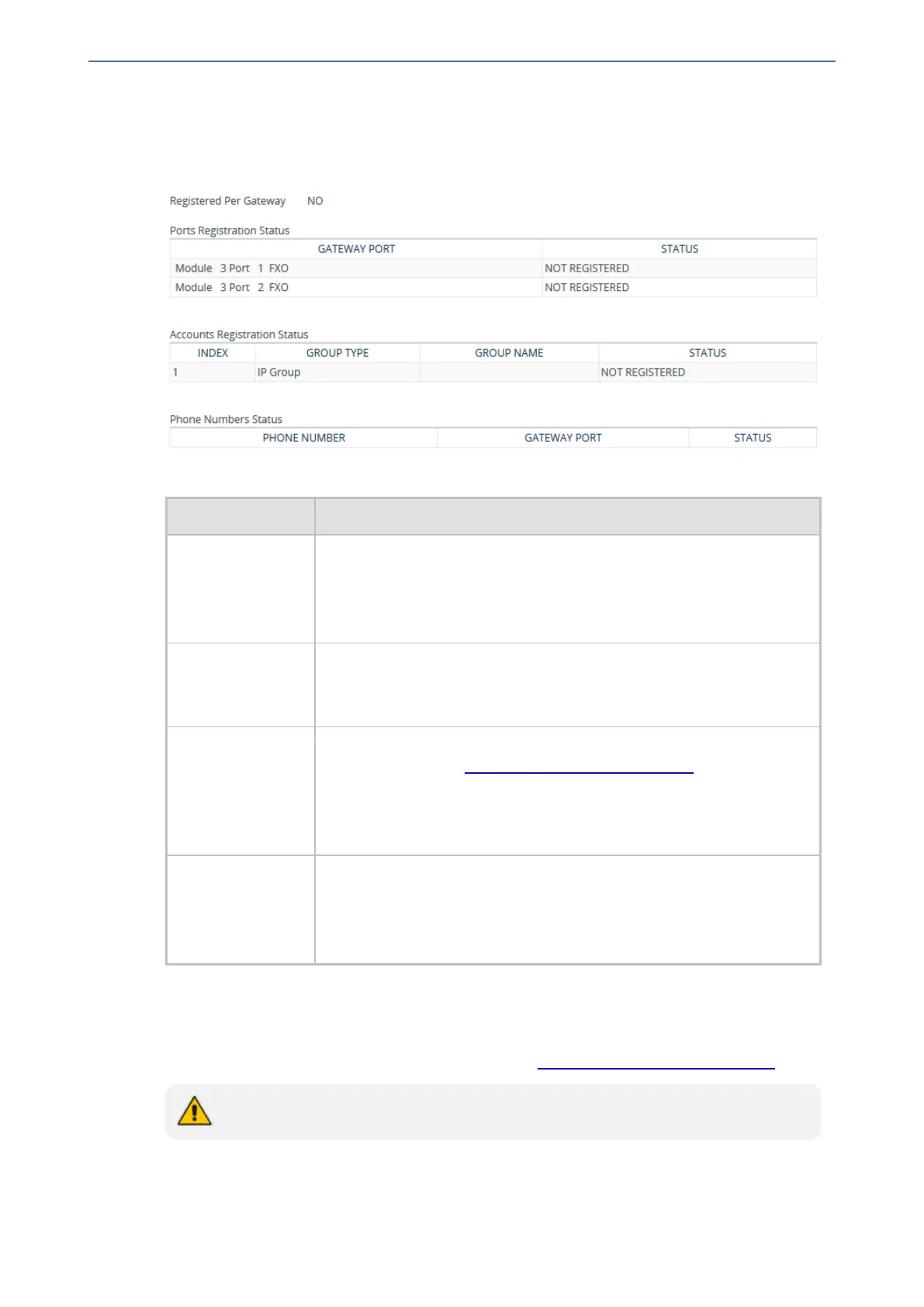
■ Open the Registration Status table (Monitor menu > Monitor tab > VoIP Status folder >
Registration Status).
Table 54-4: Registration Status Table Description
Parameter Description
Registered Per
Gateway
Registration status of the device as one entity:
■ "YES"
■ "NO"
Note: The parameter is applicable only to the Gateway application.
Ports Registration
Status
Displays the registration status per analog (FXS or FXO) port:
■ "REGISTERED"
■ "NOT REGISTERED"
Accounts
Registration
Status
Displays the status registration per Account, as configured in the
Accounts table (see Configuring Registration Accounts).
■ Group Type: Served Trunk Group or IP Group
■ Group Name: Name of served Trunk Group or IP Group, if applicable
■ Status: "REGISTERED" or "NOT REGISTERED"
Phone Number
Status
Displays the registration status of BRI endpoints:
■ Phone Number: Phone number of endpoint.
■ Gateway Port: module/port number of endpoint.
■ Status: "REGISTERED" or "NOT REGISTERED"
Viewing IP Connectivity
You can view on-line, read-only network diagnostic connectivity information on destination IP
addresses configured in the Tel-to-IP Routing table (see Configuring Tel-to-IP Routing Rules).
The table is applicable only to the Gateway application.
- 955 -






 To Next Page