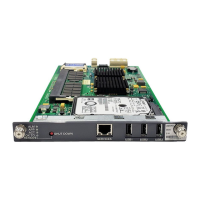
TONE-BD (Tone-Clock Circuit Pack)
Issue 4 May 2002
10-1789 555-233-123
2. Insert a new Tone-Clock circuit pack. The system will detect the return of
the clocks and will automatically recover as follows:
■ If the Tone-Clock circuit pack being replaced is in the Processor Port
Network, the system will perform a reset system 2 (system cold 2
restart) automatically. First, all red LEDs of the PPN will come on
and off wi thin 30 seconds. Then, all red LEDs of any Expansion
Port Networks will come on and go off within the next 30 seconds.
■ If the Tone-Clock circuit pack being replaced is in an Expansion Port
Network, the system will reset the EPN (EPN cold restart) and all
the red LEDs of the EPN will come on and go off within 30 seconds.
3. If the red LEDs come on but do not go off within 30 seconds, pull the circuit
pack out and reseat it. If the LEDs perform as expected this time, continue
with step 6. Otherwise, there may be a problem with the TDM Bus; possibly
a bent pin in the Tone-Clock circuit pack slot. Follow the directions in the
TDM-BUS maintenance section.
4. If the red LEDs did light, as explained above, then go to Step 6. If the red
LEDs do NOT light, as explained above, then go on to Step 5.
5. Restart the affected Port Network:
■ In the PPN, restart the system via the reset system 2 command.
■ In an EPN, restart the EPN by resetting its Expansion Interface
circuit pack via the reset board command, using the board address
1a01 for EPN1 and 1a02 for EPN2.
If this step should fail, follow normal escalation procedures.
6. Test the new Tone-Clock circuit pack to verify that it is functioning properly,
using the test tone-clock PC long command, and verify that the system is
operational by placing several phone calls. Where possible, try calls into,
out from, and within the affected Port Network.
If the system is not operating properly, follow normal escalation
procedures.
Port Networks with Two Tone-Clock Circuit
Packs:
1. If both Tone-Clock circuit packs in a Port Network need to be replaced, first
replace and test the one that is in standby mode. Make sure that it is
healthy and active before replacing the second one. Make sure the
Tone-Clock circuit pack to be replaced is in Standby Mode by displaying its
status via the status port-network command or making sure its yellow
LED is off.
The active/standby state of a Tone-Clock circuit pack may also be
determined by looking at its LED. A continuously lit red LED on the
Tone-Clock circuit pack indicates a reported fault on one or more of the
maintenance objects on the circuit pack. Flashing patterns of the yellow
and green LEDs correspond to the following service states: Tone-Clock
LED Flashing Codes



 To Next Page