Phaser 6180MFP Multifunction Printer Service Manual 8-97
Service Parts Disassembly
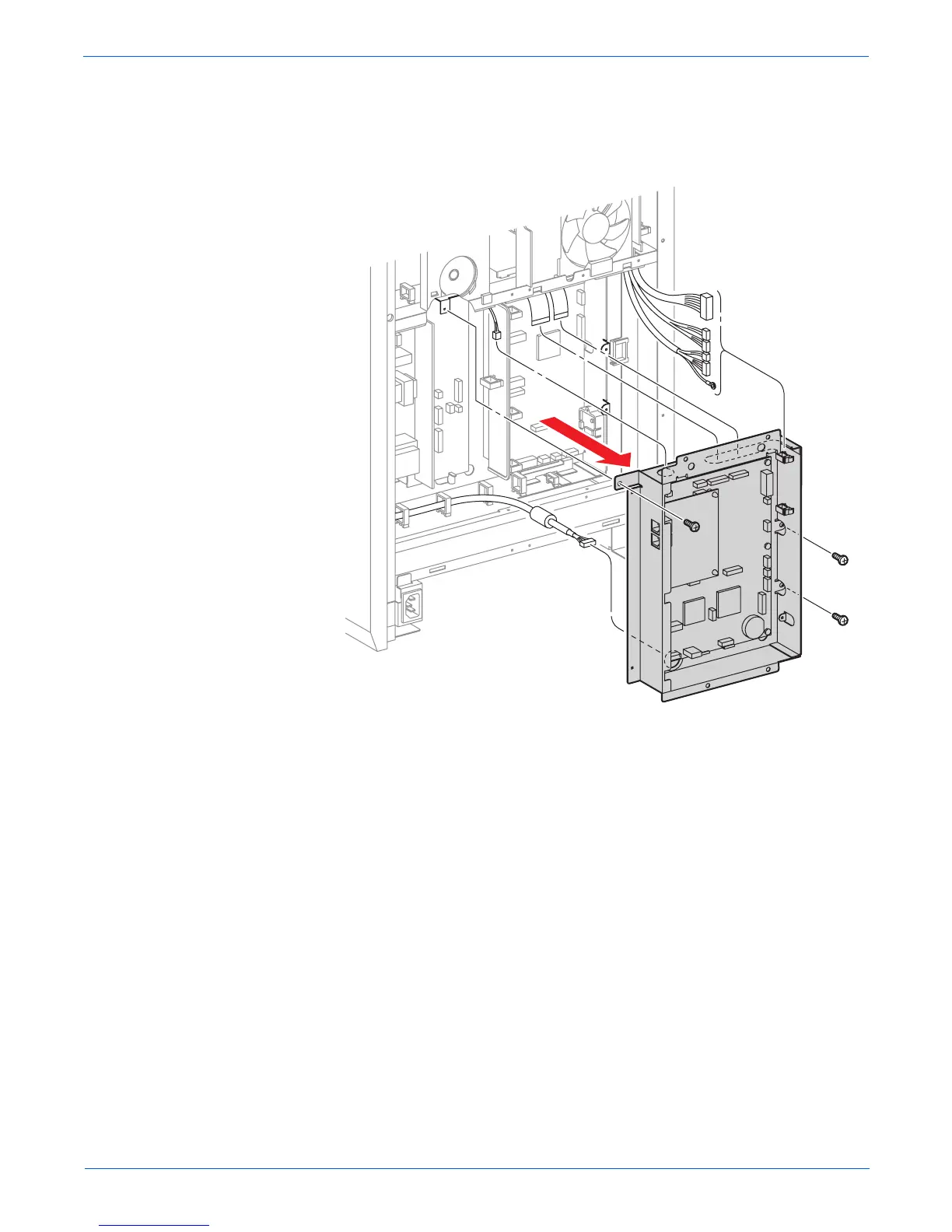
9. Remove 3 screws securing the Controller Shield to the printer.
10. Remove the Fax Shield Box Assembly together with the Scanner
Controller Board and the Fax Board (PL9.1.3) while passing the wiring
harnesses through the hole on the Fax Shield Box Assembly.
s6180mfp-324


 To Next Page
 Loading...











