CHAPTER57 Reporting Information to External Party
Mediant 1000 Gateway & E-SBC | User's Manual
The following procedure describes how to customize Gateway CDRs through the Web interface.
You can also configure it through ini file [GWCDRFormat] or CLI (configure troubleshoot >
cdr > cdr-format gw-cdr-format).
➢ To customize Gateway CDRs:
1. Open the Gateway CDR Format table (Troubleshoot menu > Troubleshoot tab > Call Detail
Record folder > Gateway CDR Format).
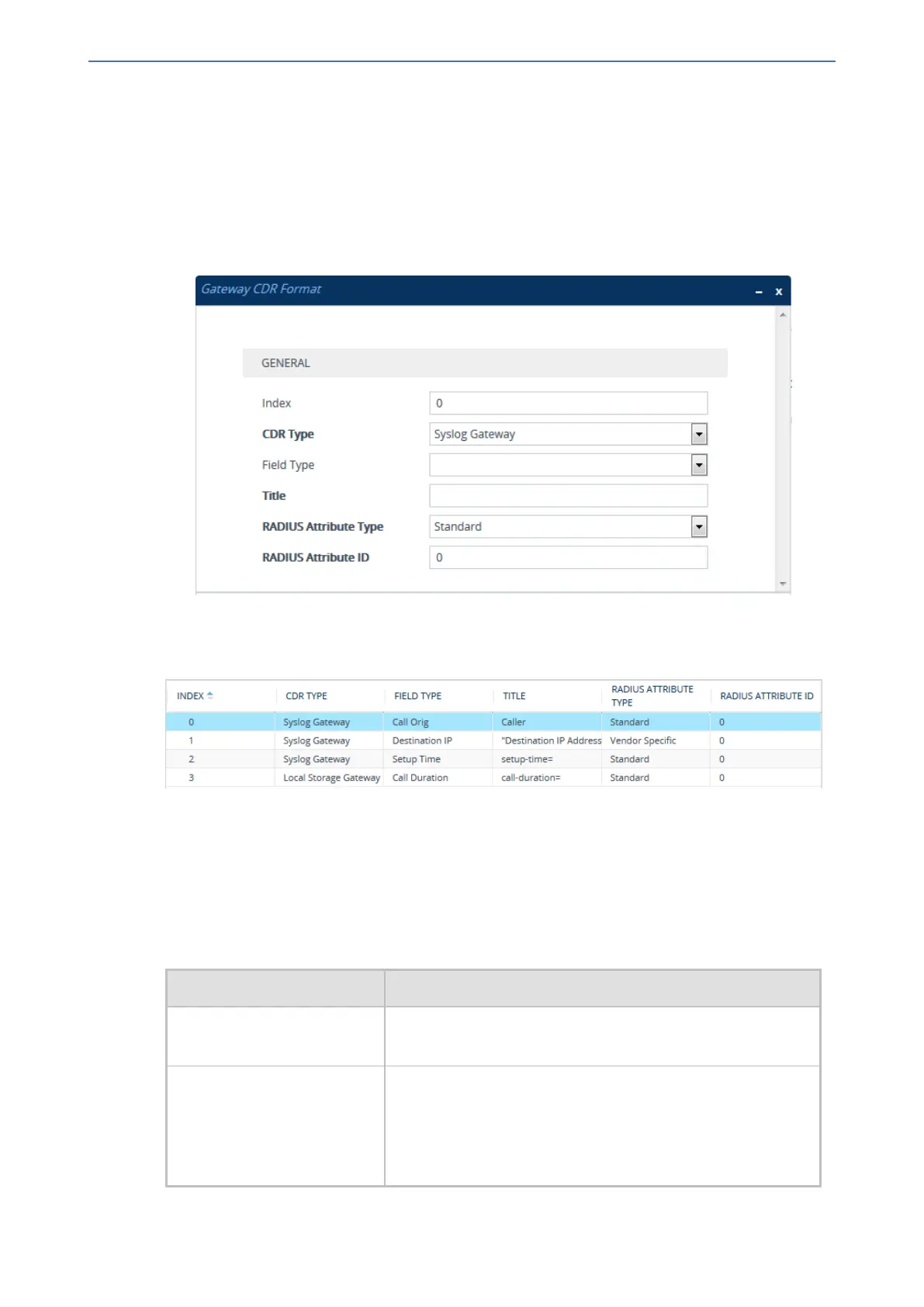
2. Click New; the following dialog box appears:
3. Configure CDR format rules according to the parameters described in the table below.
4. Click Apply.
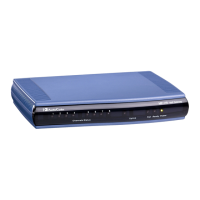
An example of CDR customization rules configured in the table is shown below:
■ Index 0: The default CDR field "Call Orig" for Syslog is changed to "Caller".
■ Index 1: The default CDR field "Destination IP" for Syslog is changed to "Destination IP
Address" (enclosed by apostrophes).
■ Index 2: The default CDR field "Setup Time" for Syslog is changed to "setup-time=".
■ Index 3: The default CDR field "Call Duration" for local CDR storage is changed to "call-
duration=".
Table 57-3: Gateway CDR Format Table Parameter Descriptions
Parameter Description
'Index'
[GWCDRFormat_Index]
Defines an index number for the new table row.
Note: Each row must be configured with a unique index.
'CDR Type'
cdr-type
[GWCDRFormat_CDRType]
Defines the application type for which you want to customize
CDRs.
■ [0] Syslog Gateway = (Default) Customizes CDR field
names for CDRs (media and signaling) sent in Syslog
messages.
- 1016 -






 To Next Page