Maintenance Commands and Trouble-Clearing Aids
555-233-123
8-324 Issue 4 May 2002
Output
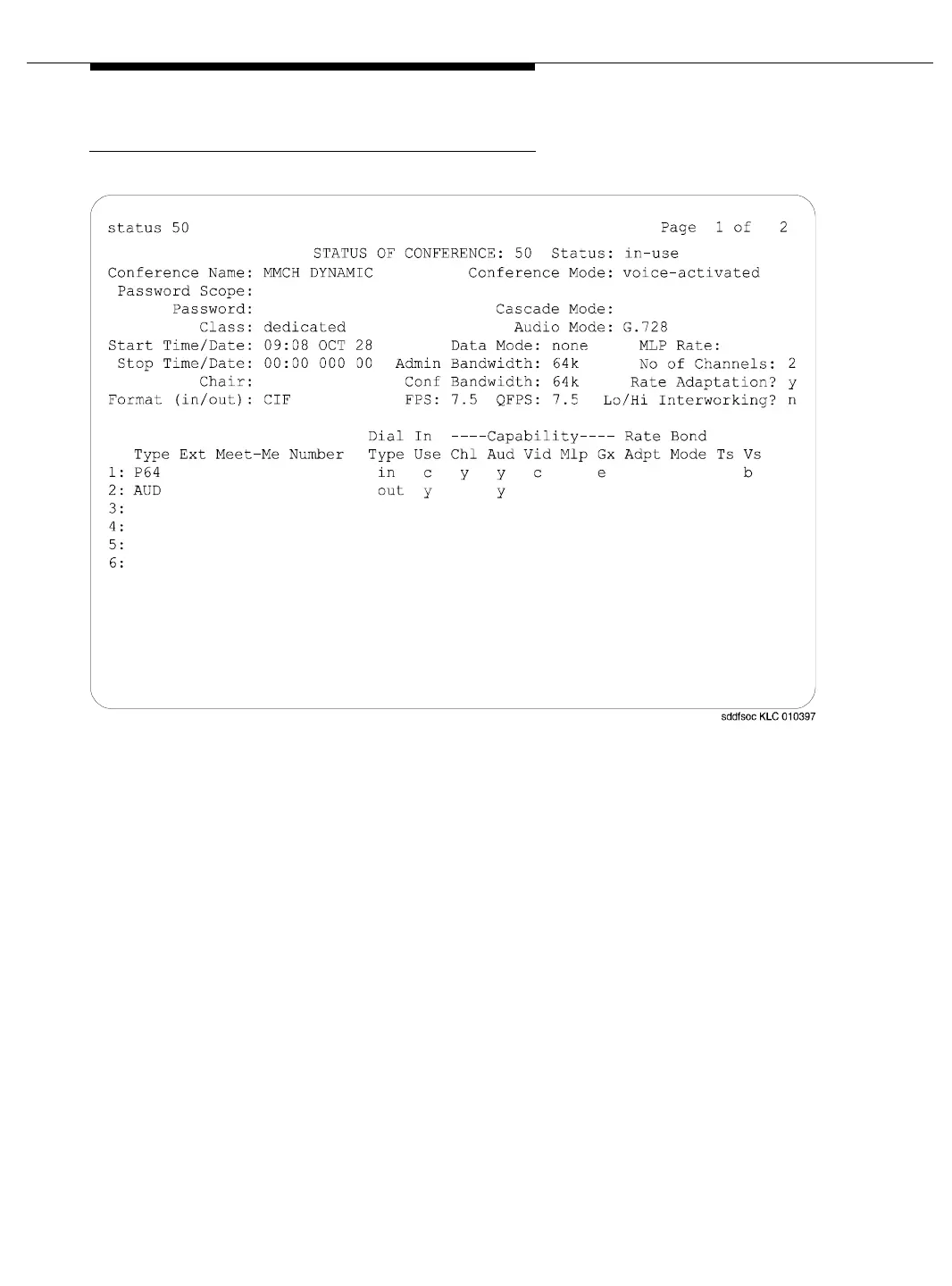
Screen 8-27. status conference: page 1 of 2
It is possible for several records to display. Active conferences display first (in
order of conference-ID), followed by completed conferences (most recently
completed first). Conferences that have not begun have no data or information.
Conference data displays in 2 parts: the first screen describes the status of the
conference and indicates the modes and levels of the conference. It also identifies
in-use endpoints that cause conference operating modes to change. This screen
is similar to the administration screens. The remainder of the screens display
endpoint level data (up to 8 endpoints per screen), revealing ports and drop
reasons.
Screen 8-27 on page 8-324 shows page 1 of a typical administration screen. The
first screen appears when status conference is entered and at least 1 valid
conference is found.



 To Next Page