Tracks and Track Groups : Track Envelope and Static Gain
5 - 106
Track Envelope and Static Gain
Pyramix offers two Track based methods of varying Clip gain. Static Gain and Envelope.
Note: Static Gain and Envelope operate independently of the dynamic automation.
Static Gain
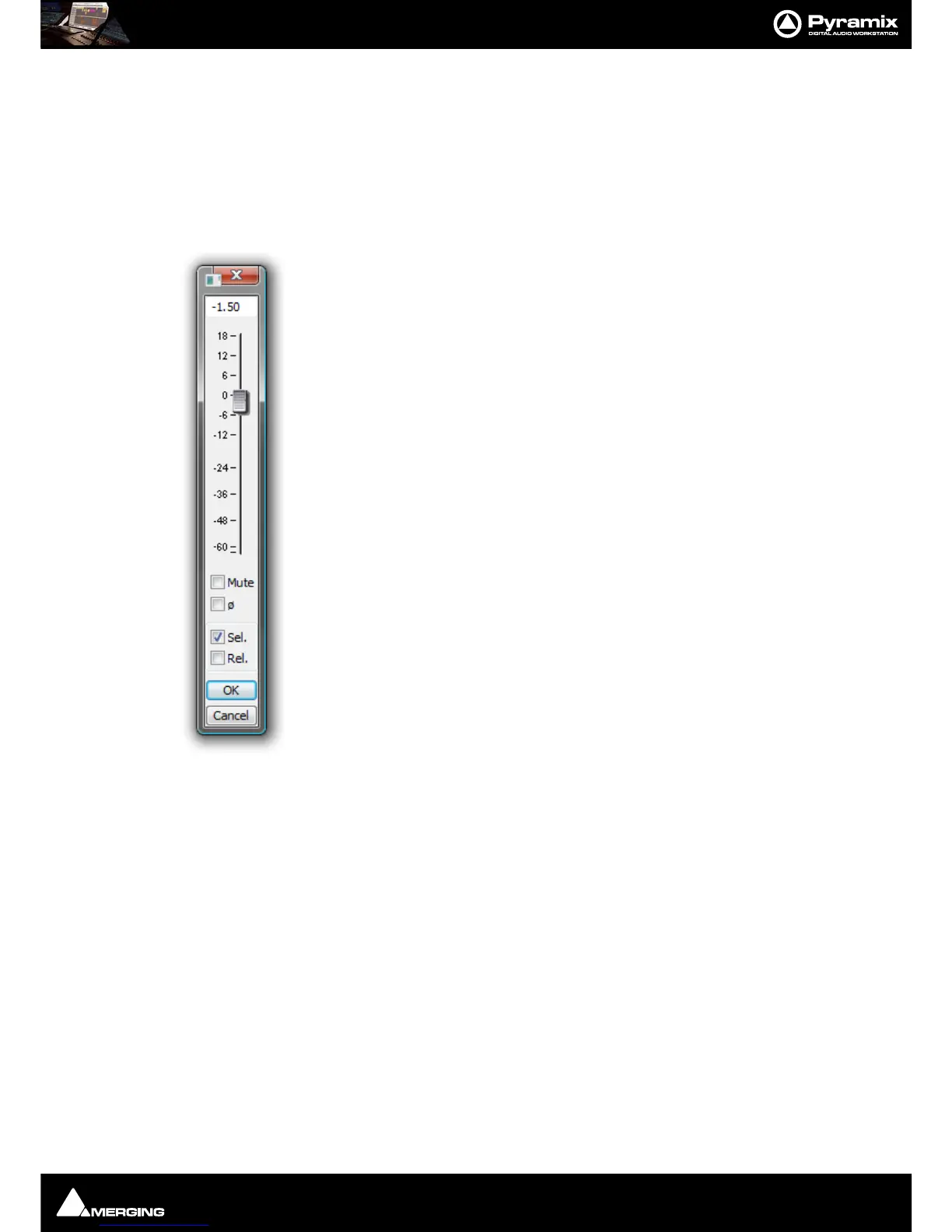
Gain Window
The Gain window allows the gain to be set for the current selection. The gain value can be
typed into the box at the top of the strip or set by clicking and dragging the fader
Keyboard up and down arrows adjust gain by 0.1dB per press, with
Shift 0.5dB per press
and with
Ctrl + Shift 1.0dB per press.
Mute when checked, mutes the selection but retains the gain value
Sel. box (Selection). When checked, the gain change will be applied to the whole selec-
tion (default is checked)
Rel. box (Relative) When checked and a series of Clips are grouped, the gain change is
relative to pre-existing levels
When neither box is checked any gain change is only applied to the Clip which was last
right-clicked (even if others are selected)
OK button executes any changes selected in the Gain window and closes it
Cancel button cancels any changes selected in the Gain window and closes it
Keyboard Shortcuts
• Up Arrow = Increase gain by 0.1dB/step
• Down Arrow = Decrease gain by 0.1dB/step
• Shift + Up Arrow = Increase gain by 0.5dB/step
• Shift + Down Arrow = Decrease gain by 0.5dB/step
• Ctrl + Shift + Up Arrow = Increase gain by 1.0dB/ step
• Ctrl + Shift + Down Arrow = Decrease gain by 1.0dB/step



 To Next Page