Automation : Display and Editing of Automation Data
15 - 373
Track Automation Menu
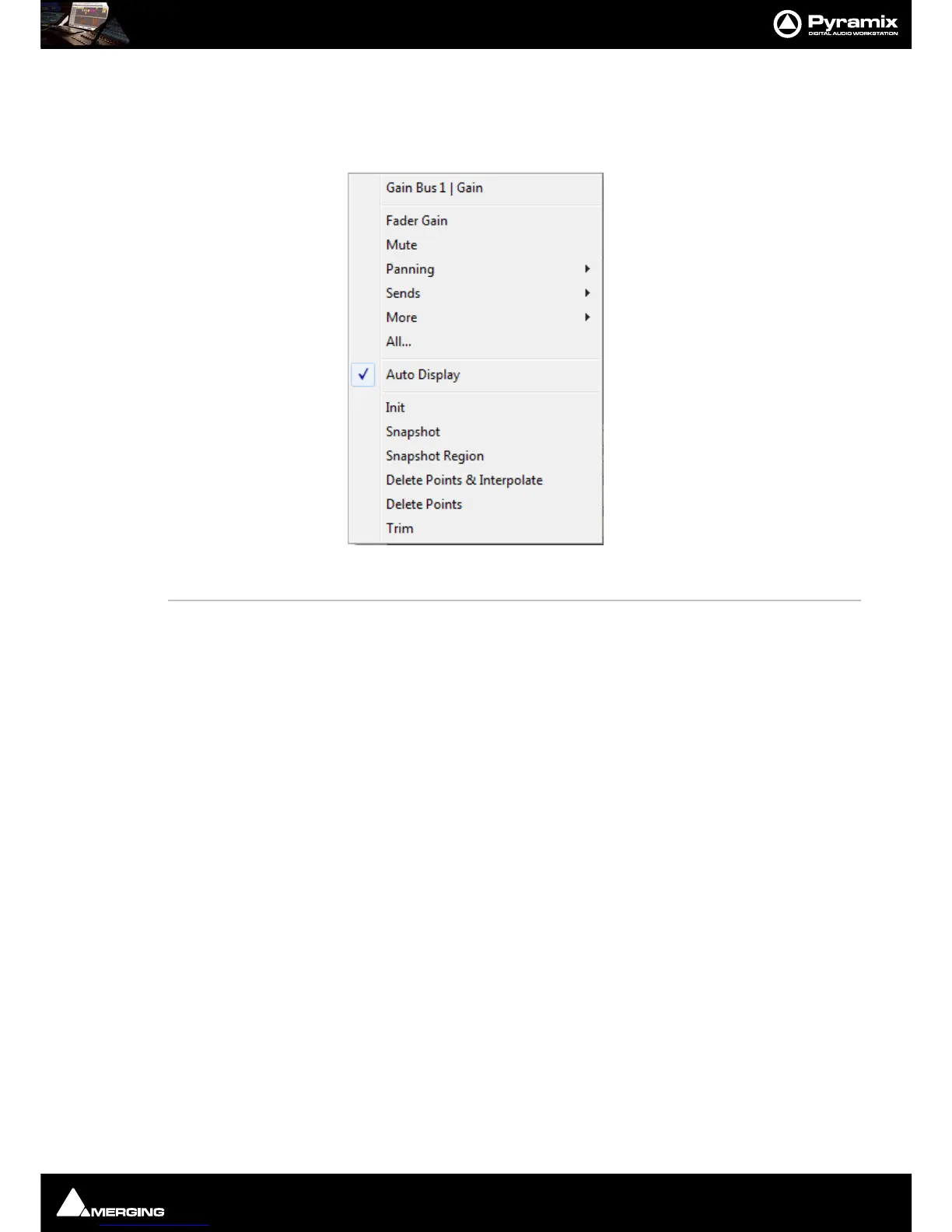
Right-clicking the Show/Hide Automation button pops up the automation menu for the Track. This menu is
modal,i.e. the content varies according to the current mixer architecture and depending on pre-existing automa-
tion data.
Gain Bus 1 | Gain This line shows the current automation parameter selected for display as a curve.
Fader Gain Sets the automation curve display to Fader Gain.
Mute Sets the automation curve display to Mute.
Panning Sets the automation curve display to the Pan or Balance parameter chosen from
the sub-menu. The options available will depend on the type of Mixer Strip and
the Buses present in the Mixer. Any of the following may be present:
Pan, Balance, Left/Right Pan {bus} Front Rear Pan {bus}.
Sends Sets the automation curve display to the Send chosen from the sub-menu.
More Sets the automation curve display to any other automatable parameter in the cur-
rent mixer which has automation data written, chosen from the sub-menu.
Note: All of the above choices will be overridden the next time a different control parameter is
written, if Auto Display (see below) is turned On.



 To Next Page