Mixer : Mixer Components
10 - 224
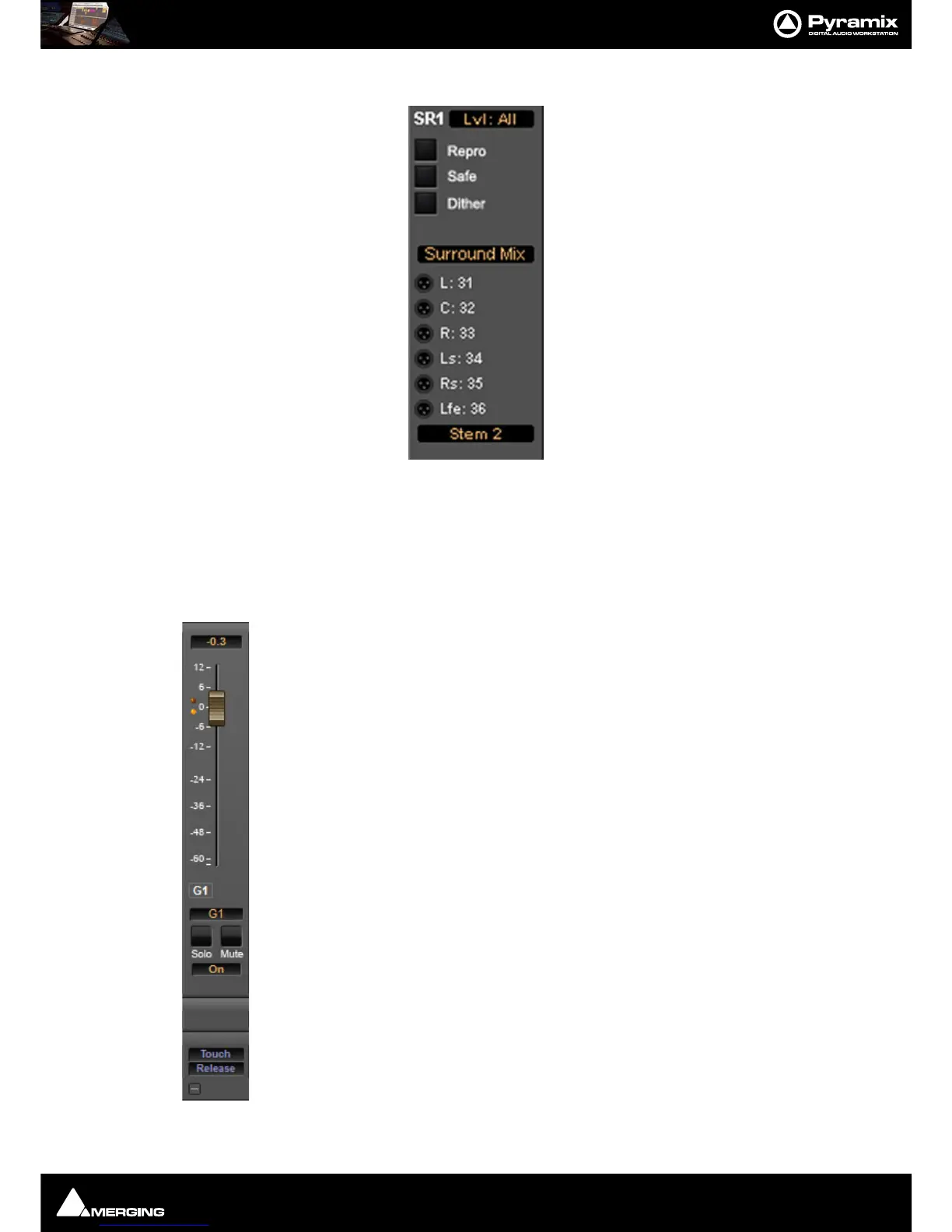
The associated Surround Mix output strip routing is shown below:
The top (SR1) box shows what the meters are displaying. Clicking on it cycles through each Stem and
Lvl: All
which meters the sum of all the Stems The bottom box shows and selects which Stem the XLR icons refer to. Rout-
ing to physical outputs or Internal Return Buses is accomplished in the same way as other buses. I.e. right-click the
relevant XLR icon and select
Connect > etc. from the menu.
Groups / VCA
Master Group Strips - allow the grouping of faders of several mixer strips. Analogous to VCA
grouping. When a group or groups are added (from the mixer contextual menu
Settings >
Add Strip > Group
) A group button for each group created will appear below the strip name
box on each input strip. When selected, the associated Group strip will control the grouped
input strips if the
On button is lit on the Group strip.
Pressing and holding the
Ctrl key when moving a VCA master fader disables the delta
between the faders in the group.



 To Next Page