Tracks and Track Groups : Track Envelope and Static Gain
5 - 107
Envelope
Enveloping is active continuously for all Clips. However, in order to change the envelope from the default 0db
unity gain
Display Envelope must first be switched on in the Track Header by toggling the Waveform button until
it displays:
Display Envelope - by default shows Clips as orange blocks (brown when selected) with
white waveform and adds a thin black line (thicker and orange when the Cue is selected)
which allows the gain to be adjusted using the mouse by simply clicking and dragging. Press-
ing the Alt key enables the drawing tool for envelopes. This is also applicable to Automation
curves.
Note: Adjustment nodes on Envelopes are square and nodes on automation Tracks are circular.
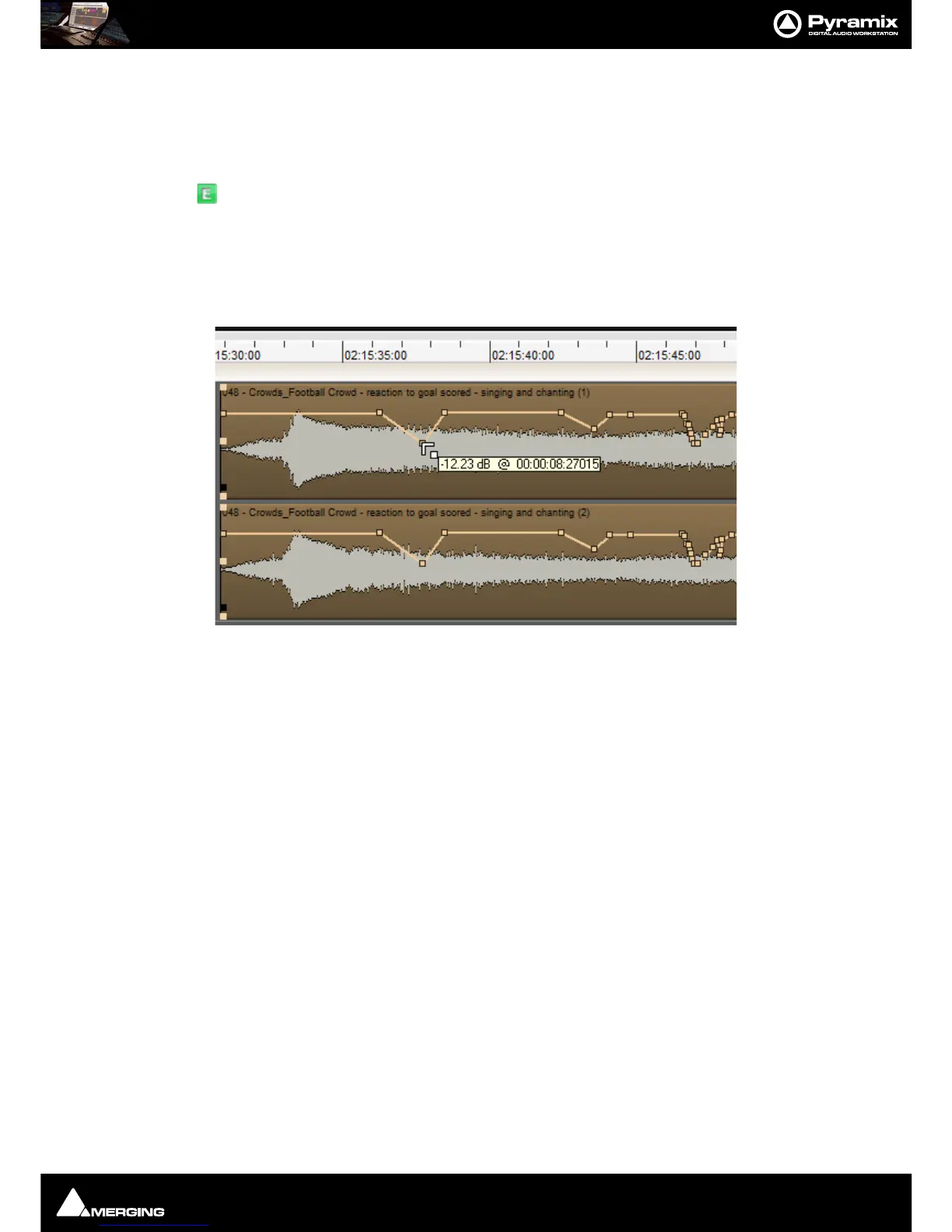
As can be seen above the mouse cursor changes to a new symbol when over the Envelope line. Different cursor
symbols mean that clicking (and, where appropriate, dragging) will do different things. For example, Left-clicking
adds a node which can then be dragged to the desired level as shown in the box beside the cursor. Note that the
TimeCode value pop-up is elapsed time from the beginning of the Clip.
Note: Double-clicking a node restores its value to 0dB.
Actions and Modifiers
Left Click Anywhere on the Envelope line to make a new node.
Ctrl + Click On an existing node to adjust all nodes in the Region selected currently. New
points are inserted automatically at the Region borders if necessary.
Alt + Click Anywhere on the Envelope line to draw nodes freehand.
Shift + Click Fine tune of a point (0.1 dB steps for dB values).
V + Click Constrains changes to a point to Vertical.
H + Click Constrains changes to a point to Horizontal
Click - hold - Alt
Create new point with same value as next point. (if one exists).
Click -hold- Ctrl Create new point with the same value as previous point (if one exists).
Ctrl + Alt + Click On an existing node to erase it.
Envelope Cursors



 To Next Page