Transport and Navigation : Navigation
6 - 123
Head to Nearest
When active, moving a Selected Cue or Range results in its beginning snapping to
the nearest Cue on the Track(s) or the Playhead Cursor or In/Out Marker.
Tail to Nearest When active, moving a Selected Cue or Range results in its end snapping to the
nearest Cue on the Track(s) or the Playhead Cursor or In/Out Marker.
Snap to Original TimeCode When active, moving a Selected Cue results in it snapping to the Original Time-
Code as stamped in the file.
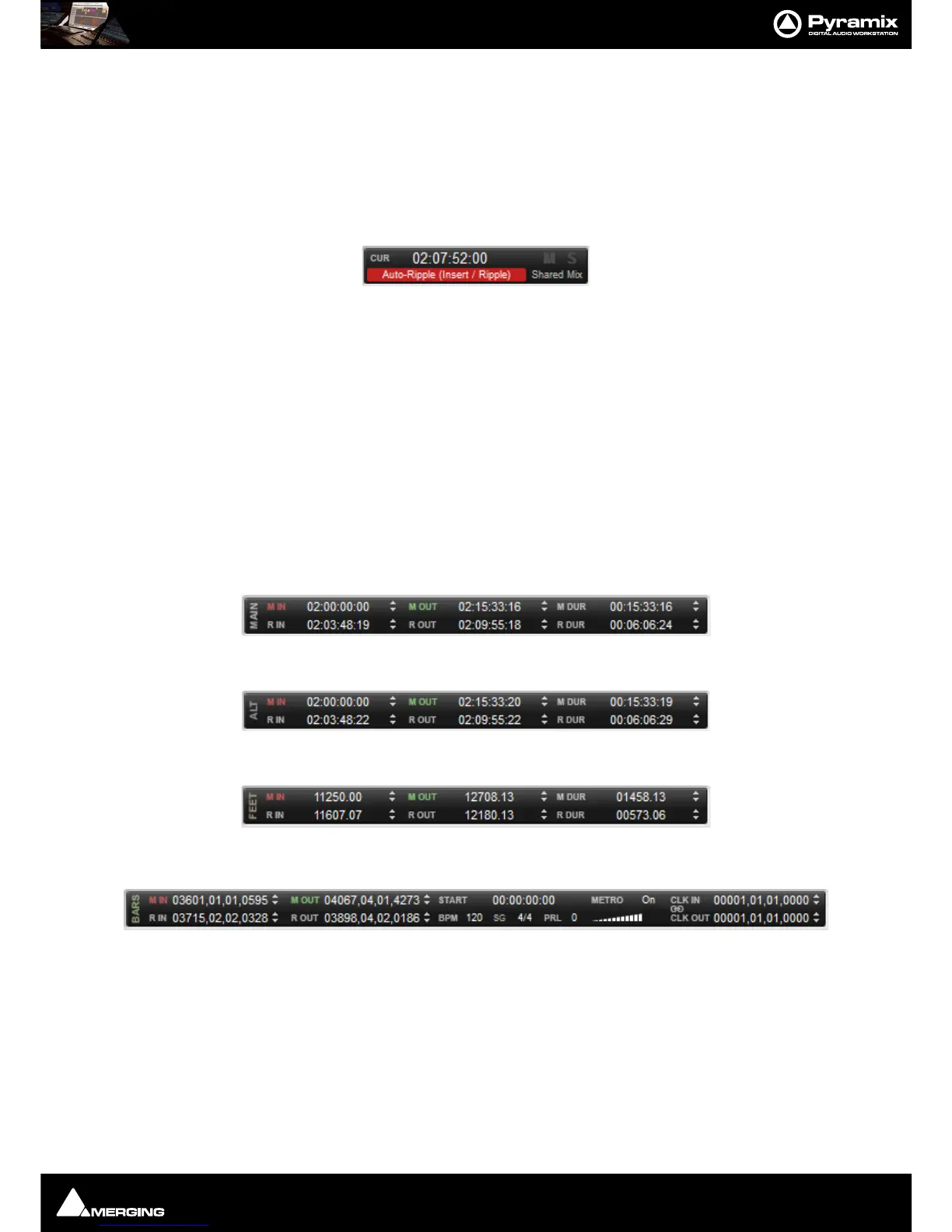
Note: Whenever a mode is selected which can affect other Cues, e.g. Ripple then the label dis-
played in the Toolbar turns red.
Other Timescale Ruler Toolbars
In all of the following Toolbars:
M IN Centers the Timeline on the In Marker.
M Out Centers the Timeline on the Out marker.
M Dur Zooms the Timeline to show the entire area between the In and Out Markers
R In Centers the Timeline on the beginning of the current Selection or Range.
R Out Centers the Timeline on the end of the current Selection or Range.
R Dur Zooms the Timeline to show the entire area between the beginning and end of the
current
Range or Selection.
When values are typed into the
M Dur or R Dur registers, the In value remains fixed while the Out is adjusted.
Main (Markers and Selected Range) Toolbar
Alternate TimeCode Ruler Toolbar
Film Feet Ruler Toolbar
Bars & Beats Ruler Toolbar
M IN Centers the Timeline on the In Marker.
M Out Centers the Timeline on the Out marker.
M Dur Zooms the Timeline to show the entire area between the In and Out Markers
R In Centers the Timeline on the beginning of the current Selection or Range.
R Out Centers the Timeline on the end of the current Selection or Range.
R Dur Zooms the Timeline to show the entire area between the beginning and end of the
current
Range or Selection.
When values are typed into the
M Dur or R Dur registers, the In value remains fixed while the Out is adjusted.
Start The Start register enables an Offset to be entered for the first Bar



 To Next Page