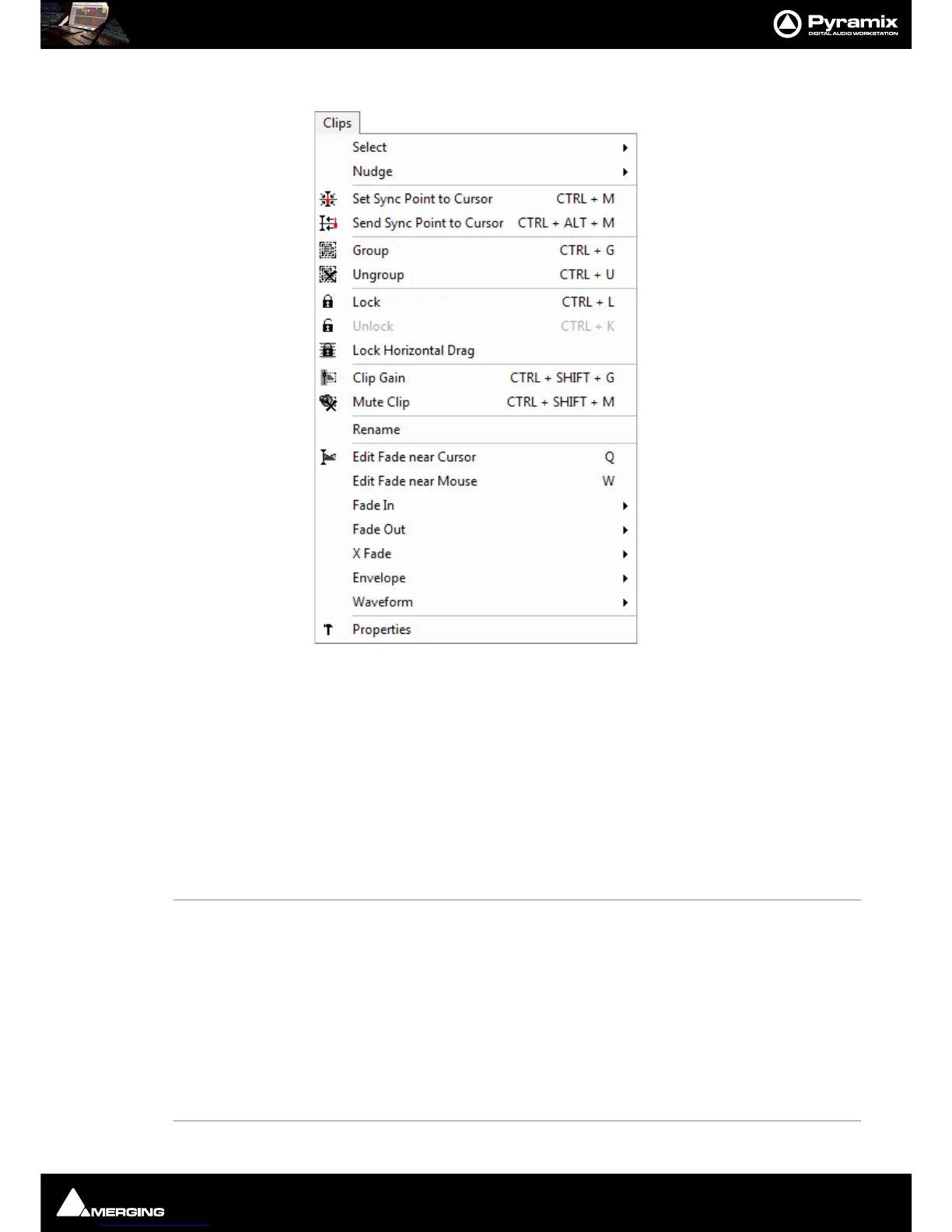
Menus : Clips
27 - 610
Clips
Select >
Select All
Select all Clips on Timeline
Select All to Mark In Select all Clips on Timeline, to the current Mark In Point
Select All between Marks Select all Clips on Timeline, between current In/Out Marks
Select All from Mark Out Select all Clips on Timeline, from the current Mark Out Point
Select Source Select all Clips on current audio Track
Select Online Clips Selects all Clips on the Timeline which are On-line currently
Select offline Clips Selects all Clips on the Timeline which are Offline currently
Deselect All Deselect all currently selected Clips
Select Previous Clip Select Clip to left of currently selected Clip
Select Next Clip Select Clip to right of currently selected Clip
Add Previous Clip to Selection
Apply selection to Clip to left of currently selected Clip
Add Next Clip to Selection Apply selection to Clip to right of currently selected Clip
Add all Preceding Clips to Selection
Apply selection to all Clips preceding the currently selected Clip
Add all Following Clips to Selection
Apply selection to all Clips following the currently selected Clip
Select Next Clip Crossfade Selects the Next Crossfade



 To Next Page