Settings : I/O Interfaces
28 - 657
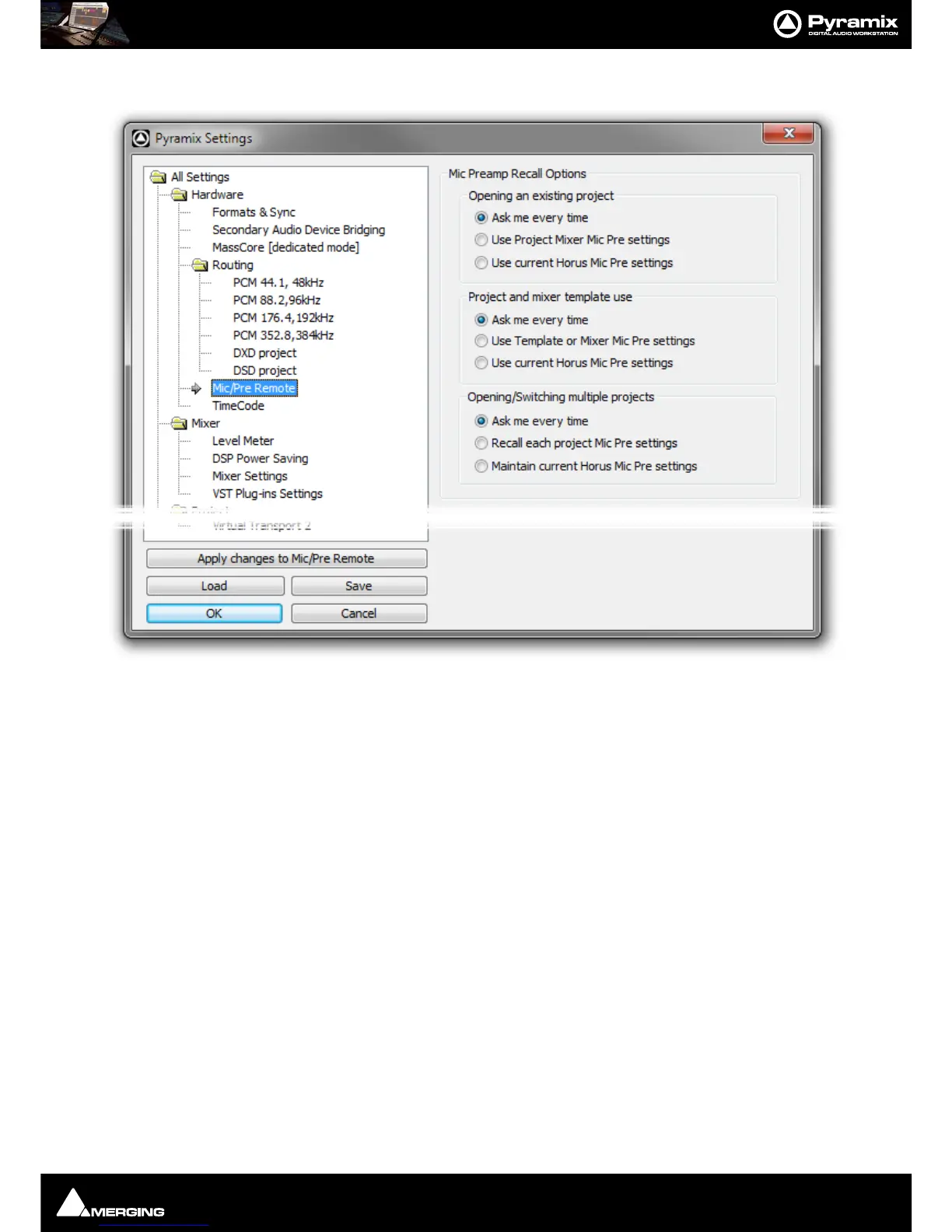
Mic/Pre Remote
Mic Preamp Recall Options
Opening an existing project
Ask me every time When selected a dialog opens whenever an existing project is opened asking if
you would like to keep the current Mic Pre settings.
Use Project Mixer Mic Pre Settings When selected the Mic Pre Settings saved with the project replace the cur-
rent settings.
Use Current Horus Mic Pre Settings When selected the current Horus Mic Pre settings are retained.
Project and mixer template use
Ask me every time When selected a dialog opens whenever a new project is created whether from
scratch or from a template asking if you would like to keep the current Mic Pre set-
tings.
Use Template or Mixer Mic Pre Settings
Use Current Horus Mic Pre settings
Opening/Switching multiple projects
Ask me every time When selected a dialog opens whenever an existing project is opened and when
switching between open projects asking if you would like to keep the current Mic
Pre settings.
Recall each project Mic Pre settings When selected each project opened or switched to uses the settings save
with the project(s).
Maintain current Horus Mic Pre Settings When selected the current Horus Mic Pre settings are retained.
See also:
HORUS Preamp Remote Controls on page 236



 To Next Page