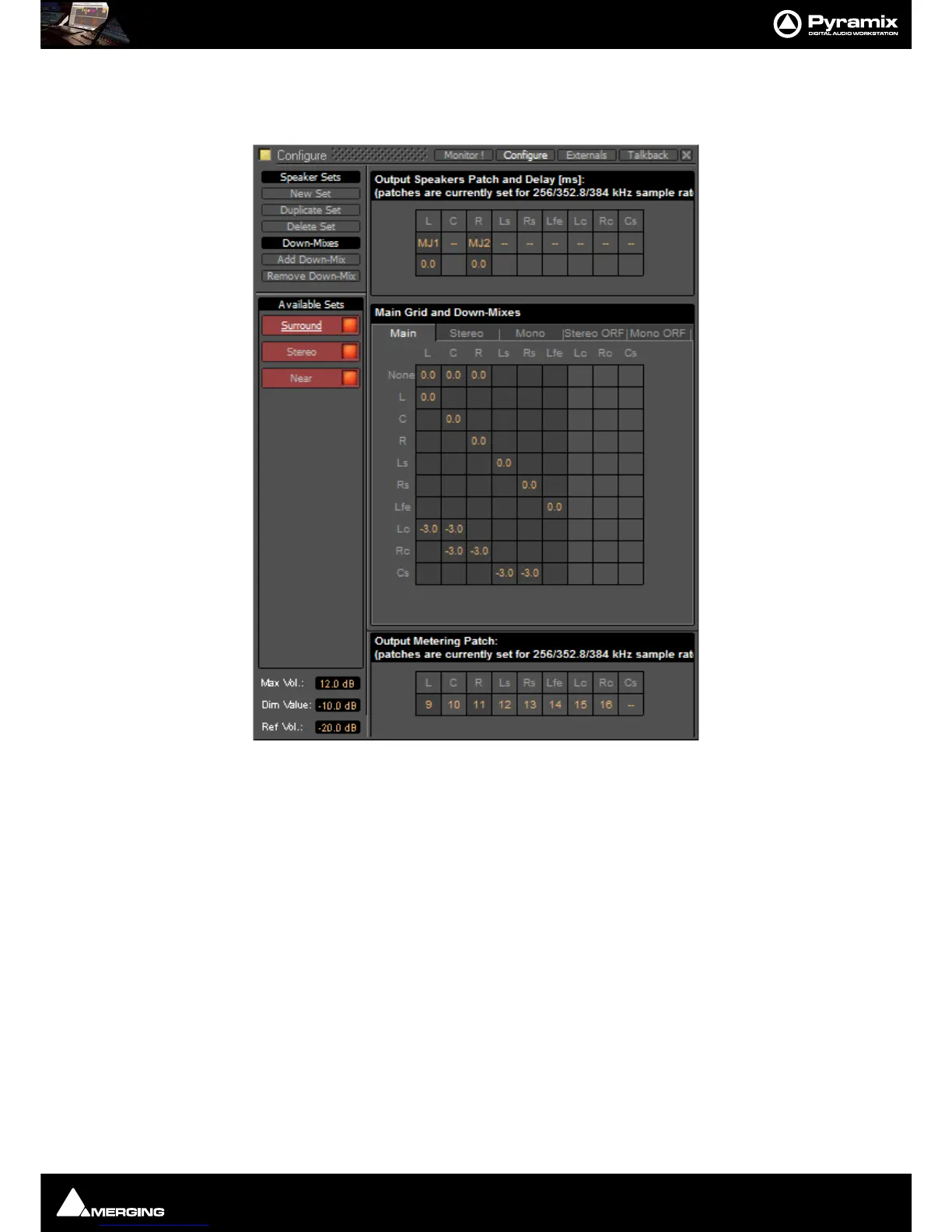
Monitor : Configure page
11 - 272
A Main grid: this matrix defines the relation between the Mixer’s buses output channel types and the monitor’s
output channel types (thus the monitor’s physical outputs). Typically, the main grid would show a diagonal for the
channel types patched:
A set of
Downmixes (max: 4) : A downmix is a an alternative grid which uses the same patch as the main grid. In
this page you can patch the outputs of you monitor, add/remove downmixes, and defines the corresponding grids
in dB (only the channel types which are patched).
Configure page
The Configure page enables multiple Speaker Sets, each with multiple down-mixes, to be created and edited.
Two factory Speaker Sets (
Stereo and Surround 5.1 labelled on a red background at the top of the Speaker Sets
list) are installed with Pyramix. Their Main channel to speaker Main Grid and Down-Mix assignments cannot be
changed, but their output Patches from speakers in the Monitor to physical outputs can.



 To Next Page