Effects and Plug-Ins : 10 Bands EQ
14 - 316
arrow icon on the left), by directly entering numerical parameters in the boxes below the knobs or by clicking and
dragging on one of the four colored nodes. Left-clicking enables level and frequency to be adjusted, right-clicking
then dragging left or right allows adjustment of Q.
All bands are full range. Boost and cut of up to 24dB is available. Q can be set anywhere from 0.2 (wide) to 20 (nar-
row).
This button shows or hides the rotary controls.
Peaking / Shelving When lit, the lowest (red) band is switched to shelving response. In this
mode the Q control for the band is unavailable.
Peaking Shelving When lit, is switched to shelving response. In this mode the Q control is for
the band unavailable.
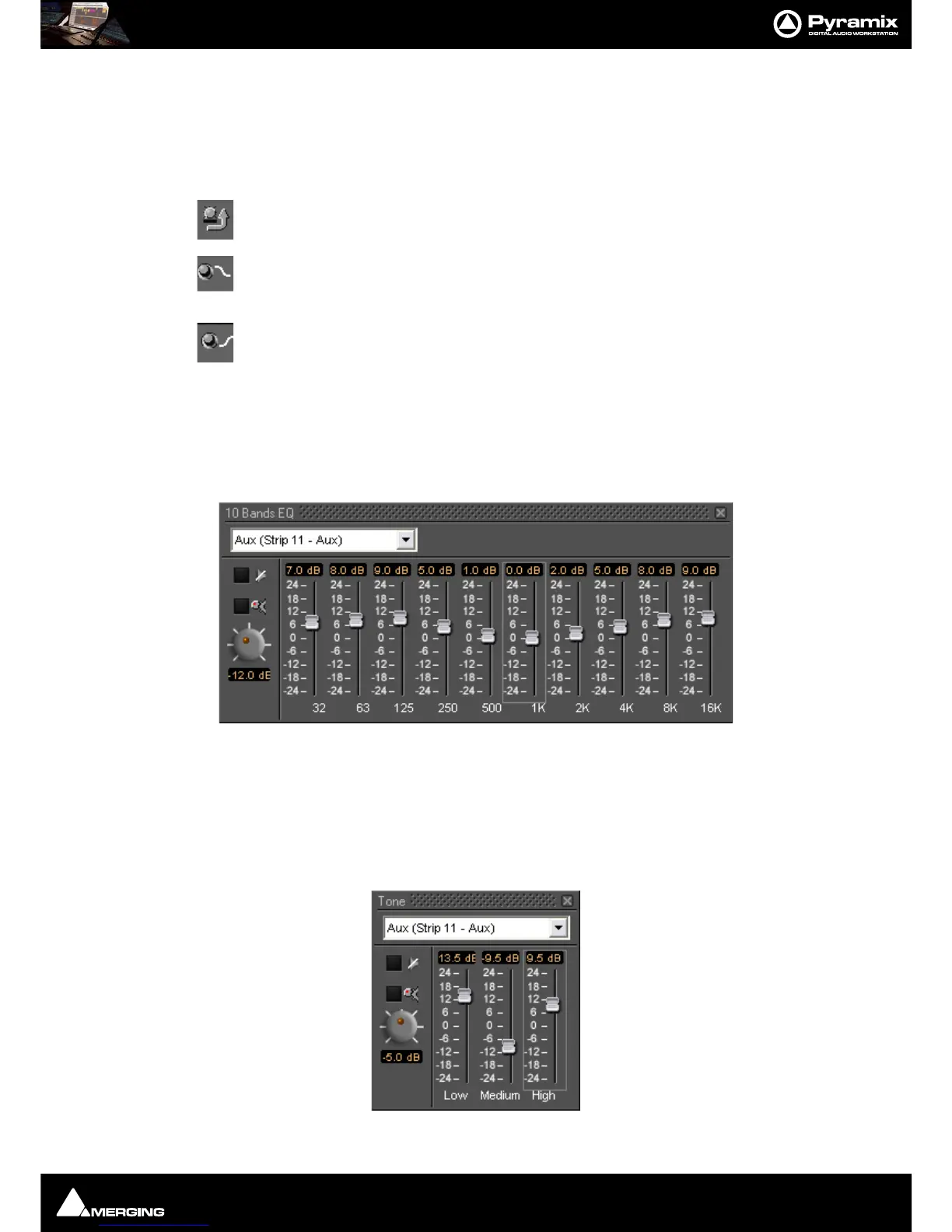
10 Bands EQ
This ten band graphic equalizer offers +/-24dB of boost or cut in any or all of ten bands, one band per octave, rang-
ing from 32Hz to 16kHz. Double-clicking on a slider knob restores it to zero.
Note: 10 Bands EQ is limited to a maximum of 2FS I.e. 96kHz.
Three Band Tone Control
A simple three band equalizer which offers a boost or cut of +/- 24dB in any or all of three bands.



 To Next Page