CD/SACD Mastering and Album Production : CD/SACD Tab Window
25 - 531
Album Section:
The bottom left-hand pane shows a tree view of CD and SACD Albums and Discs with <New Disc> entries to cre-
ate new Discs. The middle pane
Tree info default Tab enables properties and default parameters to be set for the
selected Disc.
Tree Info/Track Inspector Section
Tree Info Tab
(Global – CD Header). In addition, there are similar fields for each track in the CD Track grid.
General Info
• Disc Title CD Title
•
Label CD Production Label
•
Date CD Date
• Customer Name The company the Disc is being made for.
•
Customer Contact Customer Contact (name).
•
Customer Phone Customer contact phone number.
•
Master ID Code CD Identifying code (if one is required)
•
Ref Code CD Reference Code (if one is required)
•
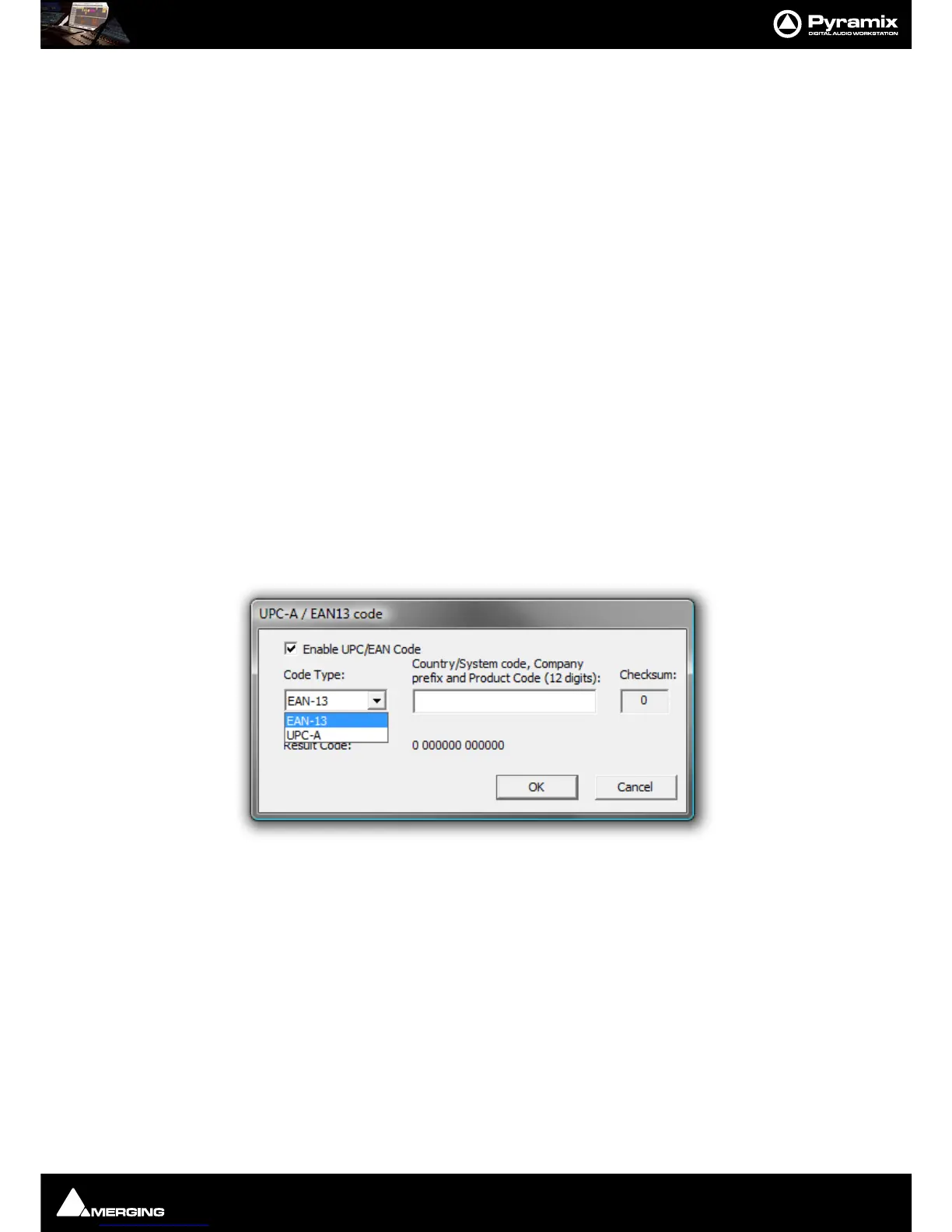
UPCEAN Code Clicking in this field opens the UPC-A / EAN13 code dialog box.
UPC/EAN capture for CD/SACD Albums, Discs and Areas is handled via this dialog box.
Enable UPC/EAN Code: When ticked UPC/EAN Code is enabled.
Code Type: offers a choice of UPC-A or EAN-13 barcode formats. Enter the 11 or 12 digit Company
prefix and Product Code
. The Checksum is calculated automatically and the resulting code dis-
played. Click
OK to enter the result in the field.
The number of digits is checked according the type of code and the
CheckSum: digit (the last one) is
automatically calculated (to ensure its validity).
Moreover, the
TOC information part of a Pyramix generated CDImage file (PMI) will always contain a
13 digits UPCEAN code (left 0-padded if UPC-A type code) or no UPCEAN code at all if the field is left
blank.
• Catalog Number Free text field.
• CD Disk info
• CD Text Character Set



 To Next Page