CD/SACD Mastering and Album Production : Show CD Player
25 - 537
Positive offset applied to the last PQ stop marker.
Offset before Index
Negative offset applied to PQ index marker.
ISRC default parameters
These parameters are used to automatically create or increment ISRC with the function ISRC > Create & ISRC > Inc
Selection
are invoked from the Offsets and ISRC menus. (Right-click anywhere in the right-hand pane)
All these parameters are stored in the project. If you want to define the value as Default value, right click on the
value and select “Set as Default”.
Country Code
2 characters (GB, SW, FR etc…)
Producer
3 characters (W01).
Ye ar o f Refe r e n ce
2 digits (02).
Designation Code
5 digits (00012, 80010).
Increment by
Used to auto increment the designation code part of the ISRC. The default value is “1”.
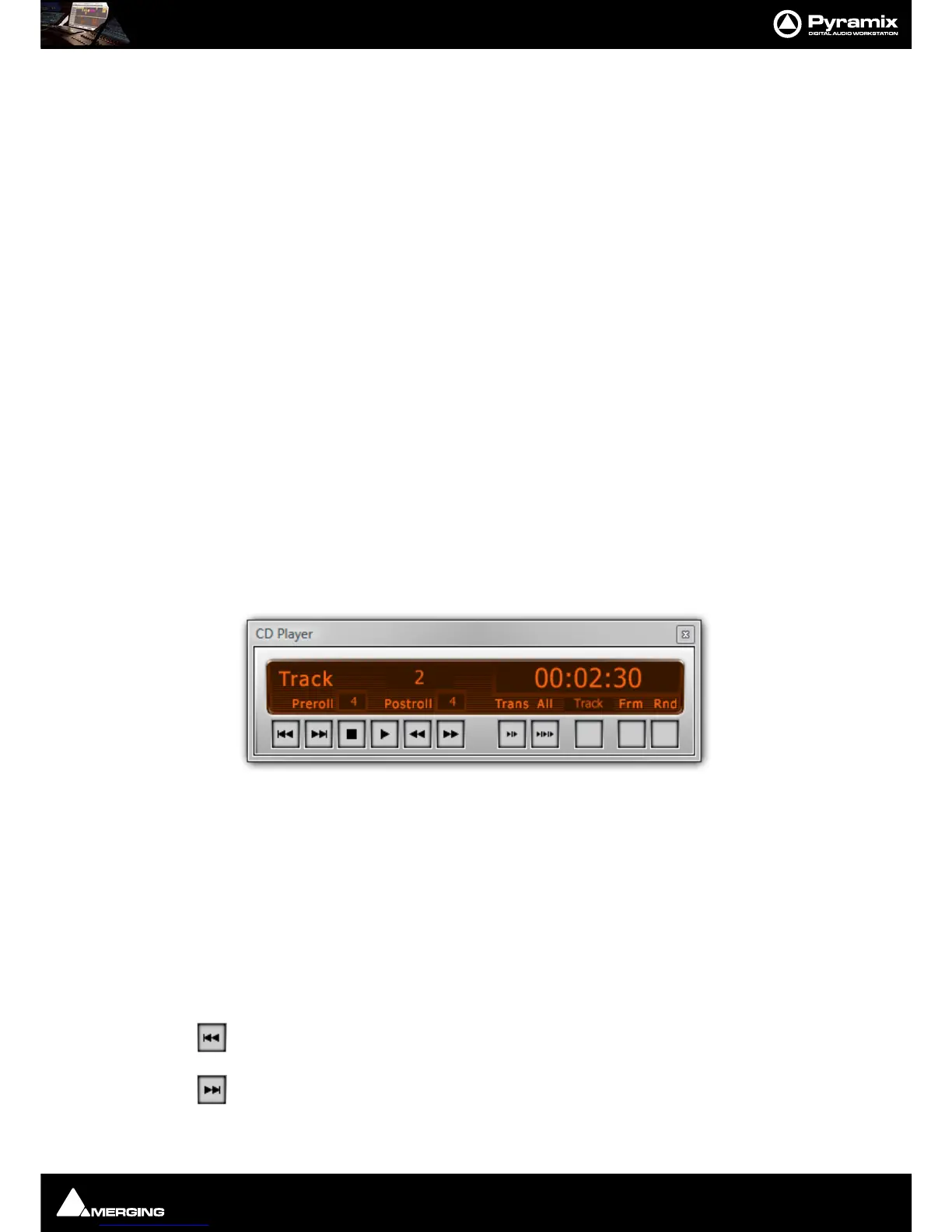
Show CD Player
View > Show CDPlayer in the CD/SACD Tab window displays an “always on top” small CD Player which enables
simulation of the CD playback (like a “real” CD player). The CD can be simulated with or without the markers offset.
Choose
Show Offset in the Track list pane pop-up menu to take care of the offset The player has standard play-
back functions (play, stop, next, previous, scan etc…) and some special functions:
Preroll
Clicking in the number box allows a value (in seconds) to be entered.
Postroll
Clicking in the number box allows a value (in seconds) to be entered.
Skip Track Backwards
Skip Track Forwards



 To Next Page