Mixer : Dithering Options
10 - 252
Wizard...
Launches the Configuration Wizard. Please see: Mixer Configuration Wizard on
page 239
Show VS3 Plug-Ins Info
Pops up the VS3 Plug-Ins Information window. Please see: VS3 Plug-Ins Information
on page 312
Show Distribution
When checked, a narrow colored bar is inserted at the bottom of each input strip which
indicates which card (in a multi-board system) is providing the DSP for the strip.
Dithering Options
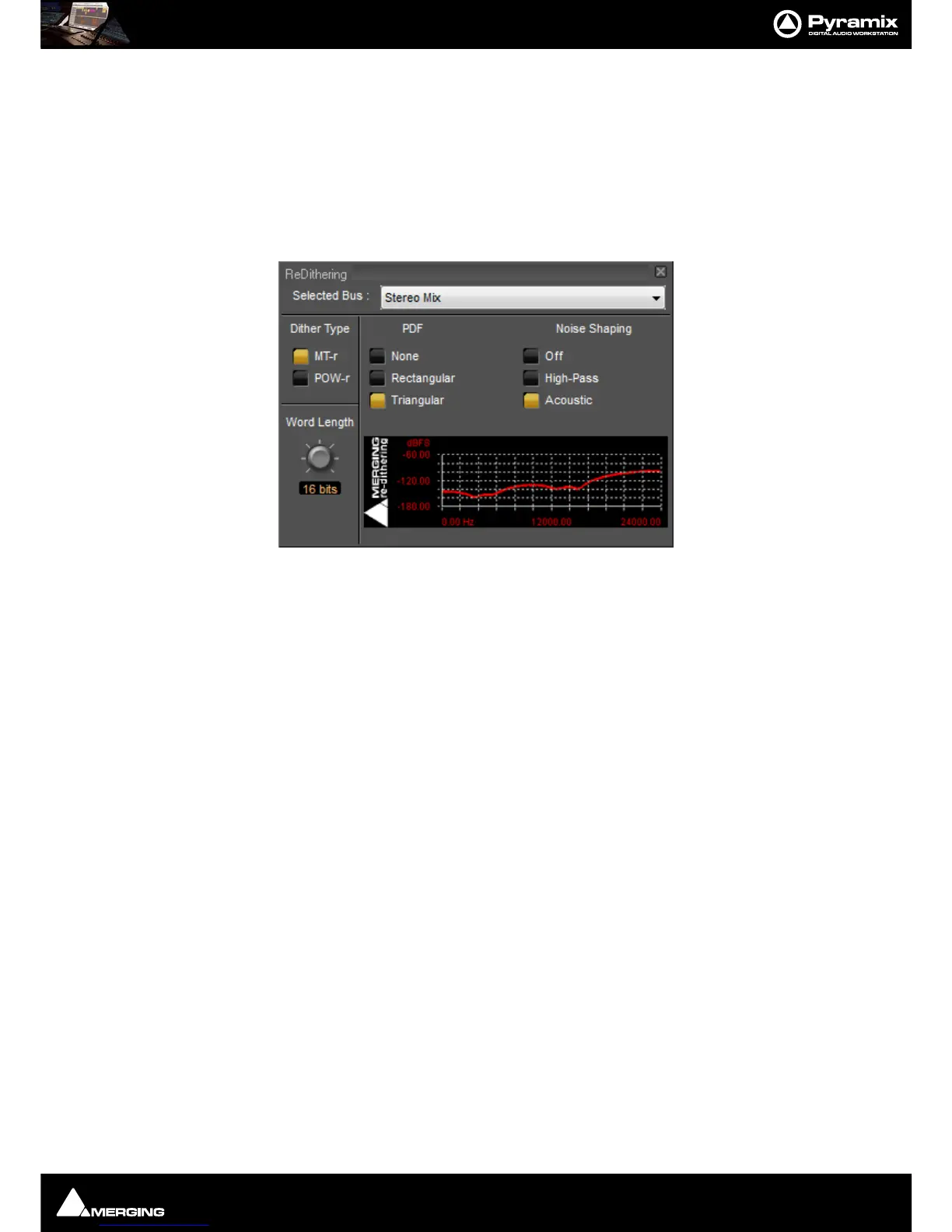
To open the ReDithering window, right-click anywhere on the mixer surface and select Settings > Dithering...
The
Dithering window opens.
Selected Bus :
The combo box allows the choice of any of the Mixer’s buses.
Dither Type
The Pyramix Mixer offers a choice of dither algorithms. MT-r and POW-r click the box to choose. The bottom-right
hand panel changes to reflect the options available with the selected dither process.
Word Length
The output word length of the digital audio data can be varied from 8 bits to 24 bits. Click on the rotary knob and
drag left and right to adjust the value.
MT-r Options
PDF (Probability Density Function)
In basic terms, the addition of a dither signal (noise) into the digital audio streams improves linearity in the repro-
duction of low-level signals. In other words, as signal level drops (such as in a fade out) dithering helps to maintain
a smooth decay. There are three options:
None
No dither signal will be added to the data.
Rectangular
A rectangle shape dither signal will be added to the data.
Triangular
A triangle shape dither signal will be added to the data.



 To Next Page