Effects and Plug-Ins : Mastering Peak/VU Meters
14 - 325
VU-Meter controls
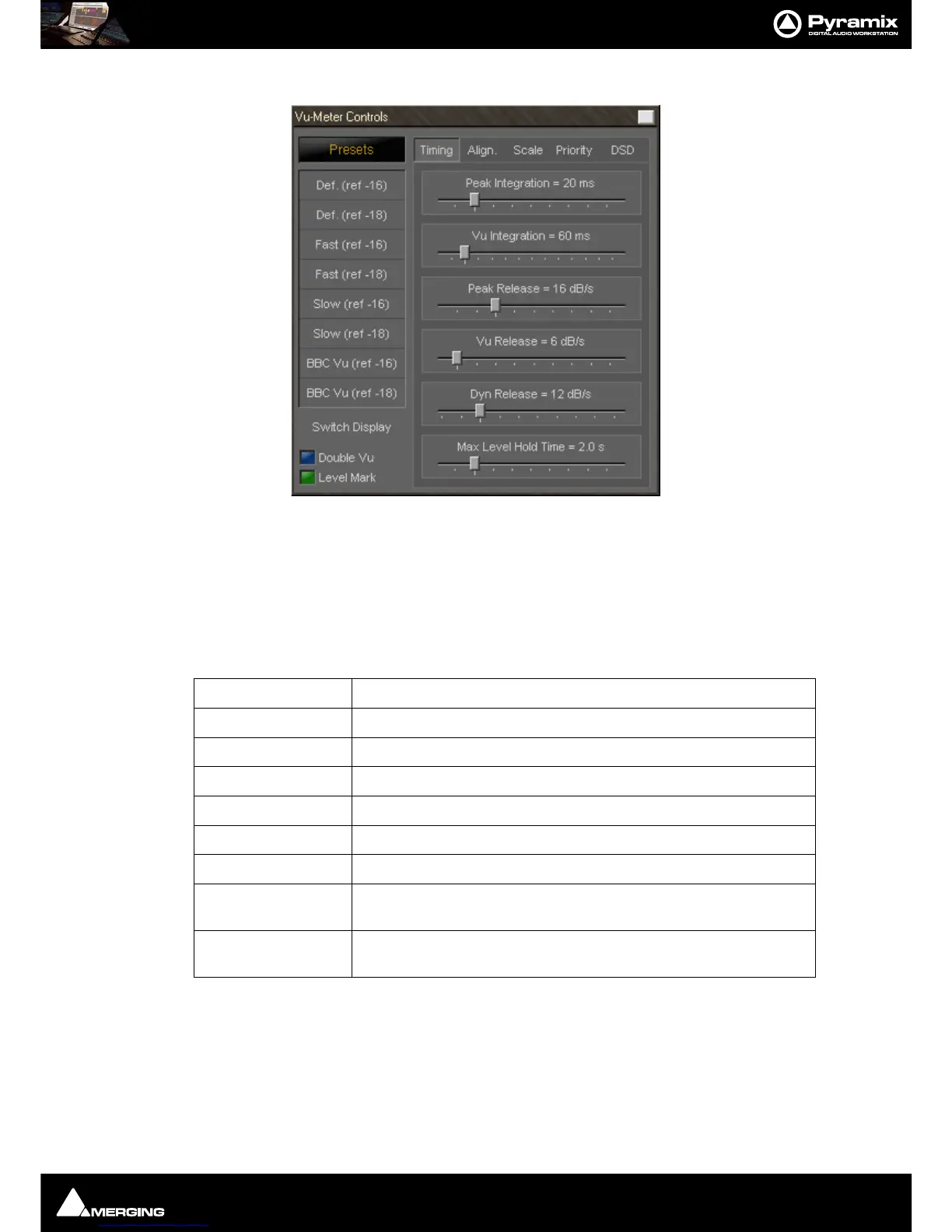
Most of the display parameters of the VU-meter can be adjusted individually. Click with the right mouse button
anywhere on the VU-meter to display a dialog allowing to control most parameters of the VU-meter.
The left side of the control window contains global settings and several predefined presets, while the right side
has four Tabs and a panel of controls specific to the selected tab.
Global Settings and Presets
Eight presets are defined which allow you to quickly select a set of parameters which fit best to your application.
Switch Display
Clicking on this large button cycles through VU, PEAK and BOTH.
Double VU
When this button is lit, the peak meter switches to VU characteristics, thus enabling you to run 2 VU-meters with
different settings at the same time.
Level Mark
Preset Name Description
Def. (ref -16) Default preset with a VU reference level of -16 dBFS
Def. (ref -18) Default preset with a VU reference level of -18 dBFS
Fast (ref -16) Preset with fast response times and a VU reference level of -16 dBFS
Fast (ref -18) Preset with fast response times and a VU reference level of -18 dBFS
Slow (ref -16) Preset with slow response times and a VU reference level of -16 dBFS
Slow (ref -18) Preset with slow response times and a VU reference level of -18 dBFS
BBC VU (ref -16) Preset with BBC standard settings (slower VU release time settings) and a
VU reference level of -16 dBFS
BBC VU (ref -18) Preset with BBC standard settings (slower VU release time settings) and a
VU reference level of -18 dBFS



 To Next Page