Mixer : Mixer Components
10 - 227
SubGroup Buses
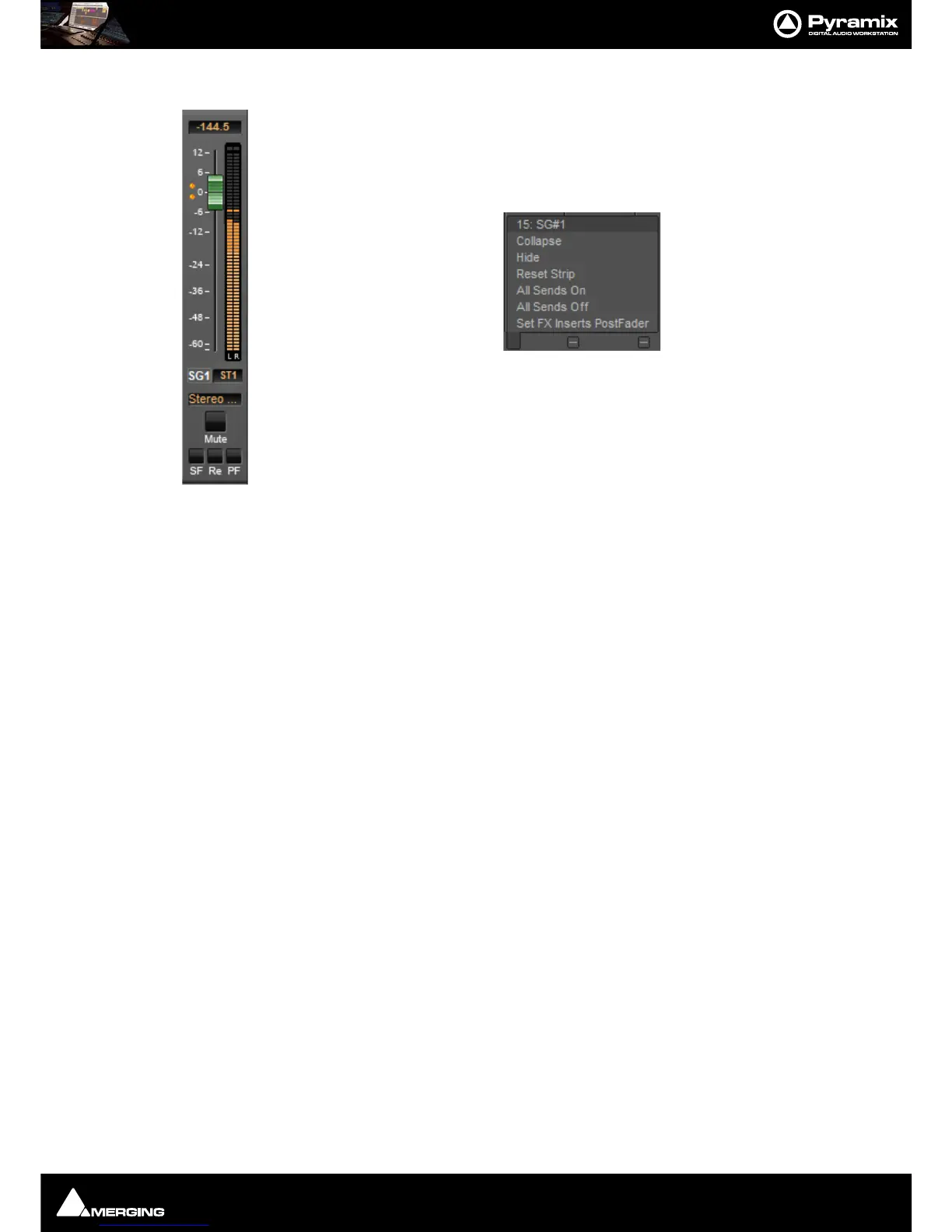
SubGroups are a special type of Aux bus which are routed to buses automatically, in exactly
the same way as normal input strips, instead of having output connections. SubGroup buses
offer a quick and efficient means of managing effects channels (e.g. for Reverb plug-ins or
any VST/VS3 plug-in used as Send FX). When using SubGroups there is no longer any neces-
sity to have additional corresponding return strips. In addition, this also enables the use of
post-fader effects. Hover over the strip pop-up and select from the list:
SubGroups have
Mute, Solo Safe and PF, Pre-Fader metering, buttons like input strips and
Repro buttons and In Place options like Aux Send buses.
Note: Please be aware that a SubGroup Bus will auto-take Internal Bus connec-
tion resources, starting from the last one. E.g. IB64-IB63 for the first two Sub-
Group Channels added to a Mixer. This means that you will no longer see IB63
and IB64 in the IB list.
Aux Send Bus Channels
Aux Send Buses are intended purely for folding back a mix to musicians etc. and can have from 1 to 8 channels.
Channels have a custom type that can be set manually in the Configuration Page to:
•Left (L)
•Center (C)
• Right (R)
• Surround Left (Ls)
• Surround Right (Rs)
• LFE (Lfe)
• Left Center (Lc)
• Right Center (Rc)
• Surround Center (Cs)
By Default a 2 channel
Aux Send Bus is initialized to L-R and a 6 channel Aux Send Bus is initialized to 5.1. This
can be changed/customized in the Configuration Page.
Note: When an Aux Send bus is added it is important to ensure that the Type for each channel of
the Aux Send bus is set correctly.



 To Next Page