CD/SACD Mastering and Album Production : Album Publishing
25 - 545
Album Publishing Settings
Generate CD Image and Publish Album
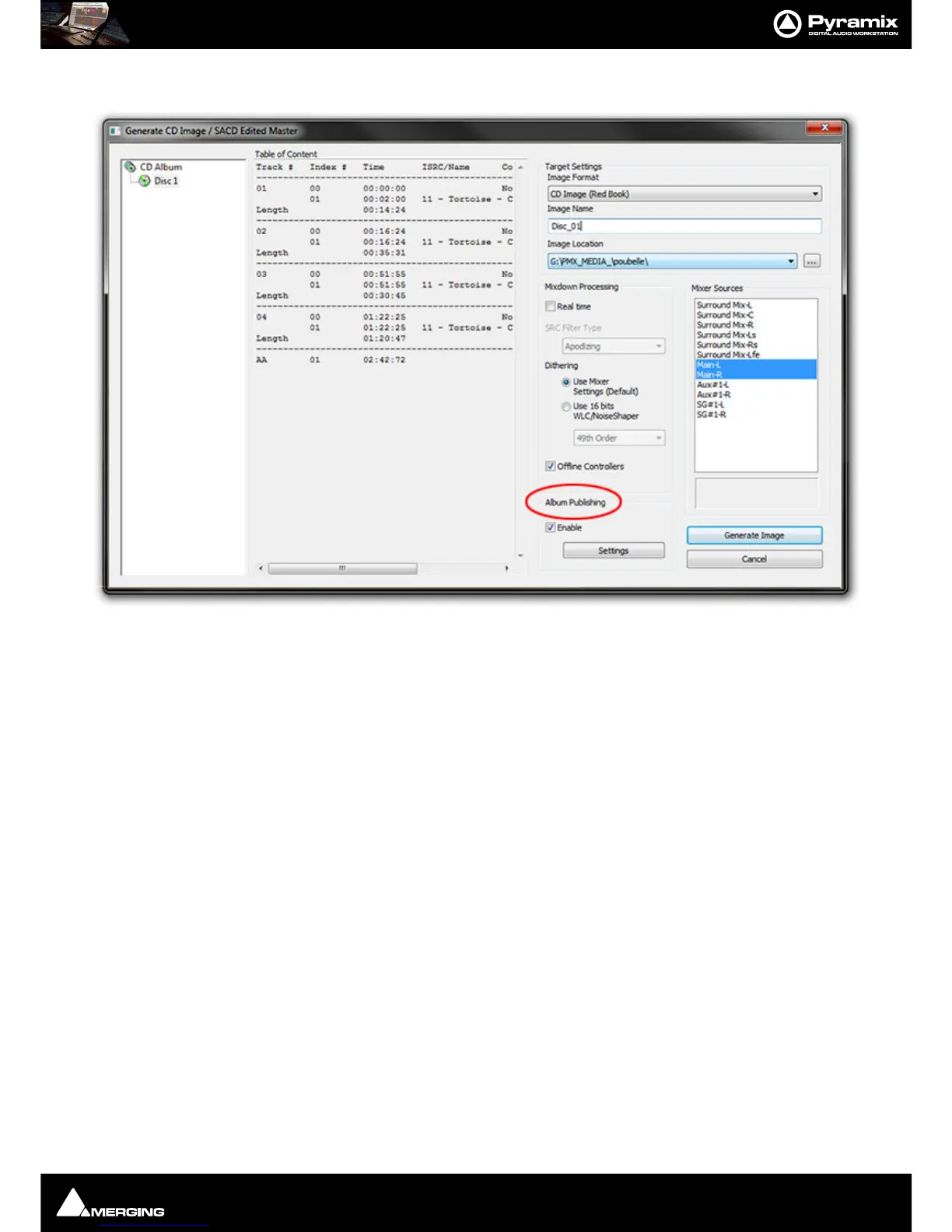
Proceed exactly as you would when making a CD Image. In the Generate CD Image / SACD Edited Master win-
dow ensure that the
Album Publishing checkbox in the Export section is ticked. Click on the adjacent Settings
button to open the
Album Publishing options Properties dialog, make the appropriate settings and click Gen-
erate Image
to commence the process.
Digital Release
If the release is purely for download/streaming proceed as you would when making a CD Image. In the Generate
CD Image / SACD Edited Master
window select Digital Release (Stereo) in the Target Settings : Image Format
dropdown.
Note: Rather than ticking the Album Publishing checkbox when CD Image (Red Book) is the
target, using Digital Release as the target instead will avoid an unneccessary intermediate con-
version to 44.1kHz 16 bits. This is obviously desirable when the original material is at a higher
sampling rate and or bit depth.



 To Next Page