Automation : Automation Editing
15 - 384
Automation Editing Between Strips/Projects
Automation data can be cut/copy/pasted between mixer strips with differing pan types and between projects. I.e.
a
Pan automation Track can be copied to a stereo Track having a Balance control. This is only possible in the fol-
lowing cases :
•Pan -> Balance
• Balance -> Pan
• LeftRight mono surround panner -> Pan
• LeftRight mono surround panner -> Balance
• Pan -> LeftRight mono surround panner
• Balance -> LeftRight mono surround panner
Note: Only the left side of a Stereo strip’s Surround Panner is reassigned to/from a Pan/Balance .
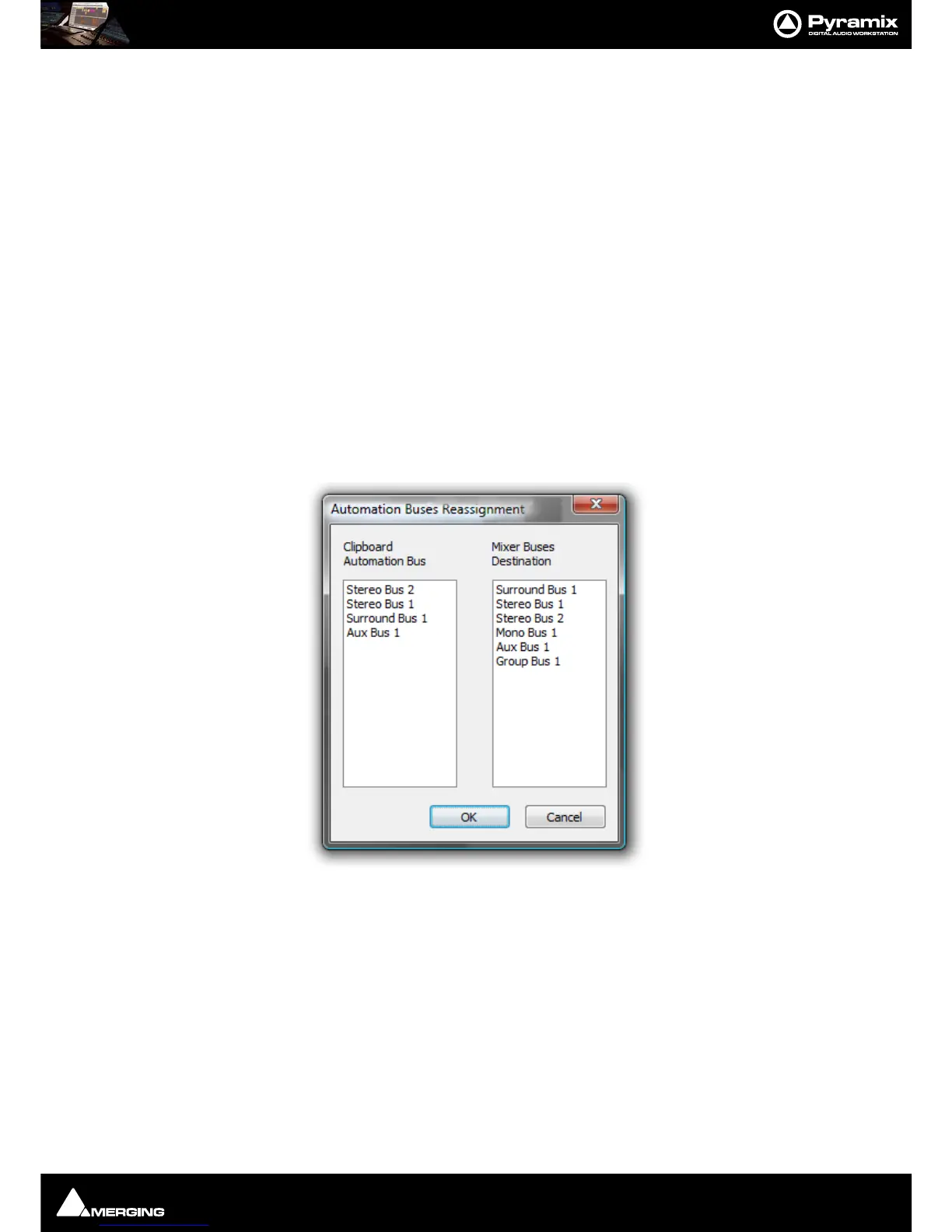
Automation Buses Reassignment Dialog
When Automation > Bus Reassignment on Paste is set on the following dialog will appear if some automated
bus elements of a strip are available in the automation clipboard.
When
Automation > Bus Reassignment on Paste is set off following dialog will appear only when at least one
bus in the clipboard is not available in the target mixer.
The
Bus Reassignment dialog left-hand pane shows the Buses automation data on the Clipboard currently.
The
Bus Reassignment dialog right-hand pane shows the Destination Buses available in the current Project’s
Mixer.
By default, the
Automation > Bus Reassignment dialog assigns buses together which match by Bus type in the
left and right panes.
In the screenshot,
Surround Bus 1 is assigned to Surround Bus 1, Stereo Bus 1 is assigned to Stereo Bus 1 etc.
This dialog enables you to:
• Copy an automation Track to or from different or similar Bus types of a strip. When bus types are, for exam-
ple:
SR1 to ST1.
• Copy an automation Track to or from different types of strip (mono, ms, stereo and GPS).



 To Next Page