Final Check Metering : Final Check Window
13 - 297
to select which stem to monitor. It is not possible to monitor a combination of bus and/or stem. To achieve this
simply create an additional bus in the mixer and route the multiple stems as required. The bus and stems being
monitored currently, appear ticked. Final Check will even perform useful tricks such as managing a fold-down of
the selected Surround Bus to be monitored by the Stereo Panel, thus enabling you to see what the levels would be
after mixdown. Select
Use Stereo Mixdown from the Stereo section bus list to access this option.
Keyboard Shortcuts
In the Metering page [P] clears ALL peak indicators. (Same shortcut as Pyramix Mixer.)
In the
Metering page [R] resets all the History graphs and LIaR. Same as Right-click on a History Graph and select-
ing
Reset all or [Shift] + click on Reset on LIaR.
Meters
Once the Bus(es) is (are) selected, any or all of the following meters will be active depending on the choices made
in the
Setup page:
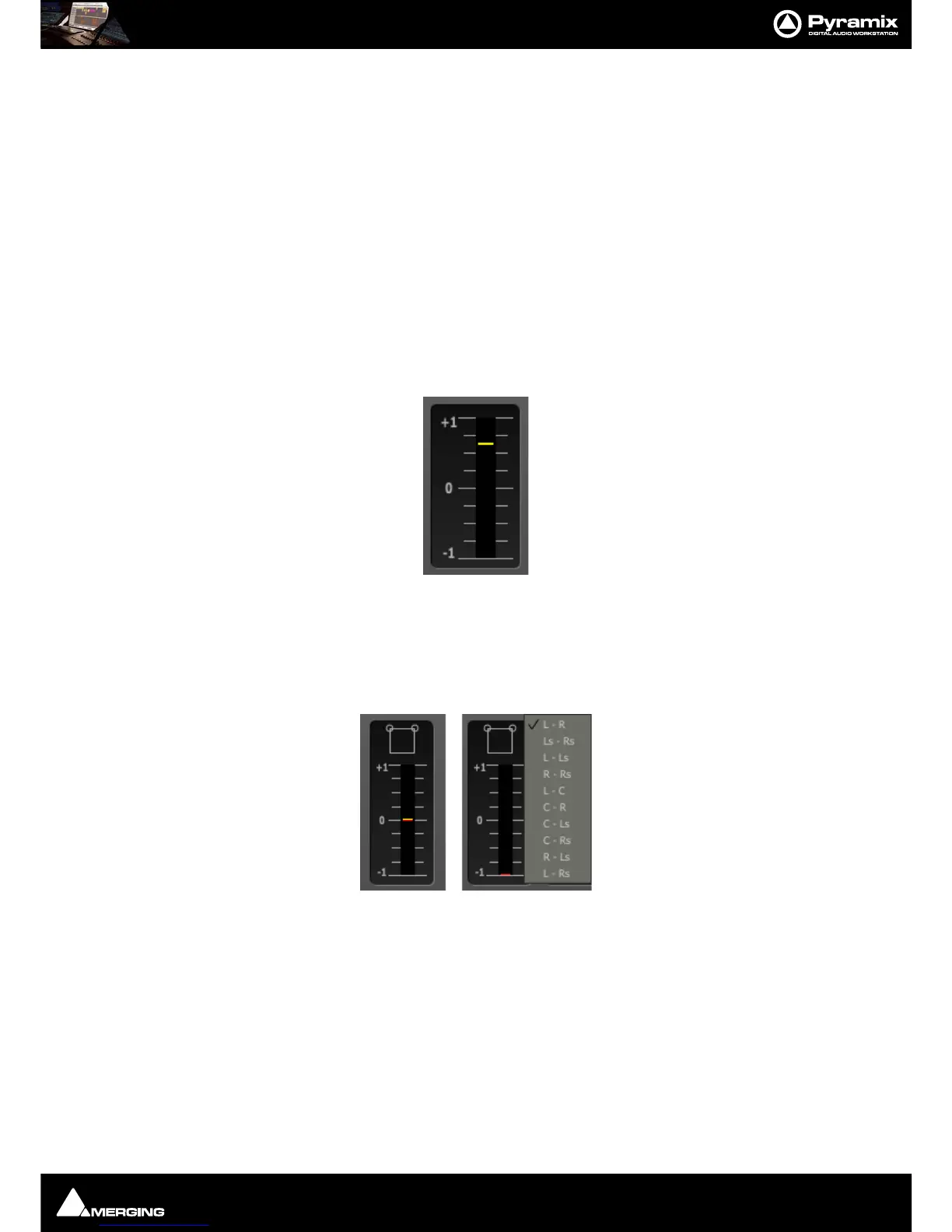
Phase Meter Stereo
This displays the value of the phase correlation within the mix. A clear colour code allows you to easily spot nega-
tive correlations.
Yellow = In phase, Red = Out of phase.
Phase Meter Surround
For a surround mix, a simple right-click allows you to select which two channels you want to monitor. An Icon at
the top of the phase meter shows the user which two channels are selected. Alternatively, this can be selected via
the
Setup page. Please see: Setup on page 303



 To Next Page