Strip and Bus Tools : Bus Tools
16 - 399
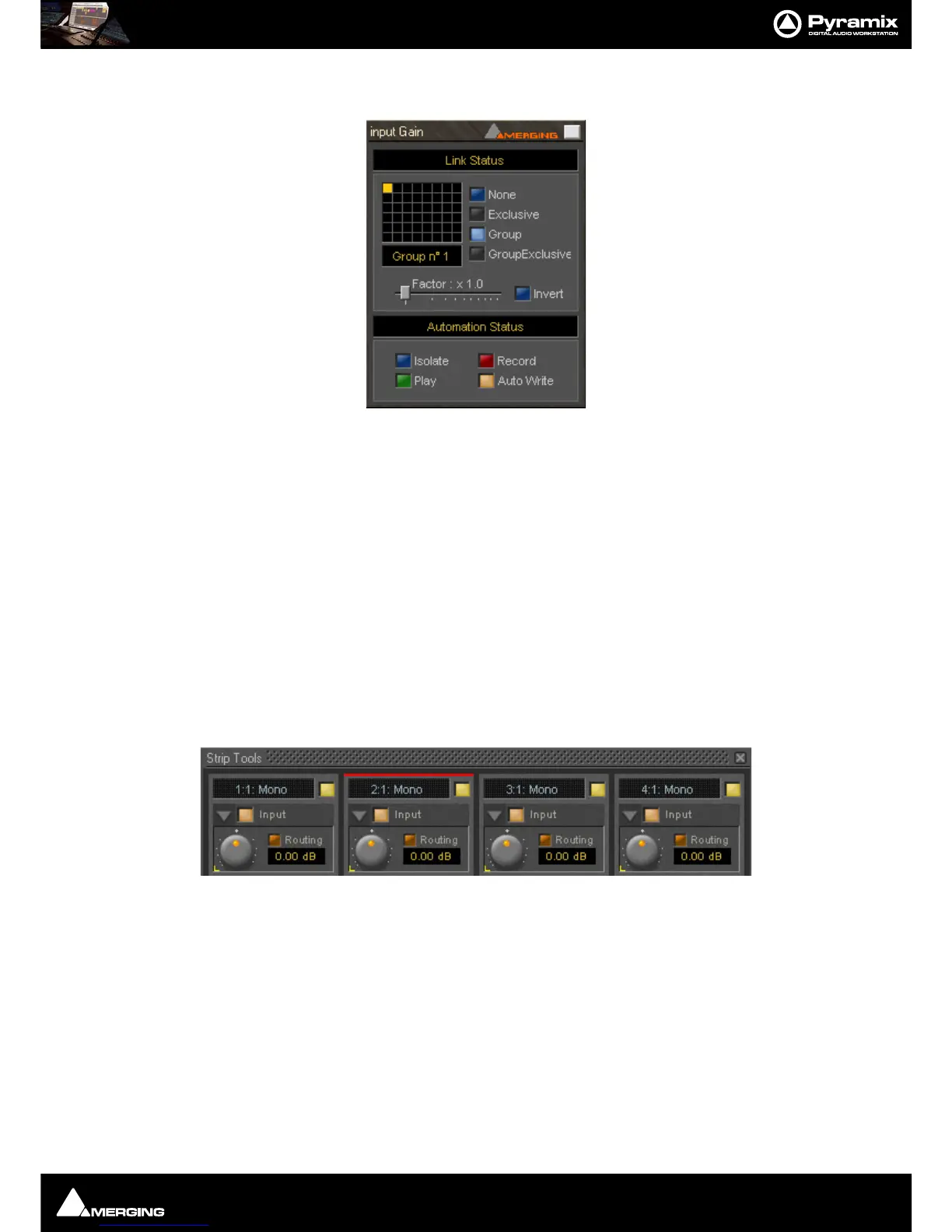
To add a control to a link group, right-click on the knob or button to display its Link Status and Automation Sta-
tus
pop-up window. E.g. this is the pop-up for an input gain control.:
Group assignment mode buttons
These four buttons define the link mode of the control. Four choices are available:
None The control is not a member of any group.
Group The control is a member of the selected group. When you move (or switch) this con-
trol or any other control which is a member of this group, all the members of the
group will move (or switch) along with it.
Exclusive This mode is only available for switches. With this mode selected, when this switch is
on, all the other members of the group will be switched off.
Group Exclusive This is a mode which has a superior effect on all groups which are set to Group
Exclusive. When any of the groups which are set to Group Exclusive is switched on,
all the other groups set to Group Exclusive will be switched off.
Grouped controls are indicated by a yellow
L in the corner of the control ‘block’.
Factor X Slider Works only on continuous (rotary or linear) controls. It determines the gearing of
this control in relation to other members of the group and vice versa. E.g, assume
the input gain of strip tools #1 and the input gain of strip tools #2 are both assigned
to group one. The scale factor of the gain of strip tools #2 is set to 2. Now when you
change the gain of strip tools #1 by 1 dB, the gain of strip tools #2 will change by 2
dB’s.
Invert Also works only on continuous controls. It inverts the effect of the movement for
this control caused by another group member or vice versa. E.g, assume the input
gain of strip tools #1 and the input gain of strip tools #2 are both assigned to group
one. The invert button of the gain of strip tools #2 is on. Now when you increase the
gain of strip tools #1 by 1 dB, the gain of strip tools #2 will diminished by 1 dB.



 To Next Page