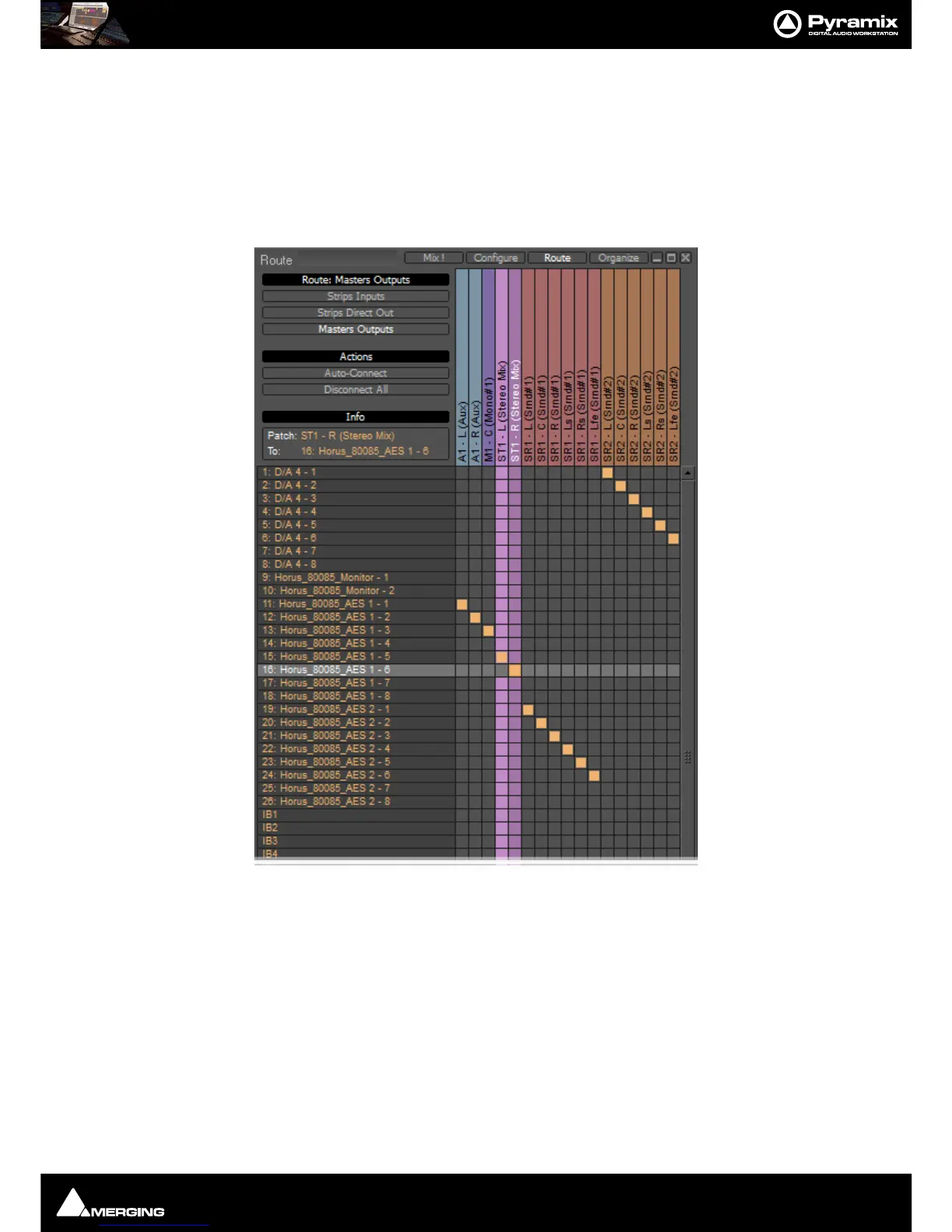
Mixer : Route Page
10 - 219
Wizard...
Opens the Configuration Wizard Window
Route Page
Route brings together all routing to and from physical I/O in an intuitive matrix routing grid environment. It opens
in the
Strips Input page:
Strips Direct Out and Masters Outputs are similar.
Making Connections
When the cursor is hovering over a destination crosspoint the column and row are highlighted for ease of viewing.
Bus colors are carried across from the Mixer. If the cursor is over a crosspoint which is part of a multichannel strip
or bus the other channels in the group are also highlighted dimly. In
Strips Inputs clicking on a crosspoint routes
the source in the left hand column to the destination in the top row. In
Strips Direct Out and Masters Outputs
sources are horizontal and destinations vertical. Clicking and dragging allow multiple assignments to be made
rapidly.



 To Next Page