Mixer : Configure Page
10 - 213
Strip Display
Click and drag the separator bar between Strips and Buses to show more or less Buses. The scroll bars give access
to Strips and buses currently off screen.
Double-clicking the label at the top of a strip minimizes the strip. Double-clicking the label button on a minimized
Strip restores it to full width.
Strip and Bus operations
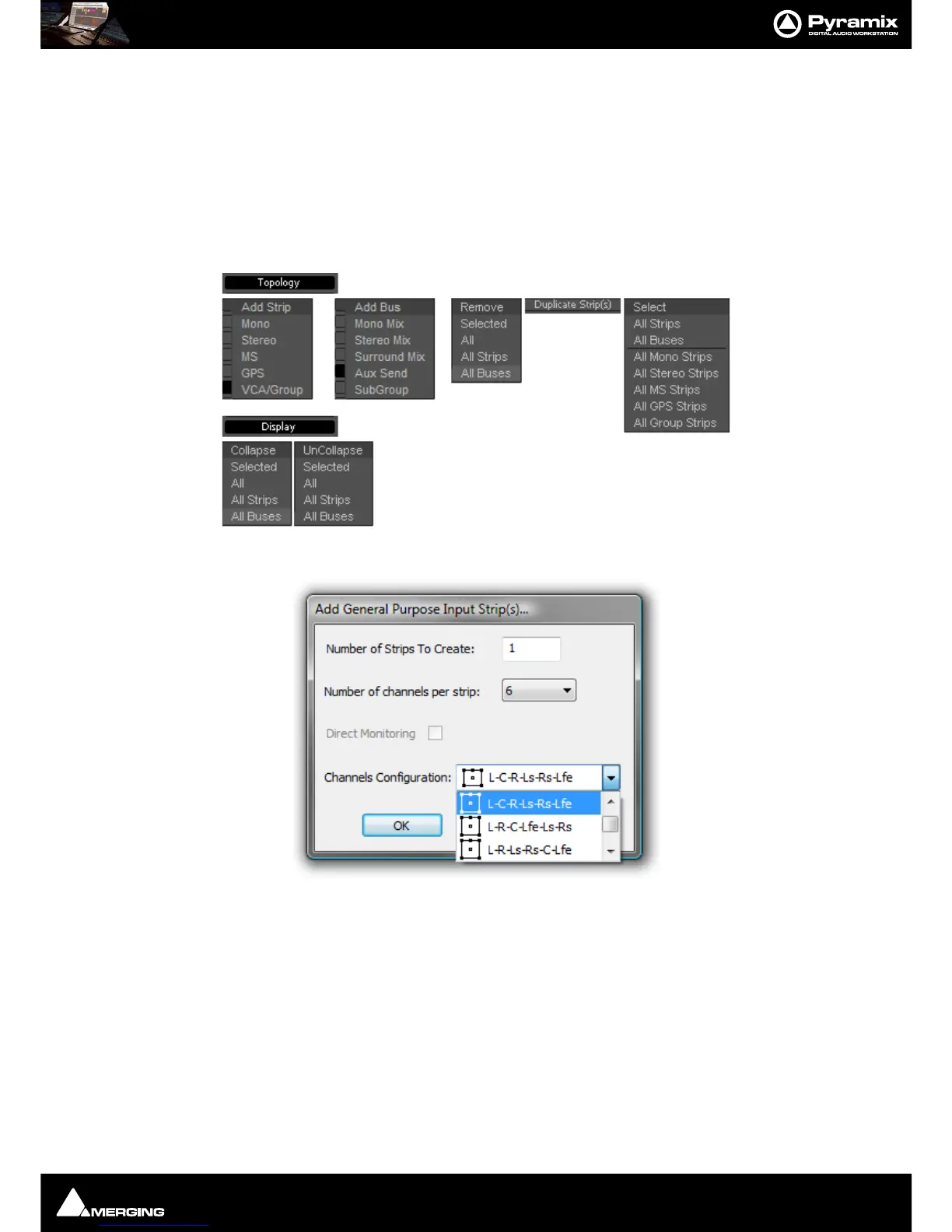
Once selected, strips can be dragged and dropped to reorganize. Other strip operations make use of the Topol-
ogy
and Display menu buttons. Each button pops up a list of options:
Add Strip - Mono, Stereo, MS, GPS and Group pops up a dialog with appropriate options:
Note: Notice the Direct Monitoring check box. (Grayed out in this case because it is only appli-
cable to Mono, Stereo and MS Strips). When checked, the strip added will be a Direct Monitoring
Strip. Please see Direct Monitoring Input Strips on page 221



 To Next Page