Customizing Pyramix : Customizing Keyboard Shortcuts
19 - 457
Customizing Keyboard Shortcuts
We strongly encourage you to learn the default Pyramix keyboard shortcuts. These have been used by audio pro-
fessionals for over a decade, and are powerful, quick and efficient for audio editing and device control. However, if
you are already familiar with another style of audio or video editing, you may wish to create your own
Keyboard
Shortcuts
for various Pyramix transport and editing functions.
To define your own
Keyboard Shortcuts:
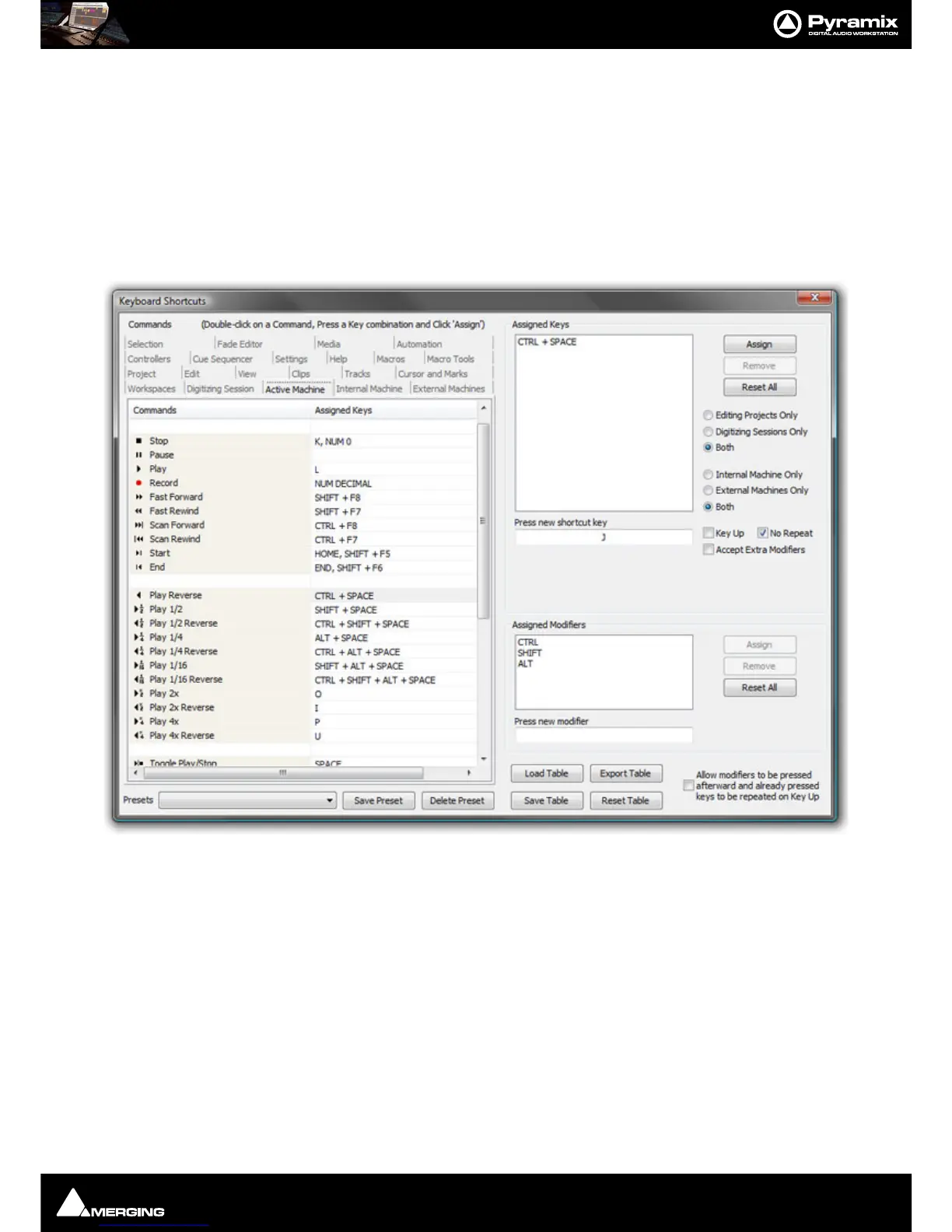
1. Choose View > Customize > Keyboard Shortcuts from the Toolbar. This opens the Keyboard Shortcuts
window:
2. All menu Commands are grouped together into Tabs within this window. Select the Tab with whichever
group of
Command Functions you wish to add or change key assignments for.
3. Click on the appropriate Command so that it is highlighted.
4. Click in the Press new shortcut key box. The cursor will become a blinking bar.
5. Now press the desired Key or combination of Key and modifier (e.g. the Ctrl, Shift, Alt, etc.). These will appear
in the
Press new shortcut key box. Note that Pyramix will warn you if the chosen Key or combination is
already assigned to another function.
6. Click the Assign button.
7. Continue assigning Keys to Commands until you are satisfied.
8. Any set of user defined Keyboard Shortcuts can be saved as a Preset. To do so, click the Save Preset button,
then name the
Preset. Similarly, to recall a previously saved Preset, click in the Presets box and select it from
the pop-up list. Note that several common
Presets are shipped with Pyramix Virtual Studio.The Table will be
saved in the system for the user currently logged in and will not affect any other user.



 To Next Page