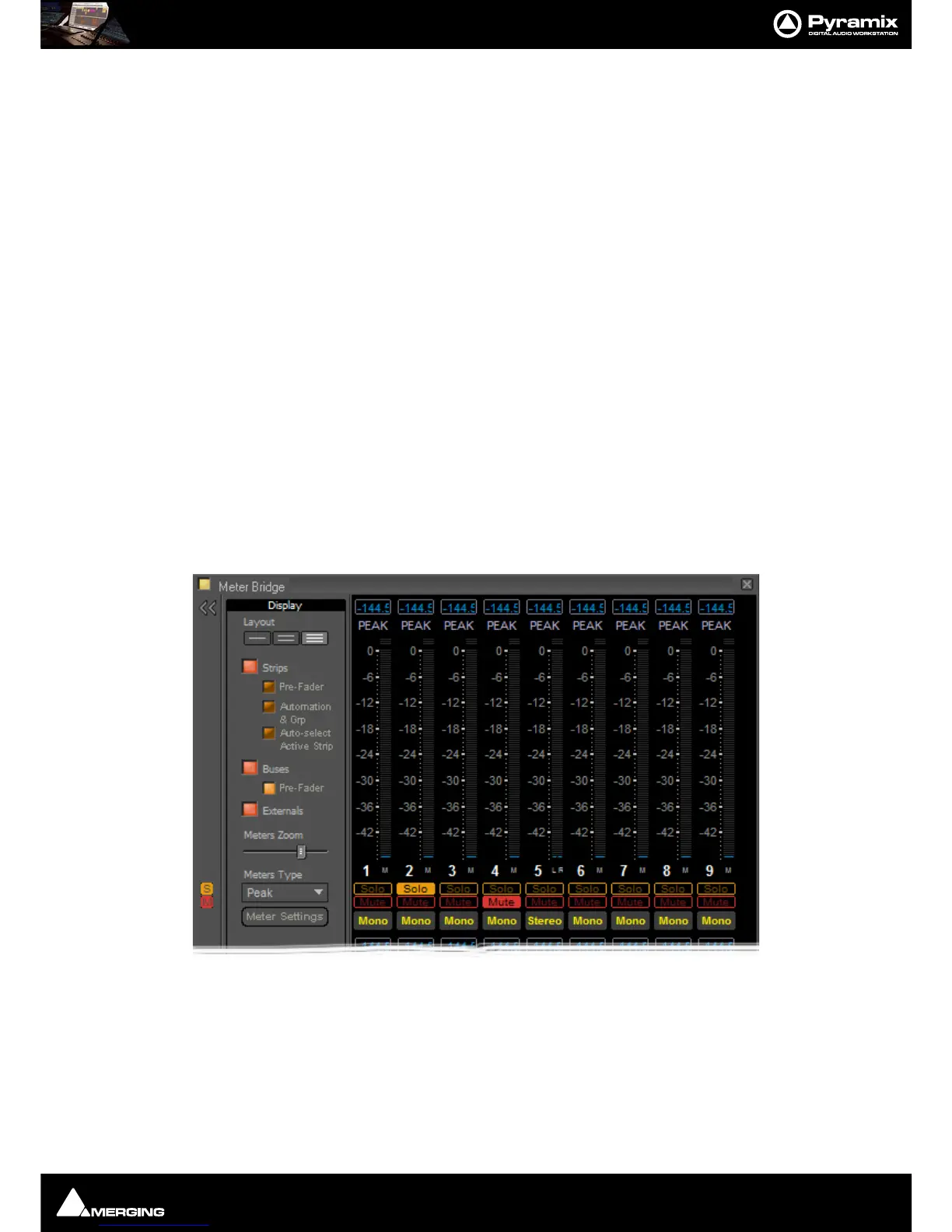
Meter Bridge : Meter Bridge
12 - 289
Resize
The Meter Bridge Window can be resized by clicking and dragging the edges. (Mouse cursor changes to double
arrow) Vertical resizing is limited to sensible display options. Scroll bars will appear when there is more informa-
tion to display than the window can accomodate.There is a separate auto-hide scroll bar for the Input Strips so you
can keep all the Buses and Externals visible together with a contiguous section of the Input Strips of a very large
mixer. (This will appear when the mouse cursor is over the right-hand edge of the top two rows.)
Auto Size
Double-clicking the caption bar positions and resizes the meter window automatically to a third of the available
screen height for a single row display, half screen height for a two row display and the full screen height for the
three row display mode.
Global Mute and Solo Indicators
If any mixer strip is Muted or Soloed the global indicators in the left margin illuminate.
Note: Active Track Mutes and Solos are not shown in the Meter Bridge.
Selected Strip and Record Ready Status
When Auto-select Active Strip is switched on in the configuration section the currently selected strip is shown
with a yellow outline.
Any strips currently in Record Ready mode are shown outlined in red.
Configuring the Meter Bridge
When first opened the Mixer Bridge appears as above. clicking on the double arrow >> below the Yellow Activate
button opens the
Display panel (a subsequent click on the << arrows closes):
Layout
The three buttons determine whether the meters are displayed as a single, double or triple row (default).



 To Next Page